> ## Documentation Index
> Fetch the complete documentation index at: https://docs.m1amdocs.com/llms.txt
> Use this file to discover all available pages before exploring further.
# Add an Email Address
As a Care Agent, you can register a new email address to a user profile, on behalf of a user. Adding a new, alternate email address is distinct from updating an existing email address.
1. Sign in to the Care console. By default, the **Find a User** page appears.
2. [Find and select](sgFindUser) a desired user. The selected user's profile opens.
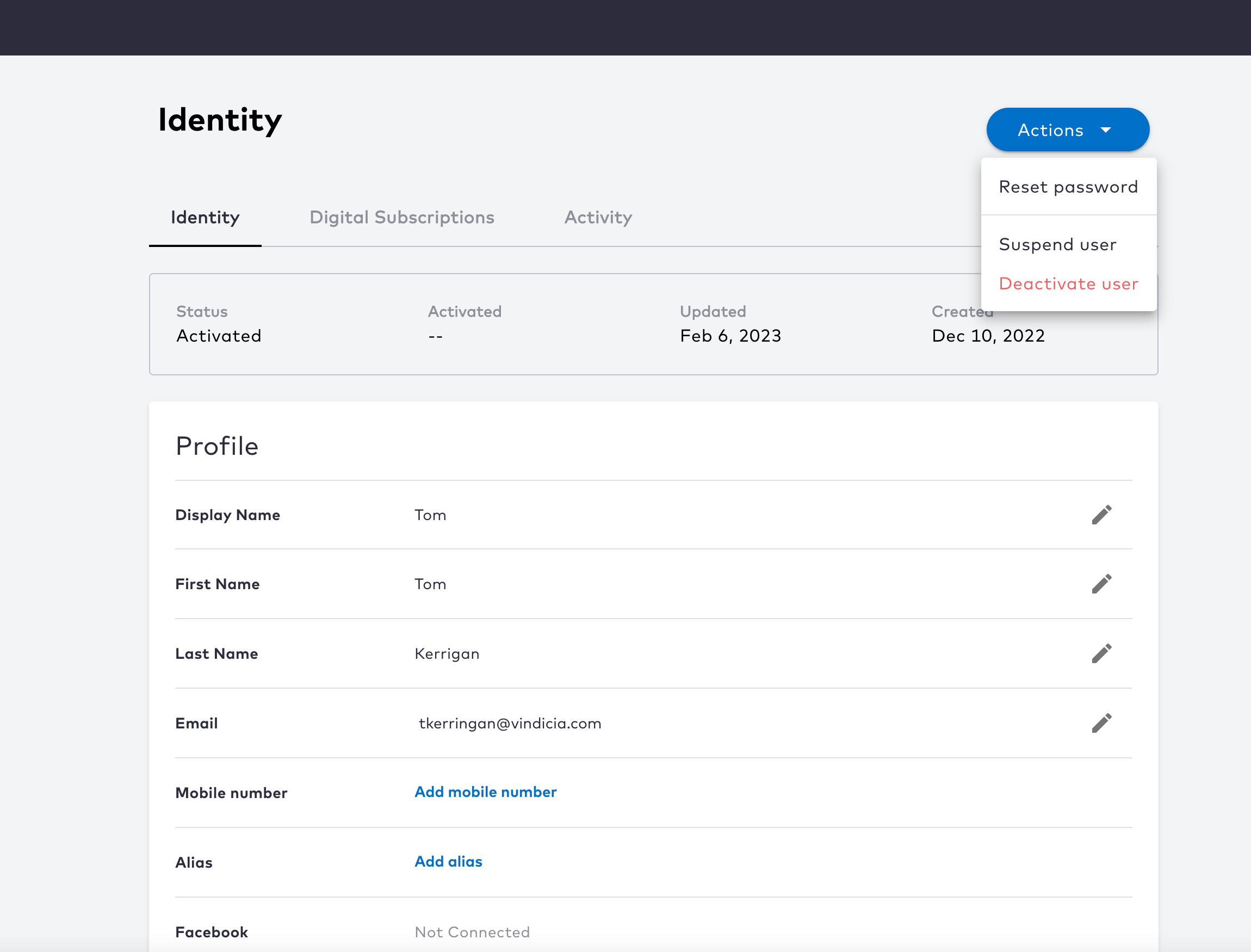 3. On the selected user's **Identity** page, do either of the following depending on the condition:
* If the user does not have any email address, click **Add email** in the **Email** row. A dialog opens.
* If the user already has at least one email, click the
3. On the selected user's **Identity** page, do either of the following depending on the condition:
* If the user does not have any email address, click **Add email** in the **Email** row. A dialog opens.
* If the user already has at least one email, click the  icon and click **Add alternate email**. A dialog opens.
4. Enter the desired email address, and click **Add email**.
The new email address is registered to the user with an **Activating** status. The system sends a verification message to the new address. The user needs to open that email and follow the verification link in order to fully activate this email. If the user deletes or misplaces their verification message, or if they let it expire, you can [resend a verification message](sgVerificationMessage) to the same email address.
**Parent topic:**[Authentication Identifiers](sgEmailsAndMobileNumbers)
This documentation is built and hosted on [Mintlify](https://mintlify.com), a developer documentation platform.
icon and click **Add alternate email**. A dialog opens.
4. Enter the desired email address, and click **Add email**.
The new email address is registered to the user with an **Activating** status. The system sends a verification message to the new address. The user needs to open that email and follow the verification link in order to fully activate this email. If the user deletes or misplaces their verification message, or if they let it expire, you can [resend a verification message](sgVerificationMessage) to the same email address.
**Parent topic:**[Authentication Identifiers](sgEmailsAndMobileNumbers)
This documentation is built and hosted on [Mintlify](https://mintlify.com), a developer documentation platform.