> ## Documentation Index
> Fetch the complete documentation index at: https://docs.m1amdocs.com/llms.txt
> Use this file to discover all available pages before exploring further.
# Additional Product Details
When you create or edit a product, you can configure additional details under the following tabs:
* **Provisioning**
* Commercial attributes
* Customer attributes
* **Informational**
* Informational features
* Tags
* **Documents**
These product details are intended for use in the Reseller (Service Provider) storefront. Providing this information helps accelerate the launch of new products to customers by streamlining setup.
The details support key functions such as product presentation, storefront functionality, and agreement fulfillment. They enable:
* Tracking of product resale
* Improved product discoverability
* Clear communication of features and benefits
* Specification of required fields for provisioning
For more information, see [Manage Products](m_productsManage).
## Provisioning
**Commercial Attributes**
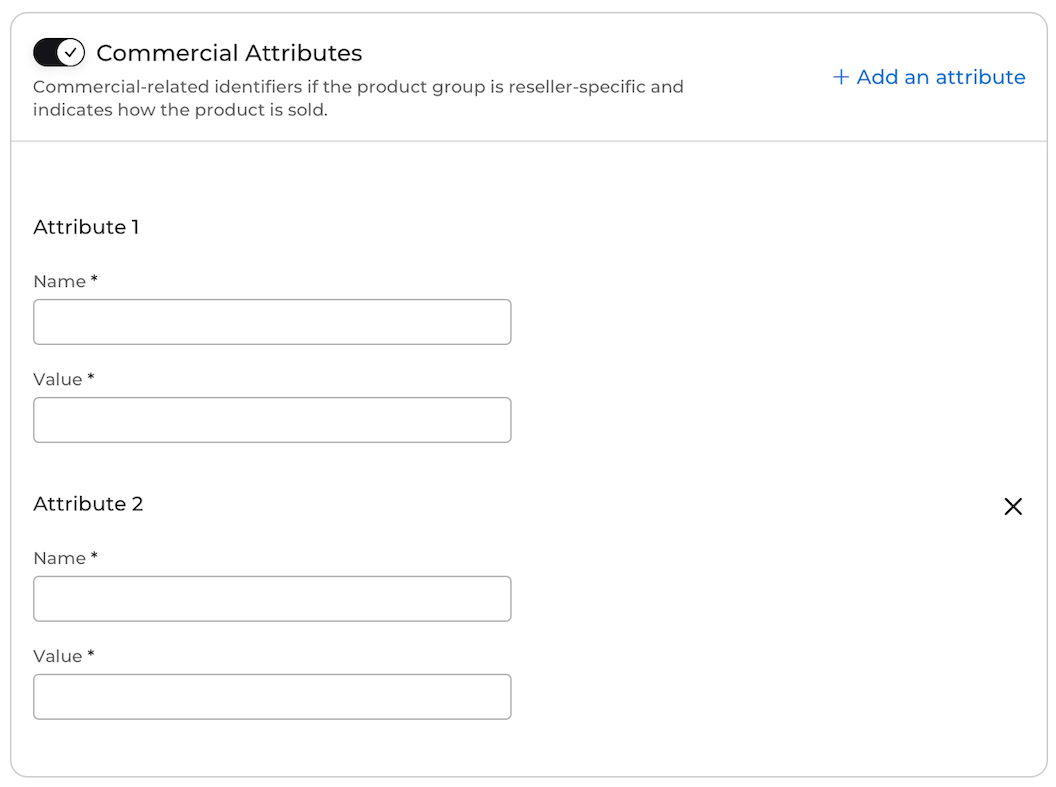
Commercial attributes allow you to track product resale on specific Resellers' storefronts.
To enable commercial attributes for a product, the product group you create has to be available to only one Reseller. After defining one or more commercial attributes for a Reseller, the attribute records how the product is sold in the Reseller's store. For example, you can track the service bundles or offers associated with the product purchase by defining bundle or offer attributes.
When a customer purchases a subscription, the platform looks up any commercial attributes associated with the product and provides them to your organization during the provisioning flow. Your organization and the Reseller organization obtain the same data about the product for reporting purposes.
**Note:** This feature applies to new partnerships using commercial attributes. If you have an existing partnership with a Reseller and are using the legacy version of commercial attributes, you can continue to use the legacy version.
 **Customer Attributes**
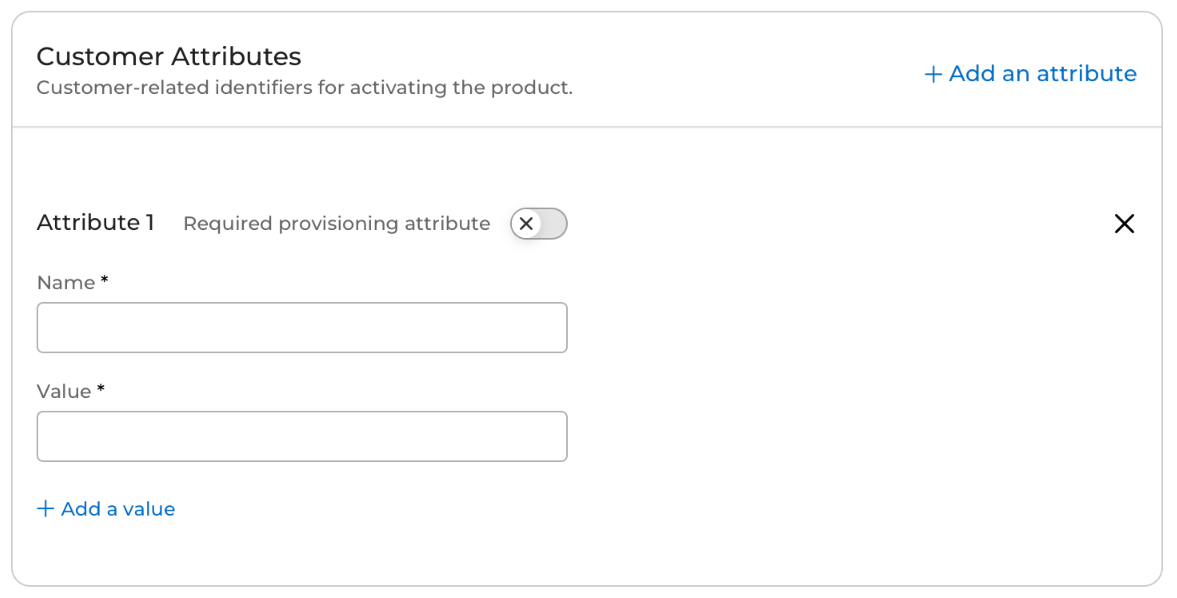
Customer attributes allow you to inform the Reseller (Service Provider) what fields are required or optional to pass from the Reseller's ordering system to Partner Ecosystem Management when provisioning the product for a customer. For example, you could provide **Identifier** (name) and **Email address** (value) as a required customer attribute. This attribute would require the customer's email address to be provided when provisioning the customer's subscription. The Reseller's ordering system would pass the email address to Partner Ecosystem Management in the provisioning process. Optionally, the Reseller could decide to store the value in Partner Ecosystem Management for future use.
If you want to give the Reseller (Service Provider) the ability to provide one value out of a few options, you can create a required customer attribute name with various values. During provisioning, the Reseller has to send one of the values you entered.
When an optional customer attribute is created with multiple optional values, the Reseller can send any value or decide to send no value during provisioning.
**Customer Attributes**
Customer attributes allow you to inform the Reseller (Service Provider) what fields are required or optional to pass from the Reseller's ordering system to Partner Ecosystem Management when provisioning the product for a customer. For example, you could provide **Identifier** (name) and **Email address** (value) as a required customer attribute. This attribute would require the customer's email address to be provided when provisioning the customer's subscription. The Reseller's ordering system would pass the email address to Partner Ecosystem Management in the provisioning process. Optionally, the Reseller could decide to store the value in Partner Ecosystem Management for future use.
If you want to give the Reseller (Service Provider) the ability to provide one value out of a few options, you can create a required customer attribute name with various values. During provisioning, the Reseller has to send one of the values you entered.
When an optional customer attribute is created with multiple optional values, the Reseller can send any value or decide to send no value during provisioning.
 **Customer Attribute Flow**
The customer attribute flow, from the creation of the attribute to the activation of a subscription, is as follows:
1. The Merchant creates the required and optional customer attributes for a product.
2. The Reseller (Service Provider) creates an agreement for the product. The Reseller indicates if they want to store any of the customer attributes for future use (in the allowlist).
3. The Merchant approves the agreement, and the product information is published to the external catalog.
4. Partner Ecosystem Management sends the product specification along with the required and optional customer attributes to the Reseller's external catalog. The catalog then provides the attributes to the ordering system.
5. When a customer purchases a subscription, the Reseller’s ordering system sends the required customer attribute values. Optional customer attribute values can be sent as desired. Any attributes that were previously added to the allowlist will be stored.
6. Partner Ecosystem Management sends the customer attribute values to the Merchant.
7. The customer activates the subscription with the Merchant.
## Informational
**Informational Features**
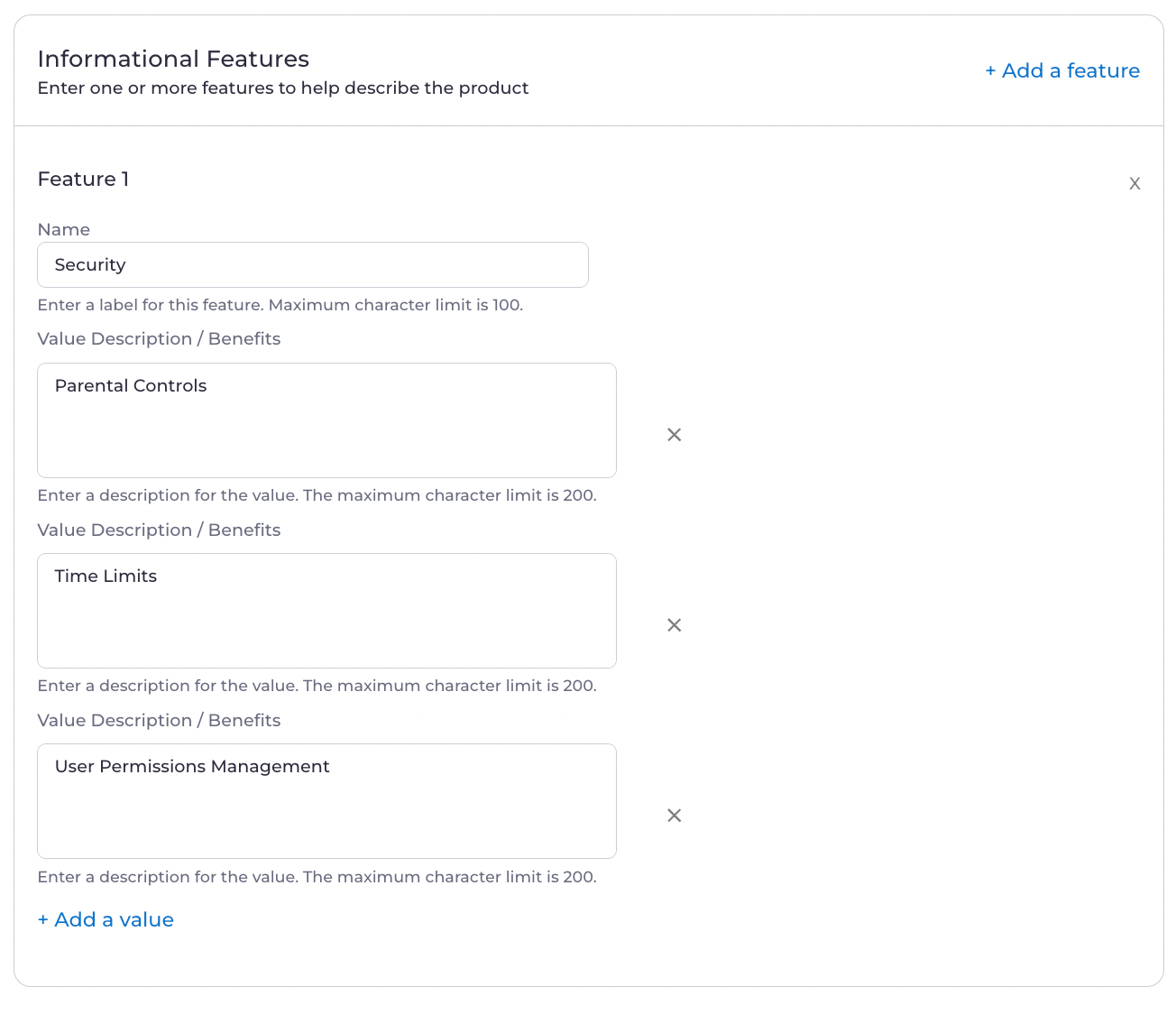
Informational features allow you to describe what the customer will receive from the product. The Reseller (Service Provider) displays this information on their digital store. To add an informational feature, you need to enter a name. It's optional to add one or more values for each of the named features.
For example, for a streaming product, you could add:
* Resolution (name): 4k (value)
* Security (name): Parental Controls (value), Time Limits (value), User Permissions Management (value)
**Customer Attribute Flow**
The customer attribute flow, from the creation of the attribute to the activation of a subscription, is as follows:
1. The Merchant creates the required and optional customer attributes for a product.
2. The Reseller (Service Provider) creates an agreement for the product. The Reseller indicates if they want to store any of the customer attributes for future use (in the allowlist).
3. The Merchant approves the agreement, and the product information is published to the external catalog.
4. Partner Ecosystem Management sends the product specification along with the required and optional customer attributes to the Reseller's external catalog. The catalog then provides the attributes to the ordering system.
5. When a customer purchases a subscription, the Reseller’s ordering system sends the required customer attribute values. Optional customer attribute values can be sent as desired. Any attributes that were previously added to the allowlist will be stored.
6. Partner Ecosystem Management sends the customer attribute values to the Merchant.
7. The customer activates the subscription with the Merchant.
## Informational
**Informational Features**
Informational features allow you to describe what the customer will receive from the product. The Reseller (Service Provider) displays this information on their digital store. To add an informational feature, you need to enter a name. It's optional to add one or more values for each of the named features.
For example, for a streaming product, you could add:
* Resolution (name): 4k (value)
* Security (name): Parental Controls (value), Time Limits (value), User Permissions Management (value)
 **Tags**
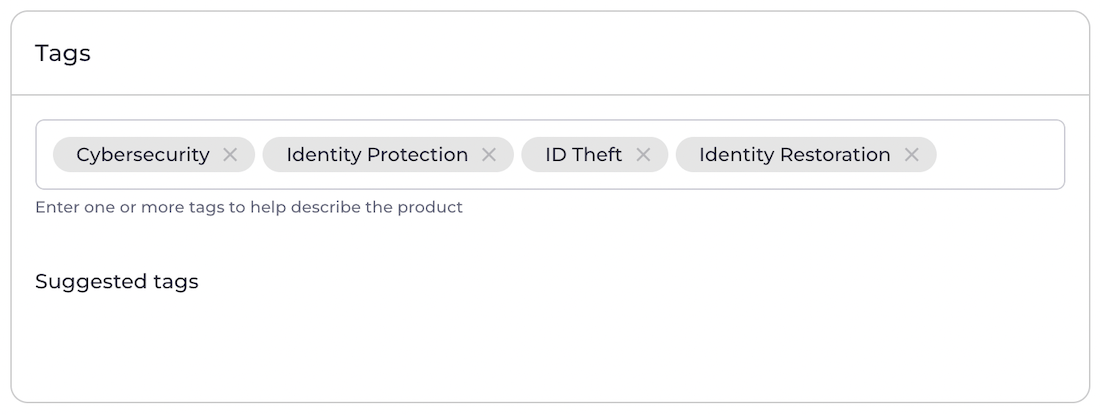
Tags allow you to provide Resellers (Service Providers) with search terms that can help their customers find your product. When you're creating a product, you can assign tags that correspond to all the terms customers would search to find your product on a storefront. Resellers can use your tags, eliminating the need to separately come up with terms that refer to the product.
For example, for an identity protection subscription service, you could create tags like **Cybersecurity**, **Identity Protection**, **ID Theft**, **Identity Restoration**, and **Identity Monitoring**. When you create tags for your products, they're saved in your suggested tags list to quickly reuse in the future.
**Tags**
Tags allow you to provide Resellers (Service Providers) with search terms that can help their customers find your product. When you're creating a product, you can assign tags that correspond to all the terms customers would search to find your product on a storefront. Resellers can use your tags, eliminating the need to separately come up with terms that refer to the product.
For example, for an identity protection subscription service, you could create tags like **Cybersecurity**, **Identity Protection**, **ID Theft**, **Identity Restoration**, and **Identity Monitoring**. When you create tags for your products, they're saved in your suggested tags list to quickly reuse in the future.
 ## Documents
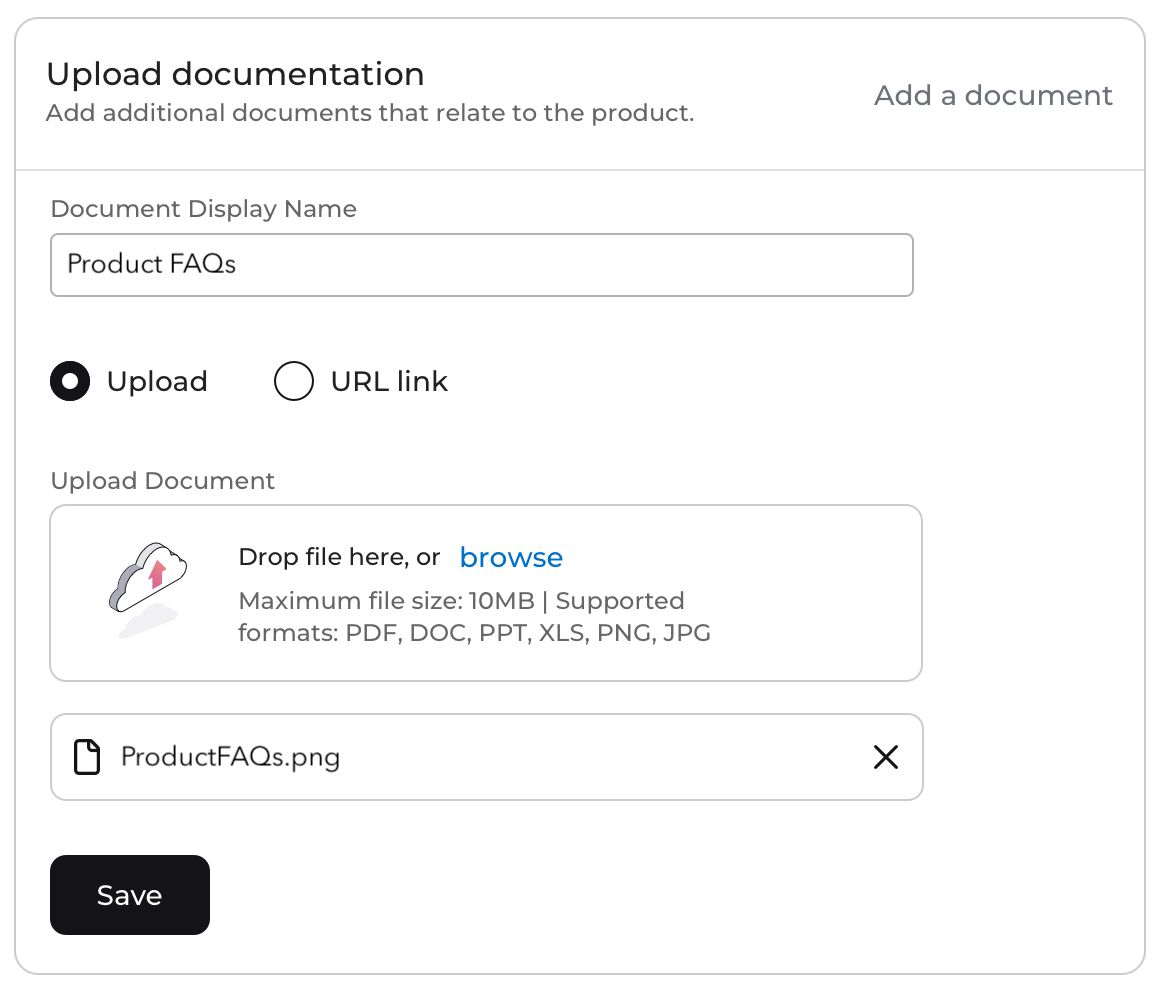
Upload or link to official product documents to provide potential customers with legal, regulatory, and other product information on Resellers' (Service Providers') storefronts.
The supported file formats are as follows: .pdf, .doc, .ppt, .xls, .png, and .jpg. The size limit per file is 10 MB.
## Documents
Upload or link to official product documents to provide potential customers with legal, regulatory, and other product information on Resellers' (Service Providers') storefronts.
The supported file formats are as follows: .pdf, .doc, .ppt, .xls, .png, and .jpg. The size limit per file is 10 MB.
 **Parent topic:**[Products and Product Groups](productsAbout)
This documentation is built and hosted on [Mintlify](https://mintlify.com), a developer documentation platform.
**Parent topic:**[Products and Product Groups](productsAbout)
This documentation is built and hosted on [Mintlify](https://mintlify.com), a developer documentation platform.