> ## Documentation Index
> Fetch the complete documentation index at: https://docs.m1amdocs.com/llms.txt
> Use this file to discover all available pages before exploring further.
# Working with Product Groups Across the MarketONE Components
**Note:** This topic is intended for Resellers (Service Providers) using the entire MarketONE suite and working with products in the [Platform-managed lifecycle](g_platformManagedFlow) only.
All products belong to a product group, even if that group contains only a single product. While single-product groups don’t support switching, every product group is relevant for storefront presentation and should be understood as part of your configuration process.
When a product group includes multiple related products (e.g., service tiers or variations), it enables:
* Switching behavior (upgrades, downgrades)
* Upsell opportunities
* Tiered offerings in the storefront
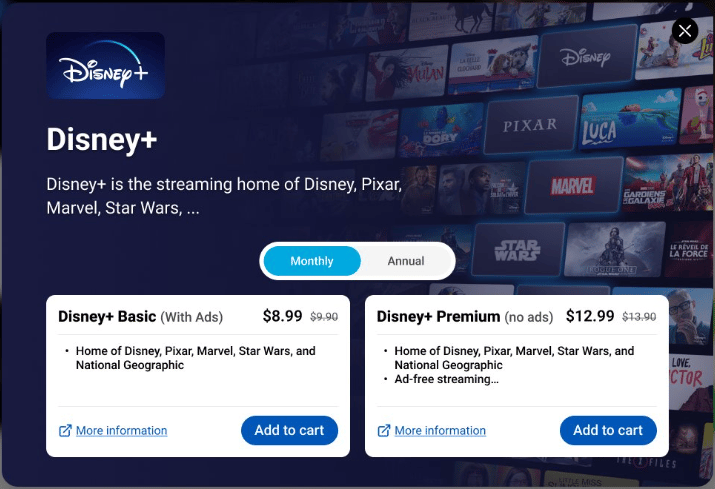 **Note:** This image is only for reference and doesn't reflect any specific implementation or integration.
## What Are Product Groups?
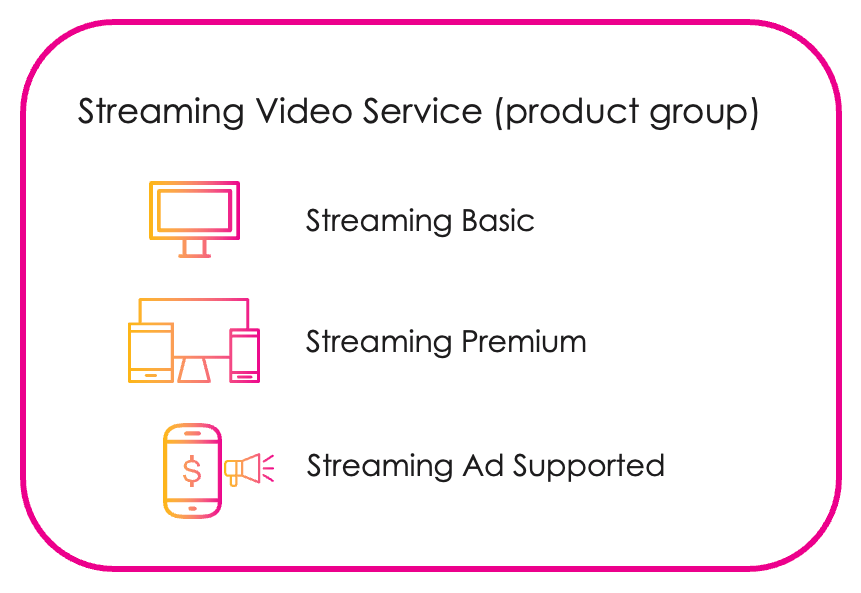
Product groups are collections of related products organized under a shared label by the Merchant. For example: *Streaming Basic*, *Streaming Premium*, and *Streaming Ad-Supported* under *Streaming Video Service*.
**Note:** This image is only for reference and doesn't reflect any specific implementation or integration.
## What Are Product Groups?
Product groups are collections of related products organized under a shared label by the Merchant. For example: *Streaming Basic*, *Streaming Premium*, and *Streaming Ad-Supported* under *Streaming Video Service*.
 These groupings help customers compare options and choose the best fit. For Resellers, they enable:
* Tiered plans
* Upsell paths
* Product switching within a unified experience
## How Product Groups Flow Across Components
Product groups move through three key applications:
**1. Partner Ecosystem Management**
* Merchants define product groups and assign products to them.
* Resellers discover products and submit agreements.
* Resellers enable the eligibility service to support upselling and switching products in product groups.
* Default switching policies are configured here (e.g., proration, timing of upgrades/downgrades).
**2. Commerce Engine**
* Resellers map products and define allowed switching paths between products in a group.
**3. Editorial Management Interface (EMI)**
* Products and product groups are mapped to visual storefront components.
* Resellers define how products are interacted with.
* Enables upsell strategies, interactive switching, and tailored views.
## Configuring Product Groups
**In Partner Ecosystem Management:**
* [Enable the eligibility service](https://docs.saas.amdocs.com/bundle/b_userGuideForResellers/page/topics/eligibilityServiceManage_t.html) to support upselling and switching.
* [Set default switching policies](../../userGuideForResellers/topics/resellerPolicies#d18718e82).
**In Commerce Engine:**
* Map each [product](../../Commerce_Engine_User_Guide/topics/productAbout) in a group, define upgrade/downgrade paths, and enforce [eligibility rules](../../Commerce_Engine_User_Guide/topics/eligibilityRuleConfiguration).
**In Editorial Management Interface (EMI):**
* Configure how products and product groups are displayed to storefront customers via:
* [Product catalog configuration](../../EMIGuide/topics/productCatalogAbout)
* [Page programming](../../EMIGuide/topics/programmingAbout)
* [Populations](../../EMIGuide/topics/populationsAbout)
* [Business rules](../../EMIGuide/topics/businessRulesAbout)
This documentation is built and hosted on [Mintlify](https://mintlify.com), a developer documentation platform.
These groupings help customers compare options and choose the best fit. For Resellers, they enable:
* Tiered plans
* Upsell paths
* Product switching within a unified experience
## How Product Groups Flow Across Components
Product groups move through three key applications:
**1. Partner Ecosystem Management**
* Merchants define product groups and assign products to them.
* Resellers discover products and submit agreements.
* Resellers enable the eligibility service to support upselling and switching products in product groups.
* Default switching policies are configured here (e.g., proration, timing of upgrades/downgrades).
**2. Commerce Engine**
* Resellers map products and define allowed switching paths between products in a group.
**3. Editorial Management Interface (EMI)**
* Products and product groups are mapped to visual storefront components.
* Resellers define how products are interacted with.
* Enables upsell strategies, interactive switching, and tailored views.
## Configuring Product Groups
**In Partner Ecosystem Management:**
* [Enable the eligibility service](https://docs.saas.amdocs.com/bundle/b_userGuideForResellers/page/topics/eligibilityServiceManage_t.html) to support upselling and switching.
* [Set default switching policies](../../userGuideForResellers/topics/resellerPolicies#d18718e82).
**In Commerce Engine:**
* Map each [product](../../Commerce_Engine_User_Guide/topics/productAbout) in a group, define upgrade/downgrade paths, and enforce [eligibility rules](../../Commerce_Engine_User_Guide/topics/eligibilityRuleConfiguration).
**In Editorial Management Interface (EMI):**
* Configure how products and product groups are displayed to storefront customers via:
* [Product catalog configuration](../../EMIGuide/topics/productCatalogAbout)
* [Page programming](../../EMIGuide/topics/programmingAbout)
* [Populations](../../EMIGuide/topics/populationsAbout)
* [Business rules](../../EMIGuide/topics/businessRulesAbout)
This documentation is built and hosted on [Mintlify](https://mintlify.com), a developer documentation platform.