> ## Documentation Index
> Fetch the complete documentation index at: https://docs.m1amdocs.com/llms.txt
> Use this file to discover all available pages before exploring further.
# Products and Product Groups
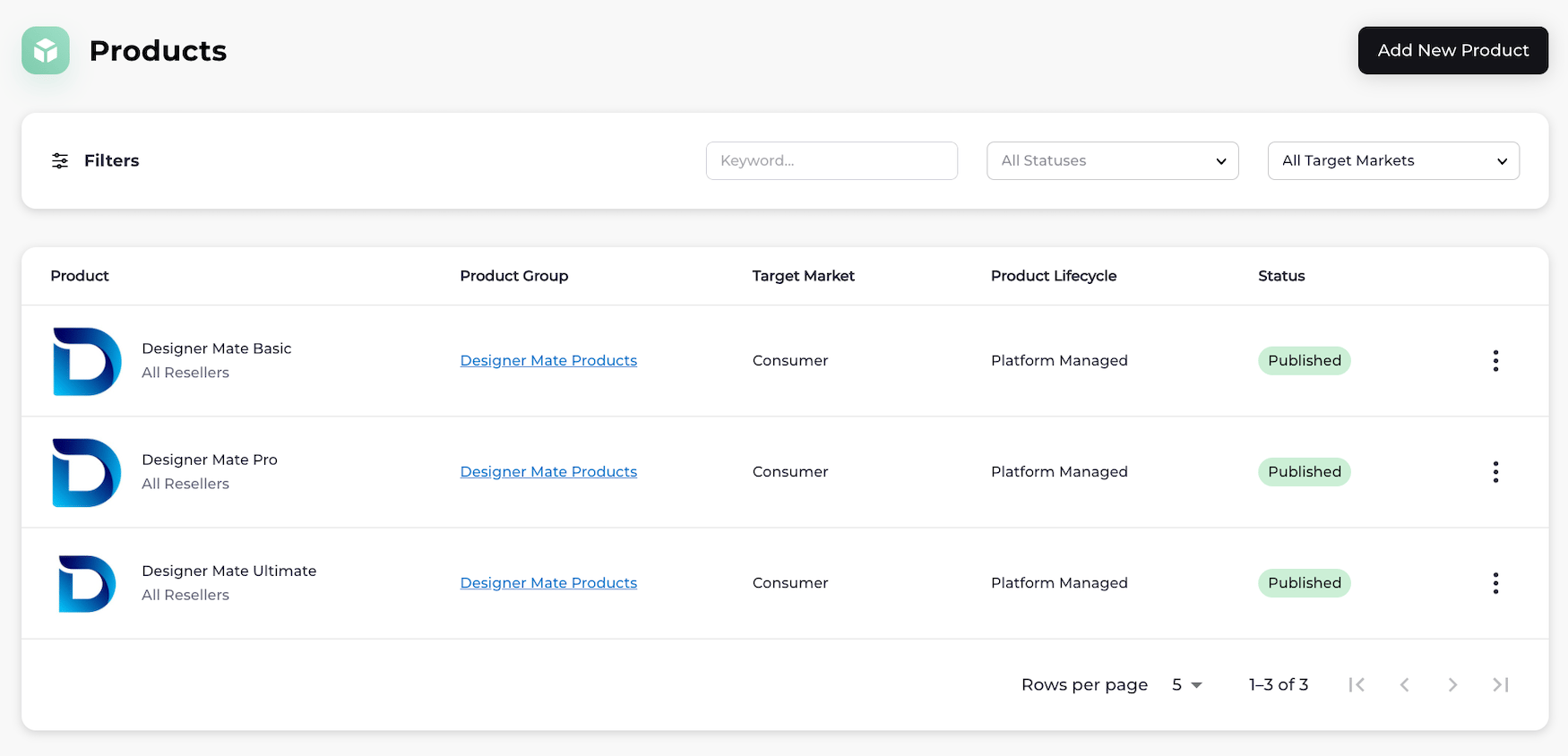
Products are created and managed by Merchant organizations. Products are Merchants' services or what the customer receives. Examples of products include streaming services, online software products, cloud services, and applications. Merchants can showcase their products to Resellers (Service Providers) by publishing them in product groups that represent a similar set of products, such as tiers of a streaming service. Merchants can do this before or after having partnerships with Resellers.
In Partner Ecosystem Management, Merchants can:
* Create products and product groups
* View products and product groups
* Edit products and product groups
* Publish products
## Products
You can:
1. Create a product and add the product to an existing group now.
2. Create a product draft and add the product to a group later.
3. Create a product group and add product(s) to it now.
4. Create a product group and add product(s) to it later.
When you create a product, you can add a name, product code, description, and logo. You can [add more details](r_additionalProductConfigurationAbout) for Reseller (Service Provider) storefronts, including tags, informational features, commercial attributes (available with Reseller-specific product groups only), customer attributes, and documents.
Before you publish any product for use with Resellers (Service Providers), the product must belong to a group. A group can have one or more products. See [Manage Products](r_productsManage) and [Product States](r_productStates) for more information.
After you publish the product, Resellers can discover the product and group information in Partner Ecosystem Management. The group details provide context and settings for all products in the group, including how the product(s) can be sold. When a Reseller (Service Provider) and Merchant have a partnership, the Reseller initiates the agreement request for the product(s).
 ## Product Groups
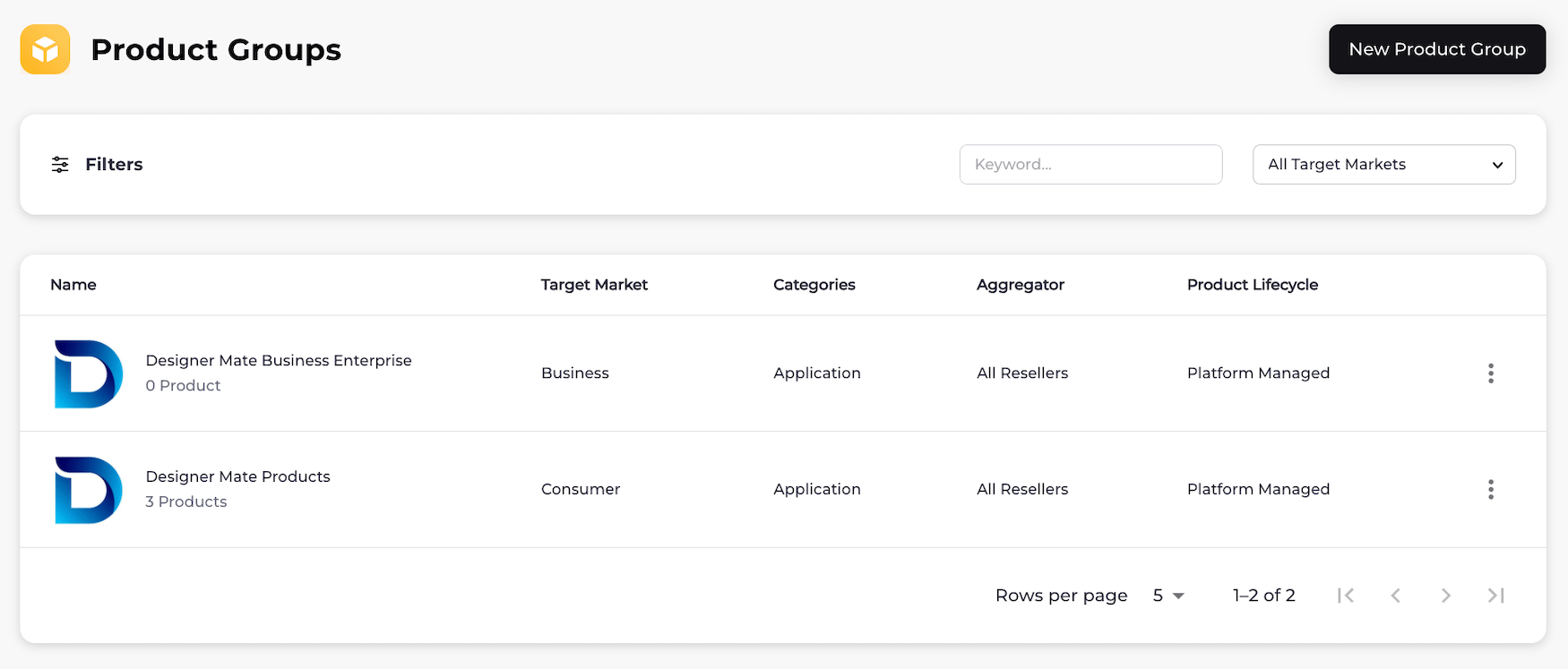
Product groups let you categorize and organize related products within a unified label or product family.
When creating a product group, you define how its products will be managed throughout their lifecycle. You can choose between two lifecycle management models:
* [Platform-Managed](managedFlows): the Reseller resells the product in their store
* [Merchant-Managed](managedFlows): the Merchant sells the product in their own store and offers an additional payment option of Reseller [statement billing](g_statementBilling) for their customers.
You can create new product(s) for the group or add draft product(s). Adding more than one product to the group allows for variants for the customer to purchase. Having more than one product in a group also allows customers to move between products without impacting their subscription status. This can include upgrading and downgrading subscriptions.
You can select a product type for your product group. Product types include but are not limited to **Over the Top Service**, **Application**, **Cloud Resource**, and **Device**.
You can select an entitlement type for your product group to allow for standard or quantity-based products (Platform-managed product lifecycle only). When you select the quantity entitlement type, the Reseller must provide a quantity (number) during product provisioning. The quantity entitlement type supports various use cases, including numbers of seat licenses.
By default, your product group is visible to all Resellers. You have the option to make your product group visible to only one or more specific Reseller(s) (Service Providers).
Resellers (Service Providers) can create agreements for products that are part of groups. When a Merchant approves an agreement for a [Platform-Managed product](managedFlows), the product and group information can be published to the Reseller's external catalog. Product groups contain information that helps storefronts display the family of product options in a logical way. An external catalog can use product group data such as **Product Type** to display products in the digital store and help customers decide what product within the group is right for them.
## Product Groups
Product groups let you categorize and organize related products within a unified label or product family.
When creating a product group, you define how its products will be managed throughout their lifecycle. You can choose between two lifecycle management models:
* [Platform-Managed](managedFlows): the Reseller resells the product in their store
* [Merchant-Managed](managedFlows): the Merchant sells the product in their own store and offers an additional payment option of Reseller [statement billing](g_statementBilling) for their customers.
You can create new product(s) for the group or add draft product(s). Adding more than one product to the group allows for variants for the customer to purchase. Having more than one product in a group also allows customers to move between products without impacting their subscription status. This can include upgrading and downgrading subscriptions.
You can select a product type for your product group. Product types include but are not limited to **Over the Top Service**, **Application**, **Cloud Resource**, and **Device**.
You can select an entitlement type for your product group to allow for standard or quantity-based products (Platform-managed product lifecycle only). When you select the quantity entitlement type, the Reseller must provide a quantity (number) during product provisioning. The quantity entitlement type supports various use cases, including numbers of seat licenses.
By default, your product group is visible to all Resellers. You have the option to make your product group visible to only one or more specific Reseller(s) (Service Providers).
Resellers (Service Providers) can create agreements for products that are part of groups. When a Merchant approves an agreement for a [Platform-Managed product](managedFlows), the product and group information can be published to the Reseller's external catalog. Product groups contain information that helps storefronts display the family of product options in a logical way. An external catalog can use product group data such as **Product Type** to display products in the digital store and help customers decide what product within the group is right for them.
 **Product Group Example**
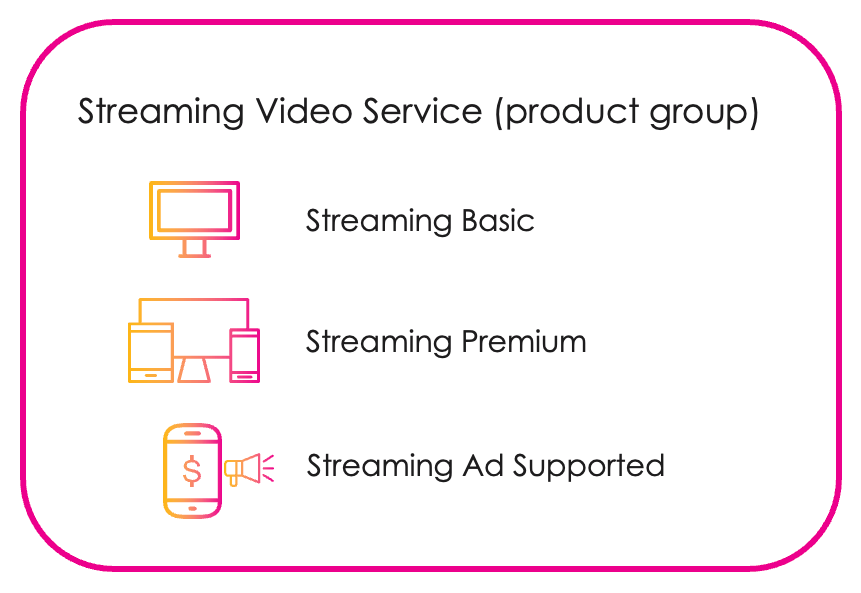
A Merchant has video streaming products that are similar (Streaming Basic, Streaming Premium, and Streaming Ad Supported). The Merchant creates a group for the products called Streaming Video Service. The products share the group label while retaining the characteristics that differentiate them (basic, premium and ad supported). This improves the consumer experience and gives more options to customers.
**Product Group Example**
A Merchant has video streaming products that are similar (Streaming Basic, Streaming Premium, and Streaming Ad Supported). The Merchant creates a group for the products called Streaming Video Service. The products share the group label while retaining the characteristics that differentiate them (basic, premium and ad supported). This improves the consumer experience and gives more options to customers.
 See [Manage Product Groups](r_productGroupsManage) for more information.
* **[Additional Product Details](r_additionalProductConfigurationAbout)**
* **[Product States](r_productStates)**
* **[Manage Products](r_productsManage)**
* **[Manage Product Groups](r_productGroupsManage)**
This documentation is built and hosted on [Mintlify](https://mintlify.com), a developer documentation platform.
See [Manage Product Groups](r_productGroupsManage) for more information.
* **[Additional Product Details](r_additionalProductConfigurationAbout)**
* **[Product States](r_productStates)**
* **[Manage Products](r_productsManage)**
* **[Manage Product Groups](r_productGroupsManage)**
This documentation is built and hosted on [Mintlify](https://mintlify.com), a developer documentation platform.