> ## Documentation Index
> Fetch the complete documentation index at: https://docs.m1amdocs.com/llms.txt
> Use this file to discover all available pages before exploring further.
# Manage Your Registration for Reports
In Partner Ecosystem Management, you can:
* Register for reports
* Un-register for reports
You must [configure your SFTP settings and connect via SFTP](r_SFTPSettingsConfigure) before you can register for a report. Registration is required to download a report.
1. Navigate to **Reports** in Partner Ecosystem Management.
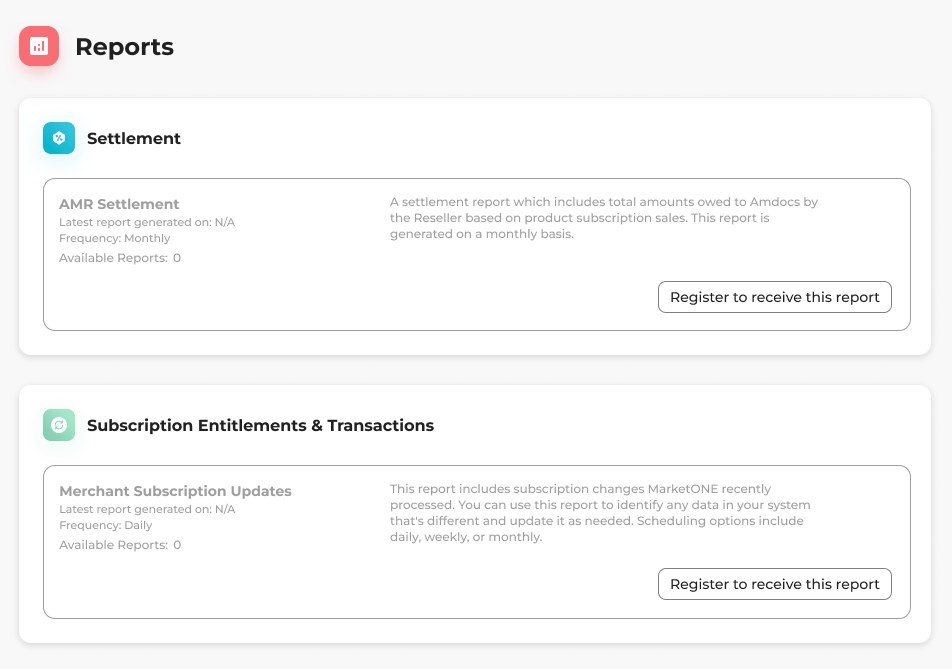 2. Select what you'd like to do:
* To register for a report, locate the report you want to register for and select the three dot menu on the same row.
The options menu appears.
Select **Register to receive this report**.
A box appears to confirm your choice.
2. Select what you'd like to do:
* To register for a report, locate the report you want to register for and select the three dot menu on the same row.
The options menu appears.
Select **Register to receive this report**.
A box appears to confirm your choice.
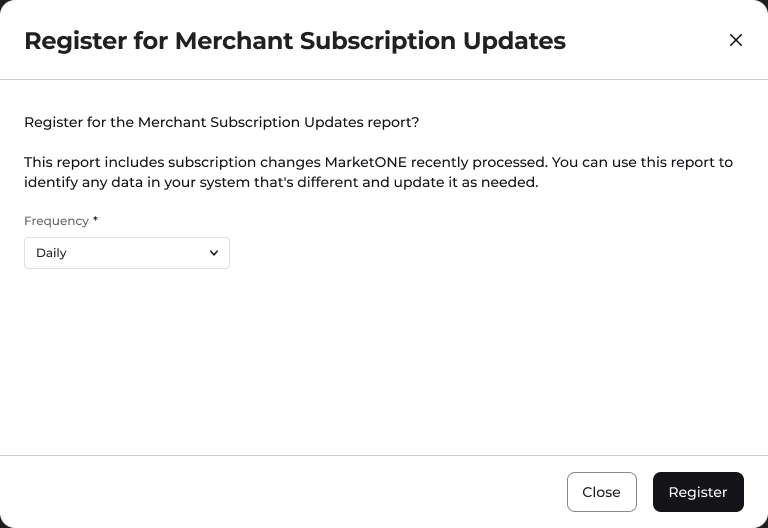 Select **Register**.
You have successfully registered for the report.
Select **Register**.
You have successfully registered for the report.
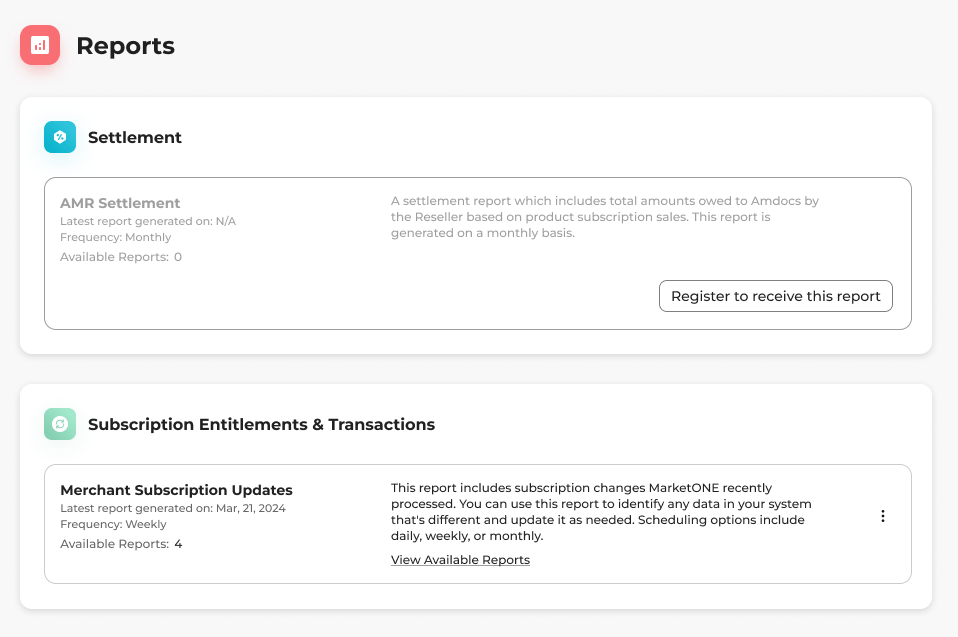 * To un-register for a report, locate the report you want to un-register for and select the three dot menu on the same row.
The options menu appears.
Select **Un-register from report**.
A box appears to confirm your choice.
* To un-register for a report, locate the report you want to un-register for and select the three dot menu on the same row.
The options menu appears.
Select **Un-register from report**.
A box appears to confirm your choice.
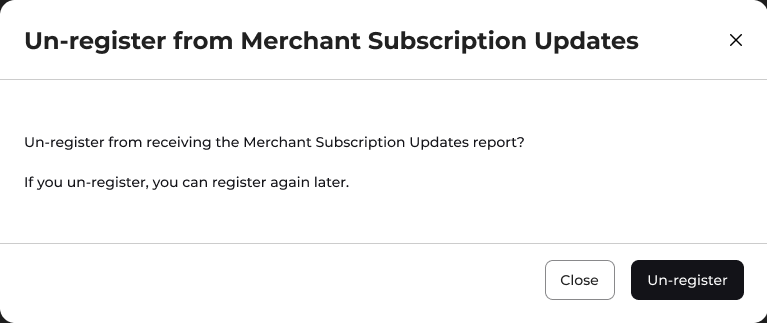 Select **Un-register**.
You've successfully un-registered for the report.
**Parent topic:**[Download Reports](reportsDownloading)
This documentation is built and hosted on [Mintlify](https://mintlify.com), a developer documentation platform.
Select **Un-register**.
You've successfully un-registered for the report.
**Parent topic:**[Download Reports](reportsDownloading)
This documentation is built and hosted on [Mintlify](https://mintlify.com), a developer documentation platform.