

The Portal provides access to different users, assigned different roles and therefore having different visibility permissions. To learn more details about roles, see Commerce Engine Portal user roles. IDP provides user authentication and login access to the Portal for users while supporting all PCI- and ISO- required security measures such as complex passwords, Multi-Factor Authentication, and the use of unique passwords. For log in details, see Log in to the Commerce Engine Portal with Amdocs IDP. Once your organization is configured to use IDP, the admin (super user) with care representative privileges, is able and responsible for managing your users using the IDP console. The IDP console offers administrators the ability to manage extended user settings such as adding new users, setting roles for users, resetting passwords and more.

Access the IDP Console

To access the IDP console and verify the IDP version, do the following:
  1. Log in to the Commerce Engine Portal.
  2. Expand your account settings by clicking your user name from the top right corner of your screen. Super users with user management capabilities will see a Manage Users link and the relevant IDP version they’re on.
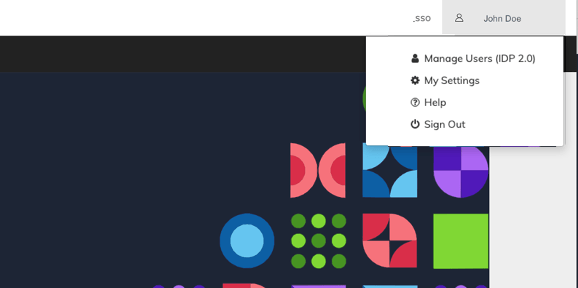
  3. To access the console and manage users, click the Manage Users (IDP version) link. The IDP console opens.