

- How Resellers launch partnerships and agreements
- How Merchants launch product groups and products and how they accept/approve partnerships and agreements
Reseller (Service Provider) Walkthrough Example
Here’s an example of a Reseller going through the process of requesting a partnership, creating an agreement with a settlement model, and submitting the agreement to the Merchant. All of this is done in the Partner Ecosystem Management UI.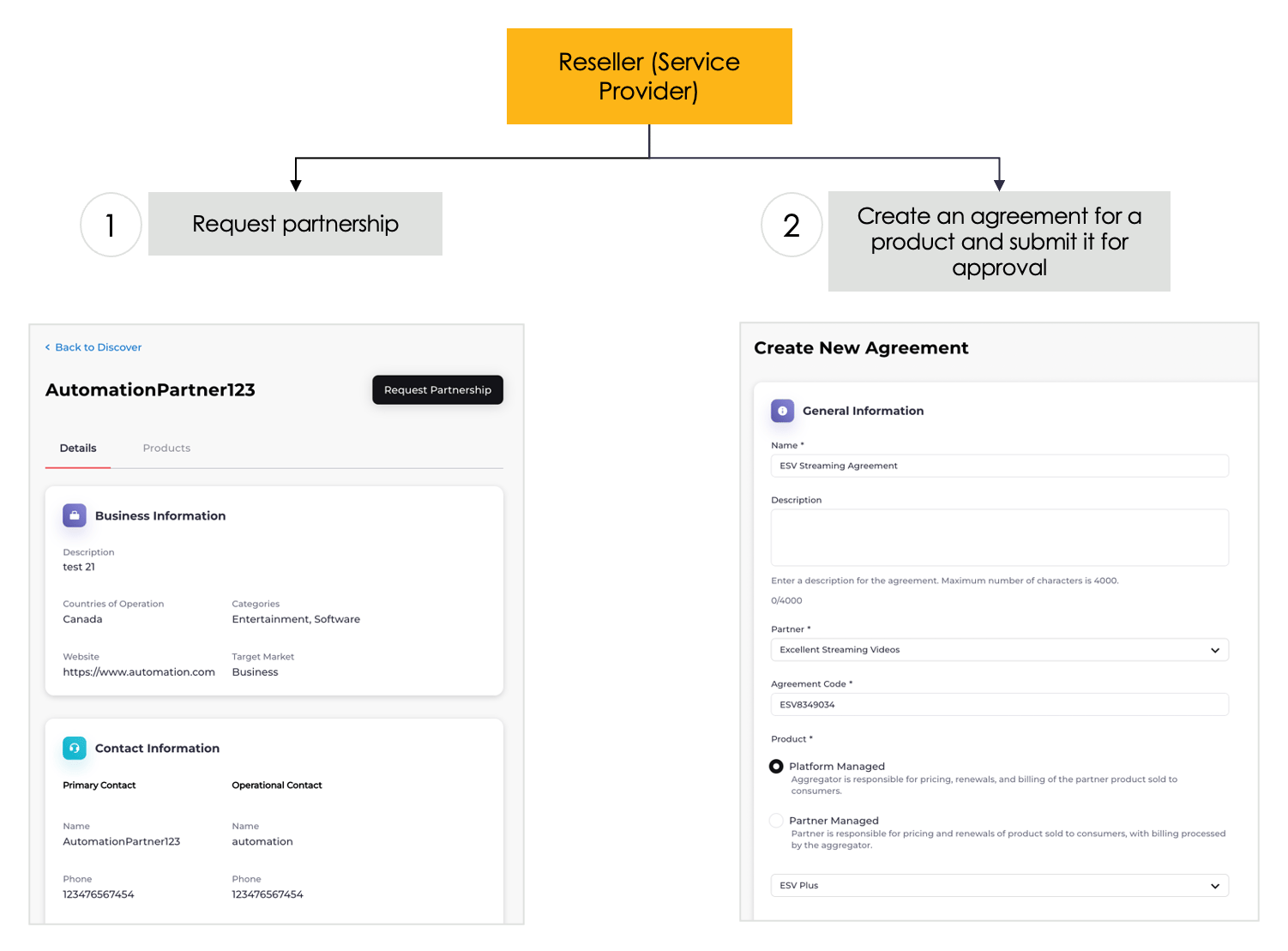
-
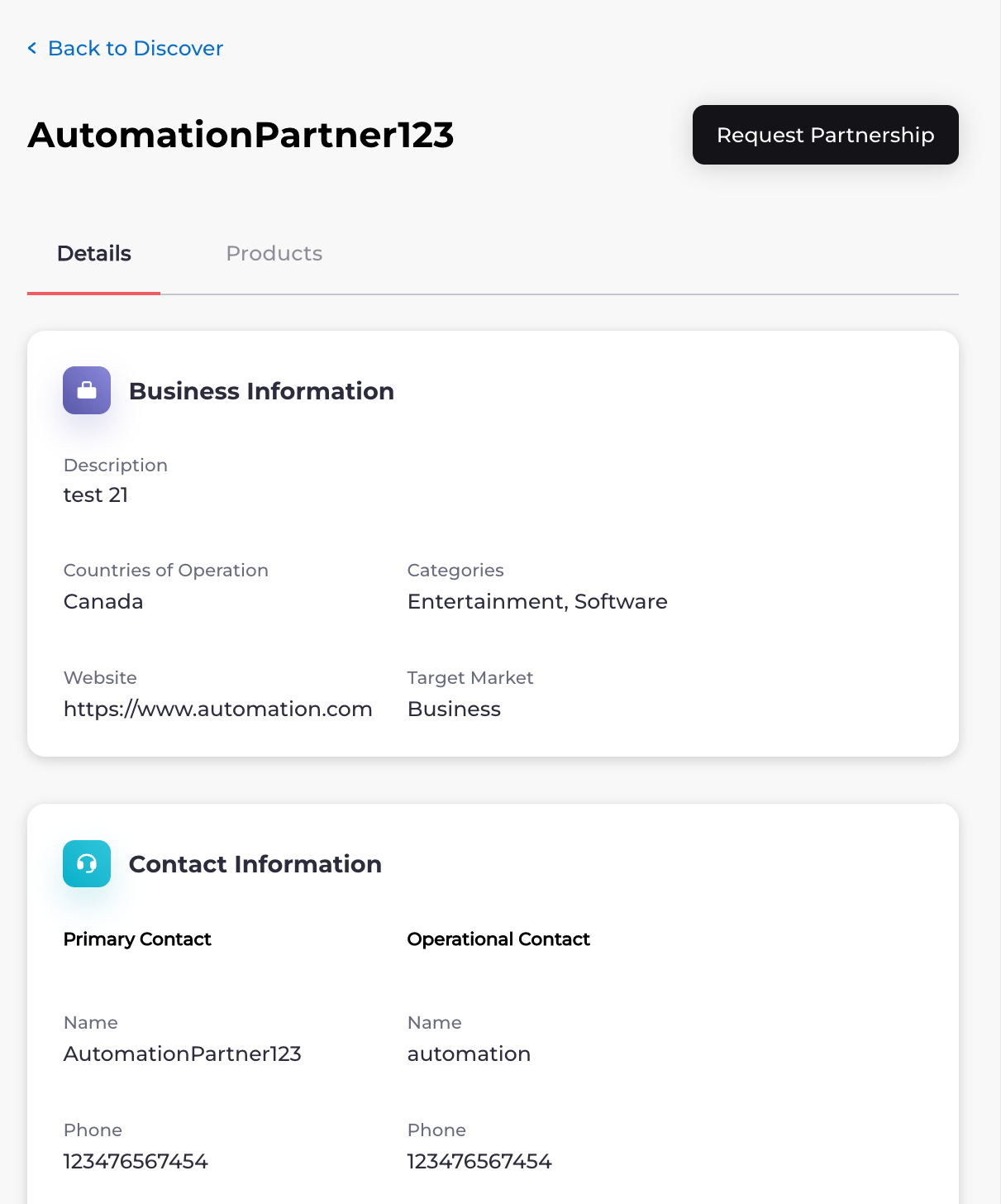
From the Discover space, the Reseller (Service Provider) browses Merchant profiles and the products offered. When the Reseller identifies a partnership they’d like to initiate, they request a partnership with the Merchant. Only Resellers can send partnership requests.
-
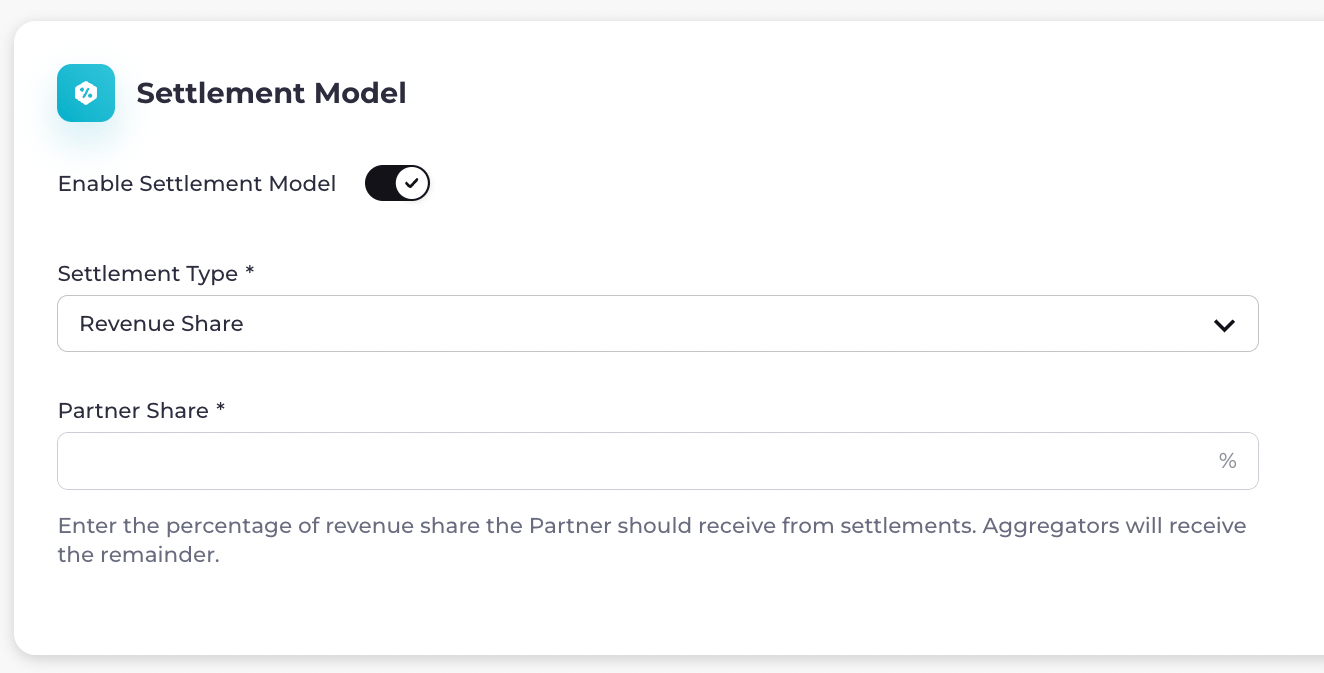
If the Merchant accepts the partnership request, the Reseller can then create an agreement for one of the Merchant’s products. If the Reseller wants Partner Ecosystem Management to process settlements, the Reseller can turn on Enable Settlement Model and complete the settlement fields. The two settlement types that can be used are Revenue Share and Flat Fee. The Reseller then sends the agreement to the Merchant for approval.
Merchant Walkthrough Example
Here’s an example of a Merchant going through the process of creating a product group and products, accepting a partnership request, and approving an agreement from a Reseller (Service Provider). All of this is done in the Partner Ecosystem Management UI.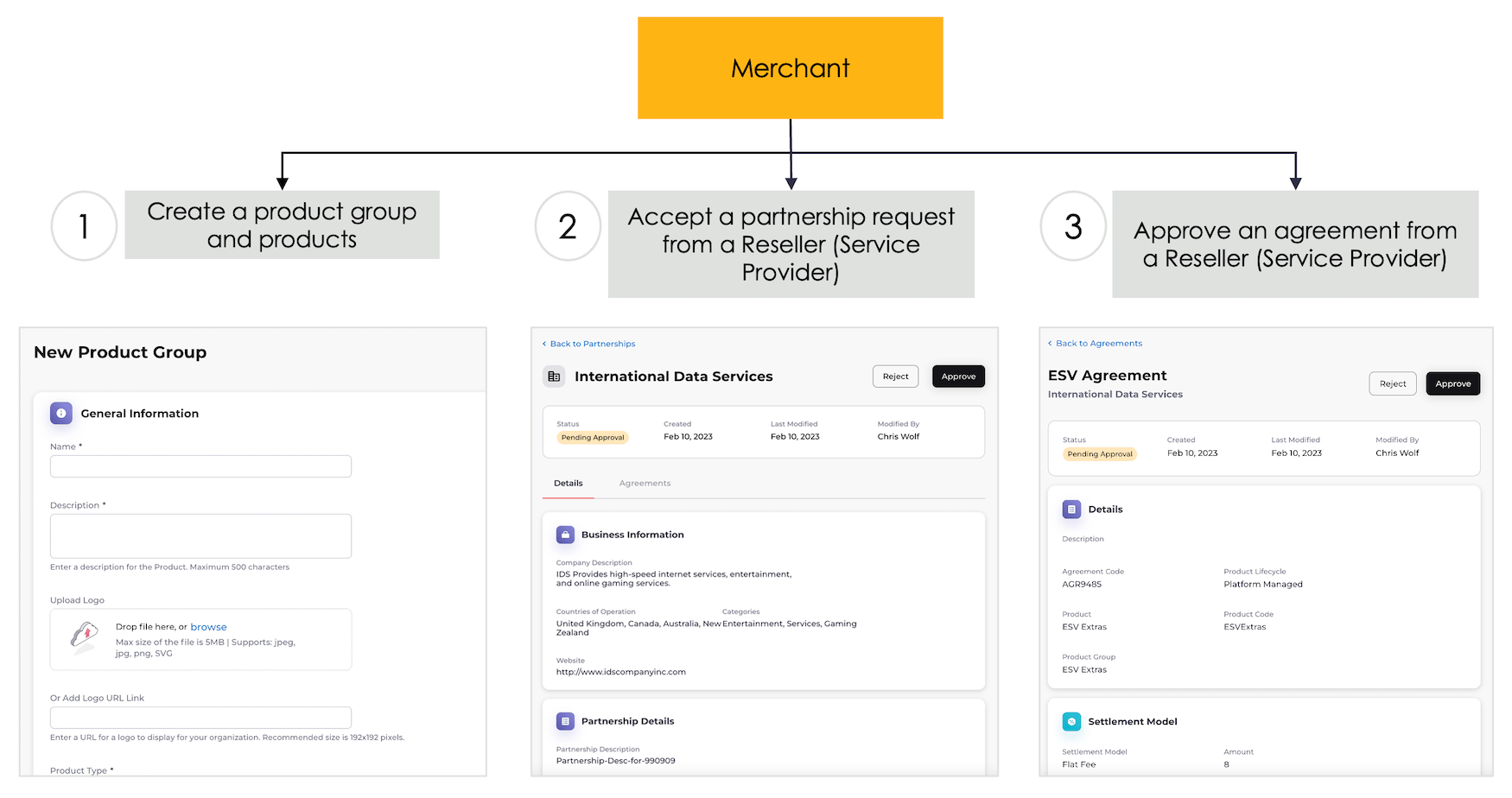
-
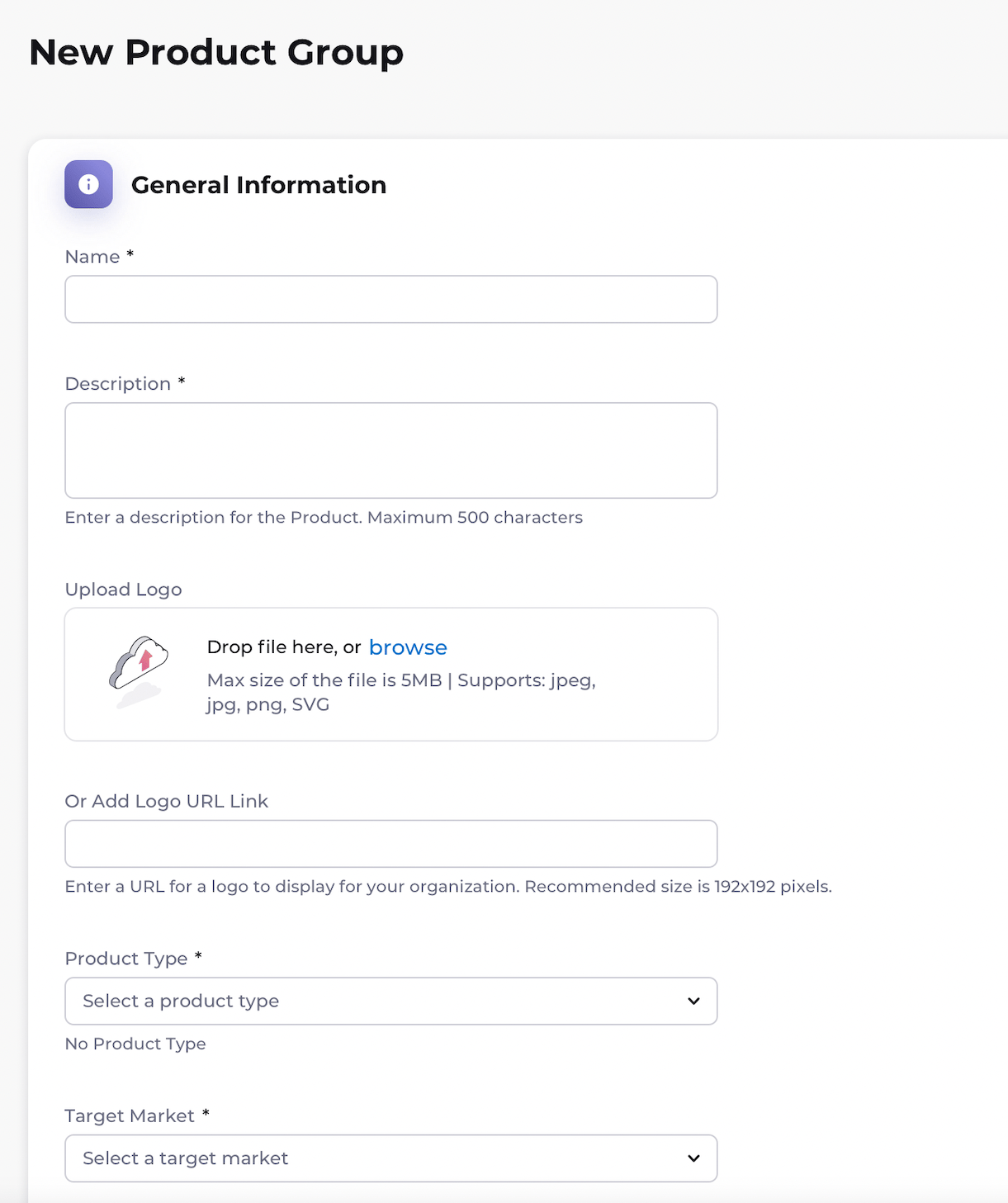
From the Product Groups space, the Merchant creates a product group. The Merchant chooses a product lifecycle for the product group. The Merchant also creates products for the product group. The Merchant publishes the group with the products they created, allowing Resellers to see their products in Partner Ecosystem Management.
- A Reseller (Service Provider) sees a product they’re interested in and sends the Merchant a partnership request to do business together. The Merchant sees the request from the Reseller in the Partnerships space and accepts the request.
- Now that the Merchant has accepted the partnership request, the Reseller creates an agreement for the Merchant’s product. The Reseller sends the agreement to the Merchant for approval. The Merchant sees the agreement in the Agreements space and approves it. The agreement becomes active. Note: Only products from certified Merchants can be resold. If the Merchant chose a Platform-Managed lifecycle for the product, the Reseller can export the product and product group to a catalog. If settlements were enabled in the agreement, settlements will be processed according to the settlement type defined in the agreement.