

-
Navigate to the Platform Settings > Activation > Short Provisioning Service.
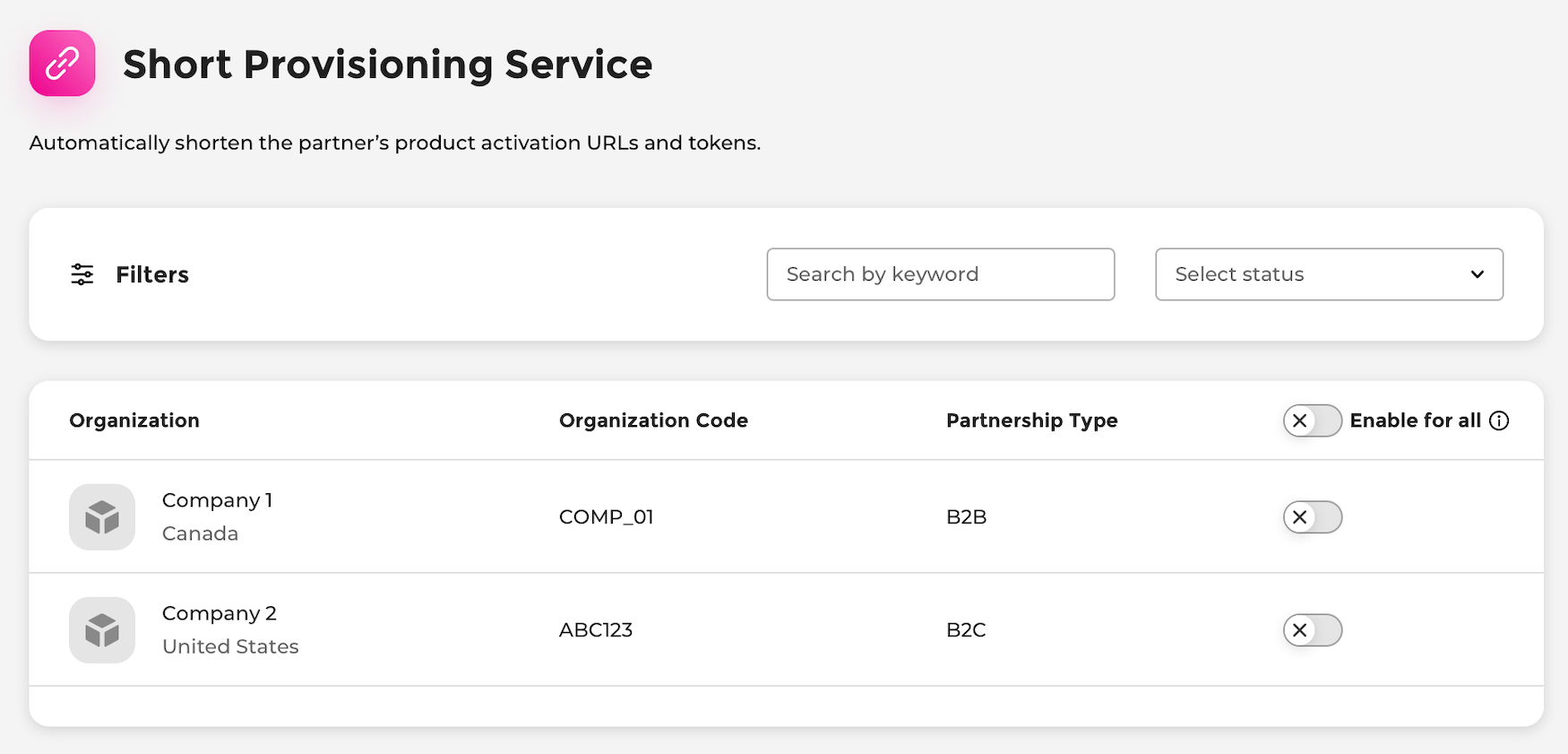
The Short Provisioning Service page appears.
-
Choose what you’d like to do:
- To turn the service on or off for a specific Merchant’s products, find the Merchant in the list, and toggle the switch to the right (on) or left (off). The confirmation box appears. Confirm your choice. The short provisioning service has been successfully turned on or off for the Merchant’s product(s).
- To turn the service on or off for all Merchants’ products, toggle the Enable for all switch to the right (on) or left (off). The confirmation box appears. Confirm your choice. The short provisioning service has been successfully turned on or off for all Merchants’ product(s).
Manage Short Provisioning Service
In the Short Provisioning Service space, you can automatically shorten the redemption URLs and tokens for products from all Merchants or each Merchant. When you enable the service for a Merchant, you’re enabling the service for the Merchant’s products you’ve established agreements for.
Was this page helpful?