

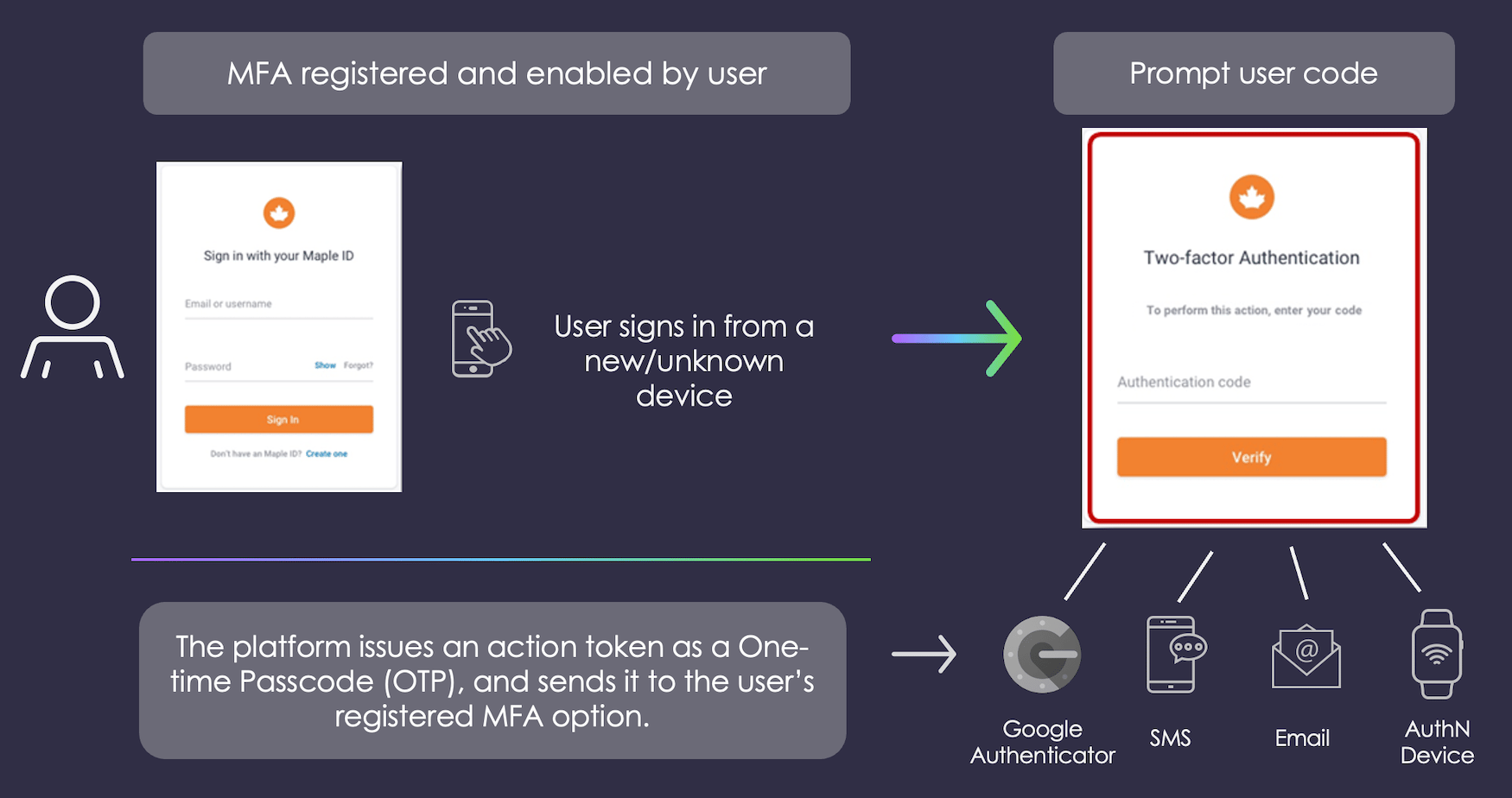
MFA Types
Storefront Gateway AuthN ID – the user registers one of their verified Storefront Gateway authN IDs (i.e., email or mobile) as an MFA secondary factor using the Register Email or Mobile as MFA Process. If MFA is triggered during an authentication attempt, Storefront Gateway issues an action token as a short form, custom One-time Passcode (OTP) and sends it to the external channel. The user then supplies that OTP to the client UI, and the client then passes the OTP back to Storefront Gateway in a Process Step request.
For example, if an attacker discovers that an email address is the second factor, they may target the email account in order to gain access and retrieve MFA codes for verification. Conversely, mobile phones are more commonly the victim of an attack called “simjacking,” wherein persistent attackers call the carrier’s customer service line and pretend to be the user that they are attacking, in order to transfer service to a SIM card under the attacker’s control. If successful, the attacker controls the victim’s phone number and can receive MFA codes.
Note: As a best practice, end users should be encouraged to leverage mobile authenticator apps. If an attacker discovers that MFA is in use, they may then target their attacks against the secondary factor itself.
Authenticator apps are not subject to remotely operated attacks such as these; the apps can only be compromised by physical access to an unlocked device.
Supported Authenticator Apps include any RFC 6238-compliant app. Known apps include:
- Google Authenticator
- Microsoft Authenticator
- LastPass Authenticator (LogMeIn, Inc.)
- 1Password (AgileBits, Inc.)
- Authy (Twilio, Inc.)
MFA Trigger Criteria
Storefront Gateway triggers MFA challenge when the following three conditions are met:- The active Storefront Gateway Process prompts the user to supply a password for authentication.
- The user has at least one MFA secondary factor registered to their Storefront Gateway User ID.
- The user is attempting to authenticate from an unknown device.
- a user invokes the Authenticate User Process with their authN ID and password.
- If the supplied credentials are valid, the Process prompts for MFA.
- a user invokes the Onboard and Authenticate User with Social Account Process. The following conditions apply:
- The Process calls the specified social provider.
- The provider returns an email or mobile to Storefront Gateway.
- Storefront Gateway discovers an existing Storefront Gateway User ID with the registered email or mobile.
- The User ID does not have an association with the social account.
- The Process prompts the user for their password to prove that they own this User ID.
- If the supplied credentials are valid, the Process prompts for MFA.