

- Improve productivity overall by quickly viewing activity on the platform
- Stay informed about partnership and agreement activity
- Review subscription performance from your partnerships, including activations, cancellations (churn), activation rate, and penetration rate based on your eligible customer base
- Examine trends over time on the graphs for Merchant-managed and Platform-managed subscriptions
- See newly onboarded Merchants you don’t have a partnership with
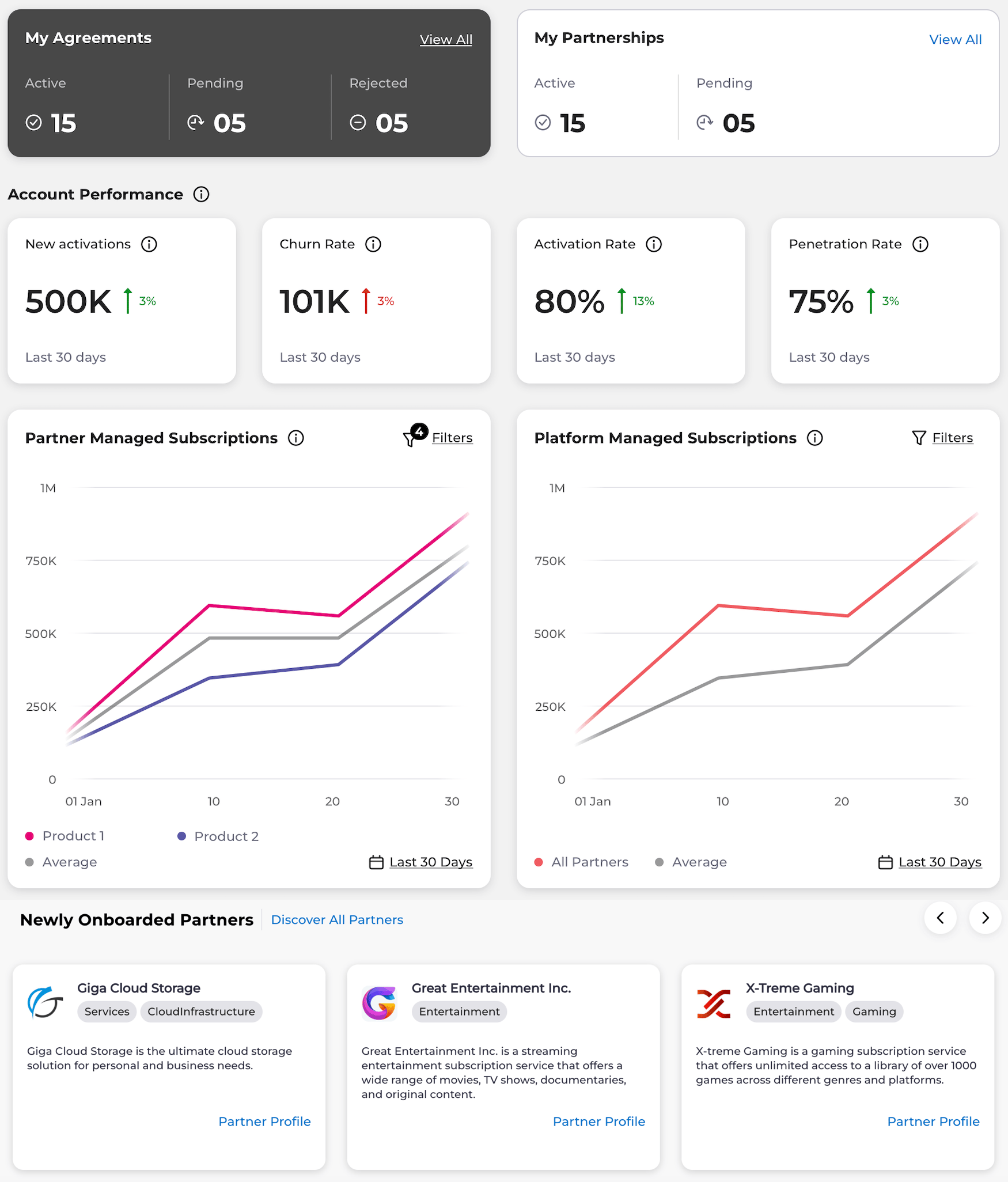
- My Agreements:
- See the number of active agreements, agreements pending approval, and rejected agreements.
- Select a link to view all agreements.
- My Partnerships:
- See the number of active partnerships and partnerships pending approval.
- Select a link to view all partnerships.
- Account Performance:
- Activations: View the number of activations of Platform-managed subscriptions in the last 30 days. The arrow shows the trend in comparison to the prior 30 days.
- Churn: View the number of cancellations in the last 30 days (Platform-managed subscriptions). The arrow shows the trend in comparison to the prior 30 days.
- Activation Rate: View the percentage of customers that have fully activated their previously purchased subscriptions from the Reseller’s store (Platform-managed subscriptions). The arrow shows the trend in comparison to the prior 30 days.
- Penetration Rate: View the percentage of customers with one or more Platform-managed subscriptions compared to the defined eligible customer base in your organization profile. This percentage represents the last 30 days. Active subscriptions are used in the calculation.
- Graphs
- Merchant-Managed Graph:
- View a graph comparing the total of your new and renewal subscription transactions with your Merchants’ average. Note: You must have more than one partnership and more than one transaction for the average to display on the graph. Note: The Merchant-Managed Graph only shows successful transactions. Refunds aren’t displayed on this graph.
-
Use filters to view various comparison graphs:
- Select up to two Merchants without selecting specific products. View the total number of transactions per Merchant as compared to the average among all Merchants.
- Select up to two products from the same Merchant. View the total of transactions per Merchant product as compared to the average among all Merchants.
- Compare one product from two Merchants by first selecting Add a Merchant to Compare and then selecting the specific product. You can also view the totals as compared to the average among all Merchants.
- See the last 30, 90, 180, or 365 days of results (30 days is the default).
- Platform-Managed Graph:
- View a graph comparing the total of your active subscriptions with your Merchants’ average. Note: You must have more than one partnership and more than one active subscription for the average to display on the graph.
-
Use filters to view various comparison graphs:
- Select up to two Merchants without selecting specific products. View the total number of active subscriptions per Merchant as compared to the average among all Merchants.
- Select up to two products from the same Merchant. View the total of active subscriptions per Merchant product as compared to the average among all Merchants.
- Compare one product from two Merchants by first selecting Add a Merchant to Compare and then selecting the specific product. You can also view the totals as compared to the average among all Merchants.
- See the last 30, 90, 180, or 365 days of results (30 days is the default).
- Merchant-Managed Graph:
- Newly Onboarded Merchants:
- See newly onboarded Merchants, their categories, their target markets, and short descriptions of the organizations. The newest Merchants display first.
- Use the right and left arrows to scroll through newly onboarded Merchants.
- Select Merchant Details to view more information about a Merchant.
- Select See All Merchants to discover more.