

-
Navigate to Contents > Product Catalog.
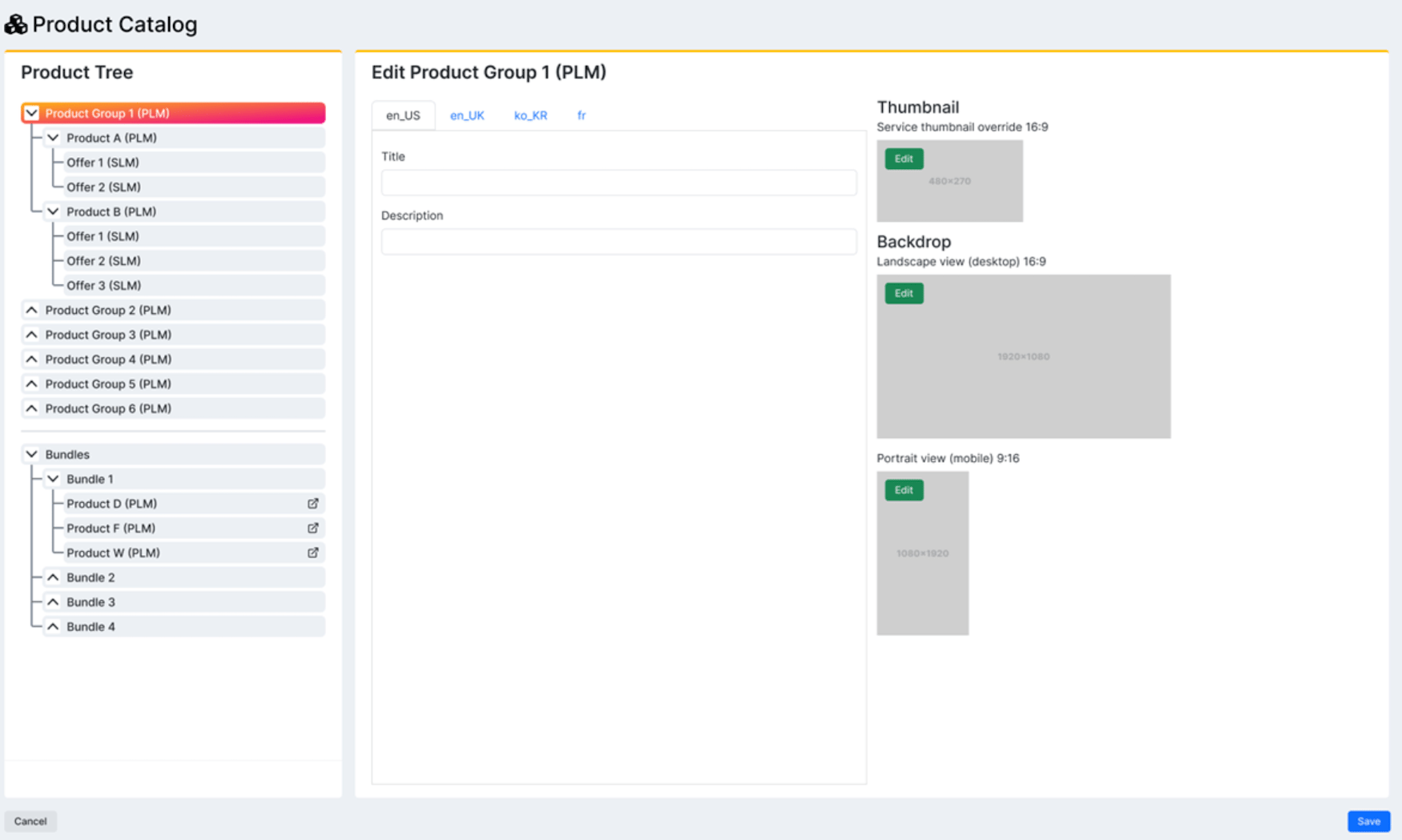
The Product Catalog page appears.
-
Select what you’d like to do:
- To edit a product group or gift card, select the product group or gift card in the list.
- To edit a product within a product group, expand the product group and select the product in the list.
- To edit a hard or soft bundle, expand Hard/Soft Bundles and select the product in the list. The product group, gift card, or product details appear in the pane to the right.
- Edit the fields as desired. See the table below for more information. Note: To clear the data associated with the product group, gift card, or product, select Reset Options.
- To save your changes, select Save. Your changes to the product group, gift card, or product have been successfully saved.
Product Catalog Fields
Product Group Fields

- Title
- Description
- Thumbnail
- Backdrop
- Portrait
| Field Name | Description Value |
|---|---|
| Title | Enter the title of the product group. |
| Description | Enter the description of the product group. |
| Thumbnail | To change the thumbnail:1. Select the edit icon   |
| Backdrop | To change the backdrop:1. Select the edit icon |
| Portrait | To change the portrait:1. Select the edit icon |
Product Fields
| Field Name | Description Value |
|---|---|
| Title | Enter the title of the product. |
| Description | Enter the description of the product. |
| More information URL (Optional) | Enter the URL for the More information link that appears on the product modal. |
| Service Access URL (Optional) | Enter the URL for the service access link that appears on the product modal. |
| Terms & Condition URL (Optional) | Enter the URL for the terms & condition link that appears on the product modal. |
| Thumbnail | To change the thumbnail:1. Select the edit icon |
| Backdrop | To change the backdrop:1. Select the edit icon |
| Portrait | To change the portrait:1. Select the edit icon |
| Parent topic:Manage Product Catalog |