

- Add Subscription
- Update Subscription (For Example, Upgrade/Downgrade)
- Delete Subscription
- Pause Subscription
- Resume Subscription
Add Subscription
The following sequence diagram describes how to add a new subscription (with the focus on Merchant related activities and recommendations). The assumption here is that the redemption code is embedded in the activation link.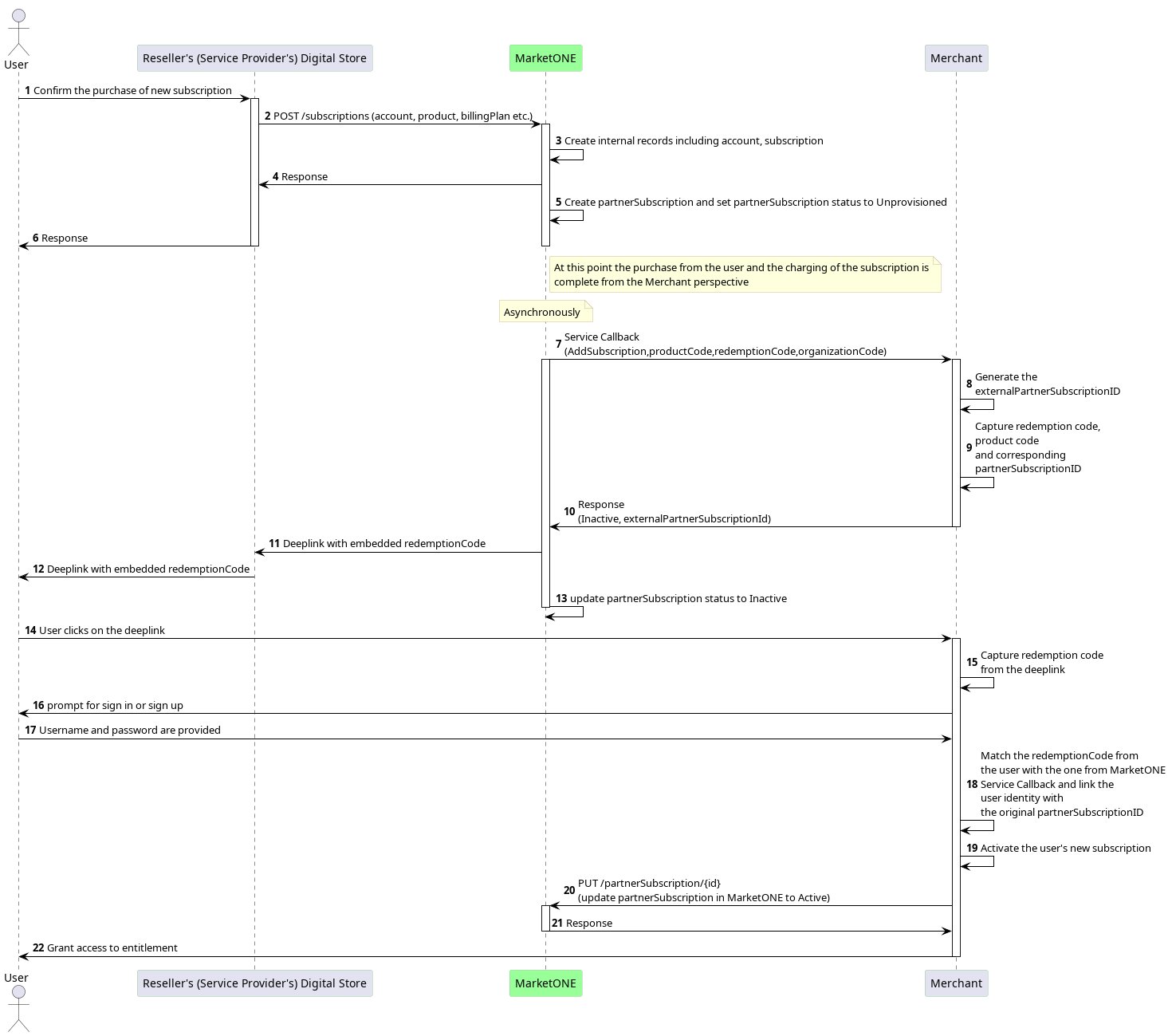
-
A new subscription purchase by the user in the Reseller’s (Service Provider’s) digital store triggers an
AddSubscriptionevent/callback to the Merchant. -
The Merchant needs to keep the unique
partnerSubscriptionIDand the redemption code (registrationString) that MarketONE has sent, as well as theproductCodethat the user subscribes to and theorganizationCodeidentifying the source of the subscription. At this point, these values are the only new subscription information the Merchant receives. There’s no user identity. Note: It’s possible that the Merchant could receive additional information about the new subscription through metadata fields in the callback request (for example, a postal code). However, the Merchant and Reseller (Service Provider) must negotiate and approve this beforehand. - The user gets the activation link with the embedded redemption code through the Reseller (Service Provider). Note: The Merchant doesn’t deliver the link because no user PII (Personal Information Identifier) is available.
- When the user clicks the link, the Merchant gets the redemption code, and then uses this code to match the redemption code previously sent from MarketONE.
- The Merchant manages the user credentials through sign up, sign in, or an existing session.
- The Merchant can then link the user identity to the new subscription and grant the user access to the entitlement.
-
The Merchant sends the updated
partnerSubscriptionstatus ofActiveto MarketONE.
Update Subscription (For Example, Upgrade/Downgrade)
The following sequence diagram describes how to update an existing subscription.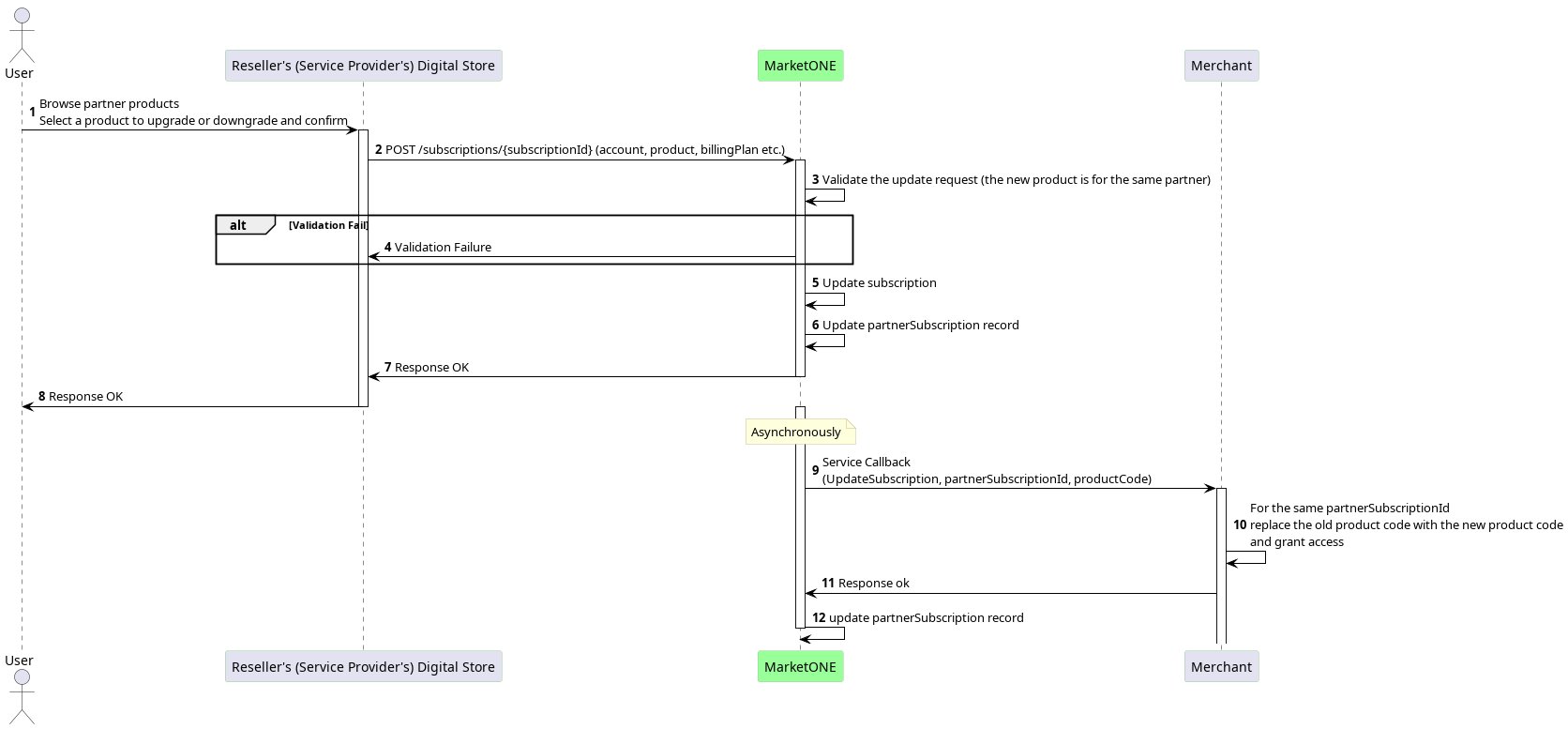
-
The user confirms an upgrade or downgrade in the Reseller’s (Service Provider’s) digital store, which triggers an
UpdateSubscriptionevent/callback to the Merchant. Note: Whether the user upgrades or downgrades their subscription, it is translated into anUpdateSubscriptionevent with a new product code, which identifies the final product the user is upgraded/downgraded to. - The Merchant replaces the product code and grants the user access to the new product of the same subscription.
Delete Subscription
The following sequence diagram describes how to cancel an existing subscription.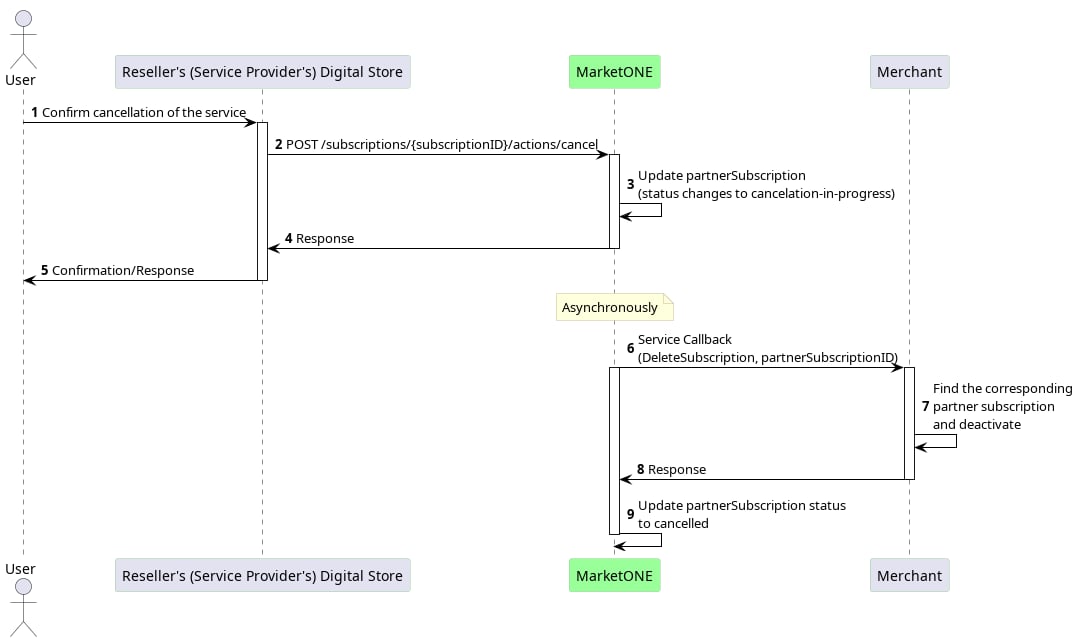
- Either the user cancels their subscription and confirms their choice in the Reseller’s (Service Provider’s) digital store, or any system error triggers a
DeleteSubscriptioncallback to the Merchant. - The Merchant locates the existing subscription with the
partnerSubscriptionIDsent by MarketONE. - The Merchant deactivates the user’s entitlement to the subscription.
Pause Subscription
Note: Pause and resume functionality has to be supported by both the Merchant and the Reseller (Service Provider). Pausing a subscription gives the user the flexibility to temporarily stop the Merchant’s service without canceling it. This can be done for various reasons, such as the user requesting a pause or the Reseller (Service Provider) needing to pause the subscription due to payment issues. The following sequence diagram shows how to pause an existing subscription.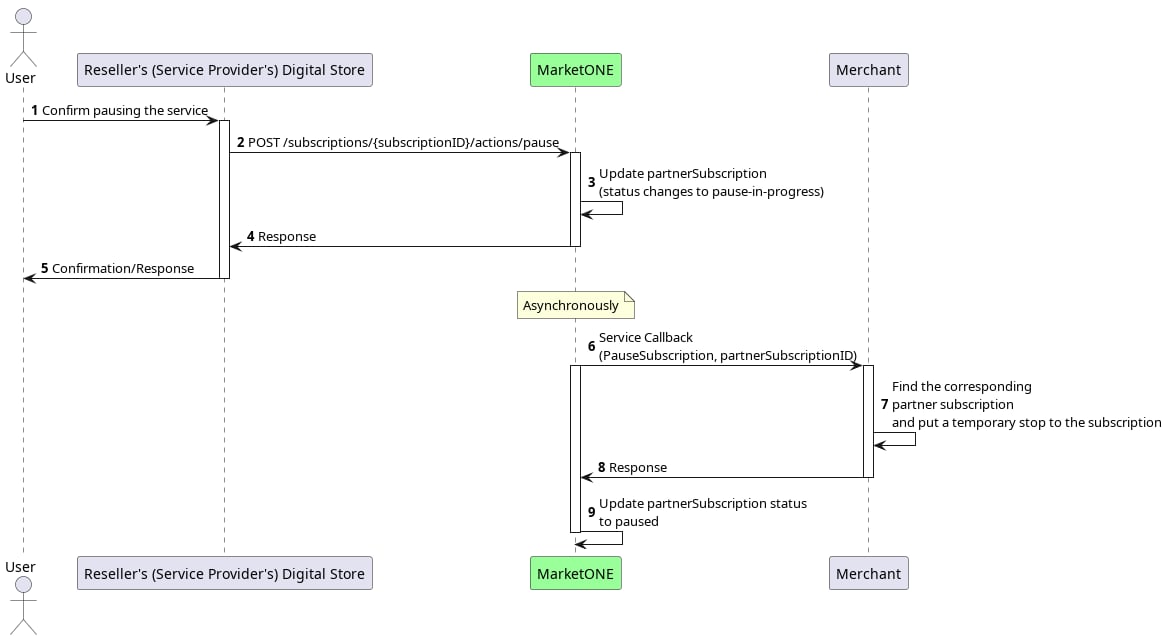
- When a user pauses their existing subscription in the Reseller’s (Service Provider’s) digital store (the same place they purchased the subscription), it triggers a
PauseSubscriptioncallback to the Merchant. - The Merchant locates the existing subscription with the
partnerSubscriptionIDsent by MarketONE. - The Merchant pauses the user’s entitlement to the subscription.
Resume Subscription
Note: Pause and resume functionality has to be supported by both the Merchant and the Reseller (Service Provider). The following sequence diagram describes how to pause an existing subscription.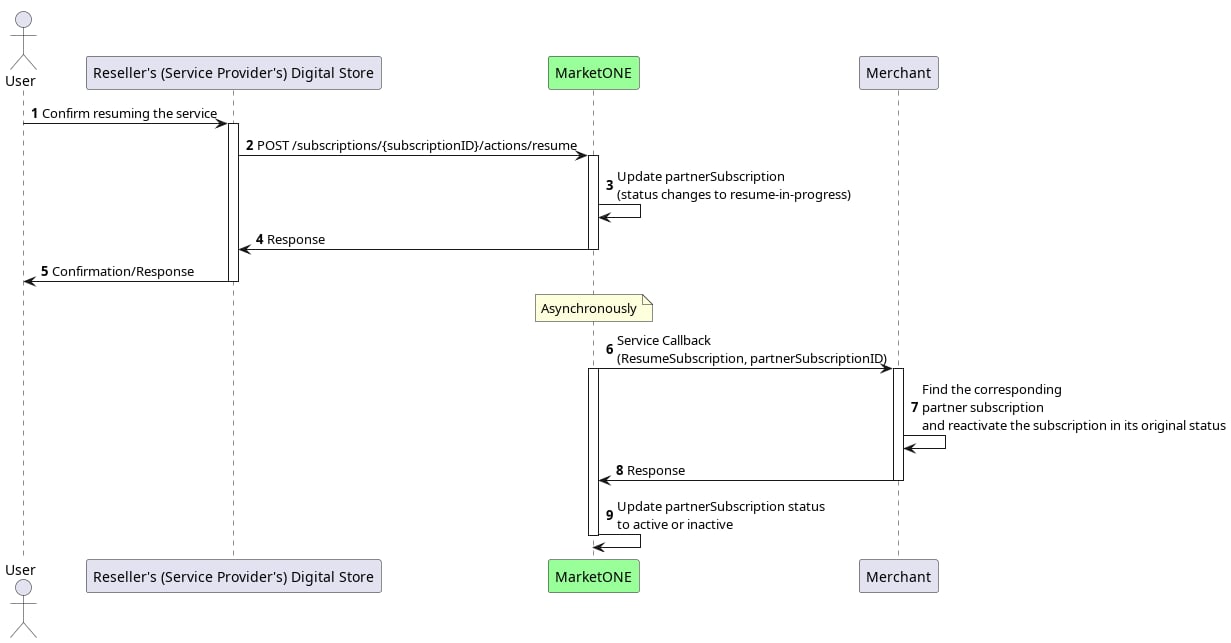
- When a user resumes a paused subscription from the Reseller’s (Service Provider’s) digital store, it triggers a
ResumeSubscriptioncallback to the Merchant. - The Merchant locates the existing subscription with the
partnerSubscriptionIDsent by MarketONE. - The Merchant resumes the user’s entitlement.