

Products are Partners’ core services in Partner Ecosystem Management, such as streaming services, software products, or applications. Merchants can create products in the Partner Ecosystem Management UI. Merchants can showcase their products to Resellers (Service Providers) by adding them to product groups and publishing them. Product groups let Merchants categorize and organize related products within a unified label or product family. Note: Only certified Merchants can have their products resold by Resellers.

Product Group Example

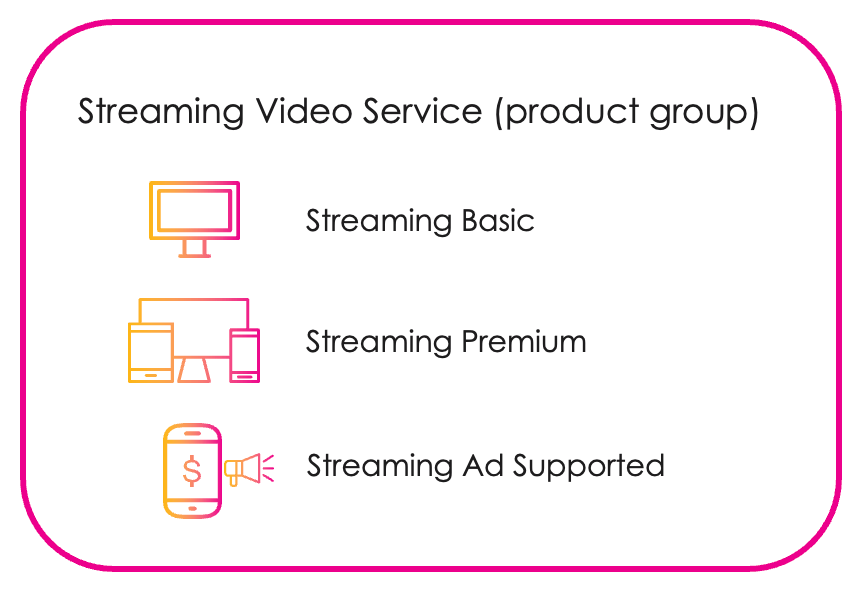
A Merchant has video streaming products that are similar (Streaming Basic, Streaming Premium, and Streaming Ad Supported). The Merchant creates a group for the products called Streaming Video Service. The products share the group label while retaining the characteristics that differentiate them (basic, premium and ad supported). This improves the consumer experience and gives more options to customers. Streaming Video Service product groups example Product groups give Merchants the ability to create options and variants for the customer to purchase, increasing avenues for revenue. This is achieved by creating a product group and adding one or more products to the group. Having more than one product in a group also allows customers to move between products without impacting their subscription status. This can include upgrading and downgrading subscriptions.
Product Group Data

Product groups allow for the seamless exportation of products to catalogs. When a Merchant approves a product agreement, the product can be published to the Reseller’s (Service Provider’s) product catalog. The information in the product and product group can be used in the Reseller’s digital store. The Merchant can add different kinds of data to a product group, such as a product type and an entitlement type. For example, selecting a product type can help organize products. (Some examples of a product type include Over the Top Service, Application, Cloud Resource, and Device.) By selecting an entitlement type, the Merchant can allow for a standard or quantity-based product. Product group data can help guide customers to products that are suited to them and can give them more options to purchase. Merchants can also add and edit information about individual products, such as tags, informational features, commercial attributes, customer attributes, and documents.

Quantity and Standard Entitlement Types

Merchants can select an entitlement type for a product group to allow for standard or quantity-based products (Platform-managed product lifecycle only). When the Merchant selects the quantity entitlement type, the Reseller (Service Provider) must provide a quantity (number) during product provisioning. The quantity entitlement type supports various use cases, including numbers of seat licenses. For the standard entitlement type, customers on the Reseller’s storefront are buying a single entitlement to the product.

Product and Product Group Process Flow

Learn more about the various aspects of the product and product group process flow:
  • Merchant Products and Agreements
  • Publishing Products on Active Agreements to the External Commerce Catalog
  • Service Provisioning Flow
Merchant Products and Agreements Merchants create product groups and their associated products in Partner Ecosystem Management. Resellers (Service Providers) can browse the Merchant’s product groups and, if they have a partnership with the Merchant, can send agreement requests for individual products. Publishing Products on Active Agreements to the External Commerce Catalog When the Merchant approves the agreement the Reseller (Service Provider) has created, Partner Ecosystem Management sends a webhook event to the external commerce catalog. An external catalog has to be integrated and the webhook event has to be enabled for this to happen. Service Provisioning Flow After the product is published from Partner Ecosystem Management to a Reseller’s commerce catalog, it can be added to an offer. An offer is a type of billing plan that has a price and ownership terms. An offer could be a monthly subscription, for example. The Reseller can also define promotional discounts and free trial periods. When a customer selects an offer from the Reseller’s digital store, the Reseller’s order management system creates an order and calls the MarketONE OpenAPI (the API for Partner Ecosystem Management) to provision an entitlement for the Merchant’s product. The MarketONE OpenAPI, in turn, calls the Merchant to create a Partner subscription. The external order management system manages the subscription billing plan for the end customer. Parent topic:Partner Ecosystem Management Features