

A partnership consists of a Reseller (Service Provider) and a Merchant that agree to do business together in Partner Ecosystem Management. Resellers can browse Merchant profiles and send requests for partnership. Merchants can accept or reject requests. Once a partnership is accepted, the Reseller can send the Merchant agreement proposals for their products. Note: Only products from certified Merchants can be resold. Within the Partnerships space, you can:
  • View requests to partner
  • Accept a request to partner
  • Reject a request to partner
  • View existing partnerships
  • Upload commercial artifact documents related to an existing partnership
  • Cancel a partnership Note: To cancel a partnership, the partnership can’t have any active agreements or subscriptions.
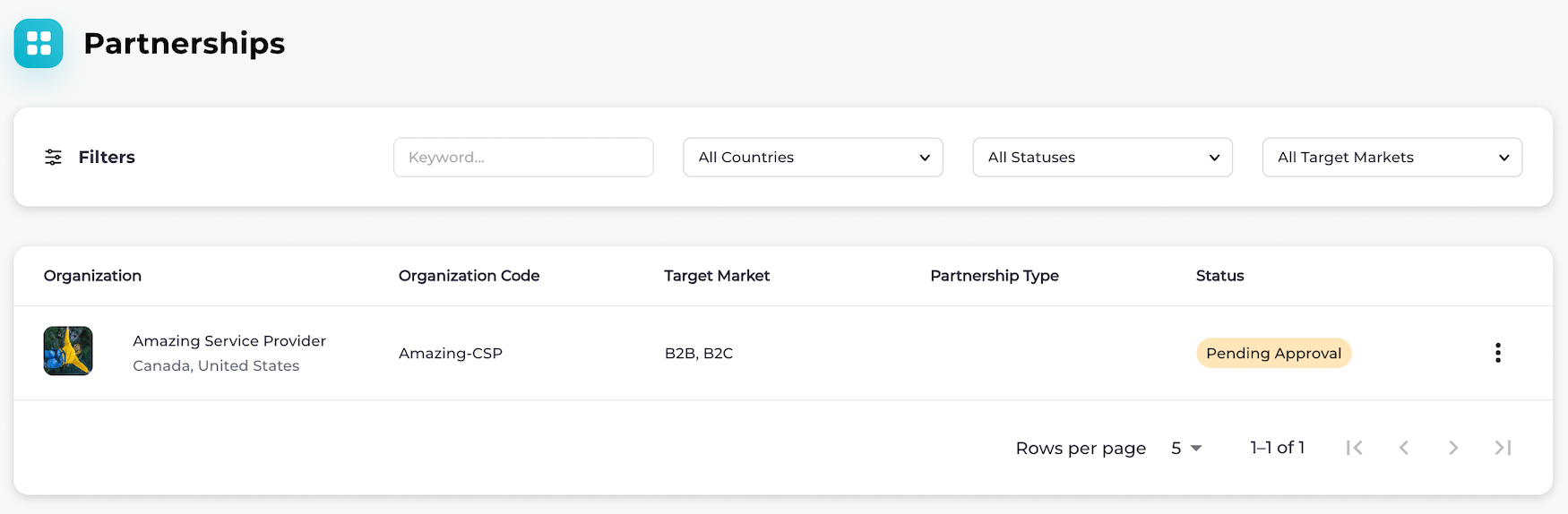
Partnerships page You can add relevant data to your active partnerships. You can safely store relevant documents, such as solution designs and commercial documents, in this central location (the Partnerships space). This reduces the need to share documents outside of the app. Accepted file formats are PDF, DOC, DOCX, XLS, XLSX, JPG, GIF, and PNG. Both parties can view any commercial artifacts that have been added to the partnership in the Partnerships space. Resellers can also add a description and/or partnership type to an active partnership to categorize it appropriately. The description and partnership type are only visible to the Reseller. See Manage Partnerships and Partnership States for more details.