

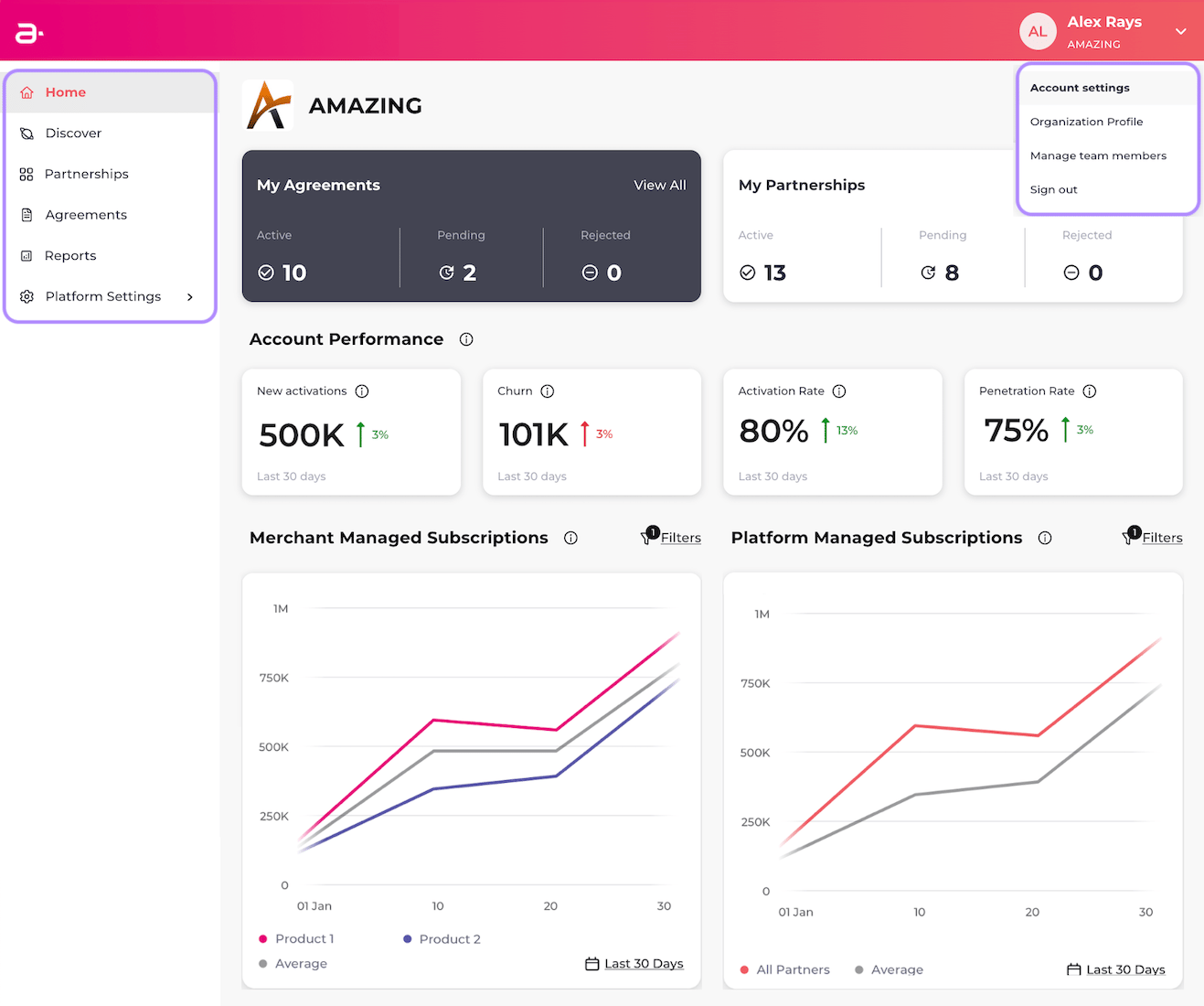
- Home: The Home tab allows you to return to your main dashboard from any page.
- Discover: The Discover tab lets you discover the ready-made network of Merchants and their products. You can also send requests to partner with them and manage your requests.
- Partnerships: The Partnerships tab lets you view and manage existing partnerships and pending partnership requests. You can also add data and commercial artifacts to existing partnerships.
- Agreements: The Agreements tab allows you to create agreements for products and send them to partnered Merchants for approval. You can also manage existing agreements.
- Reports: The Reports tab allows you to register for reports, such as the Daily Partner Subscription Extract and the Settlement Report. After you’ve configured your SFTP settings and registered for reports, you can download the reports from the Reports tab.
- Platform Settings: The Platform Settings tab allows you to create an API key, configure your SFTP settings, add gateway adapter endpoints, and define a health check endpoint, among other settings. If you’re using the Platform-managed product lifecycle, you can also subscribe to webhook events, add activation reminder schedules, define your own private allowlisted attribute names, and automatically shorten Merchant product redemption URLs and tokens, among other settings.
- Account Settings: View and edit your account settings, including email address and password.
- Organization Profile: The Organization Profile option lets you view and update your organization details. Your Organization Profile is your way to let others know about your organization.
- Manage Team Members: The Manage Team Members option lets you add team members from your organization. You can also deactivate and reactivate team members.
- Sign Out: Log out of the console.