

Working with Agreements: Creation, Approval, and Management
Resellers own and manage agreements. A Reseller can create an agreement with a Merchant if the Reseller and the Merchant have an existing active partnership and if active products are available from the Merchant. Merchants can approve or reject agreements. Agreements Tasks Within the Agreements space, you can:- Create an agreement
- Edit an agreement Note: You can edit an agreement before you send it for approval or if it has been rejected.
- View an agreement
- Submit an agreement for approval
- Cancel an agreement if it doesn’t have any active subscriptions
- Republish an active agreement Note: Republishing is only available for Resellers (Service Providers) that are using an external catalog integration and have registered to receive the Publish Product Specification webhook event.
Settlement Models
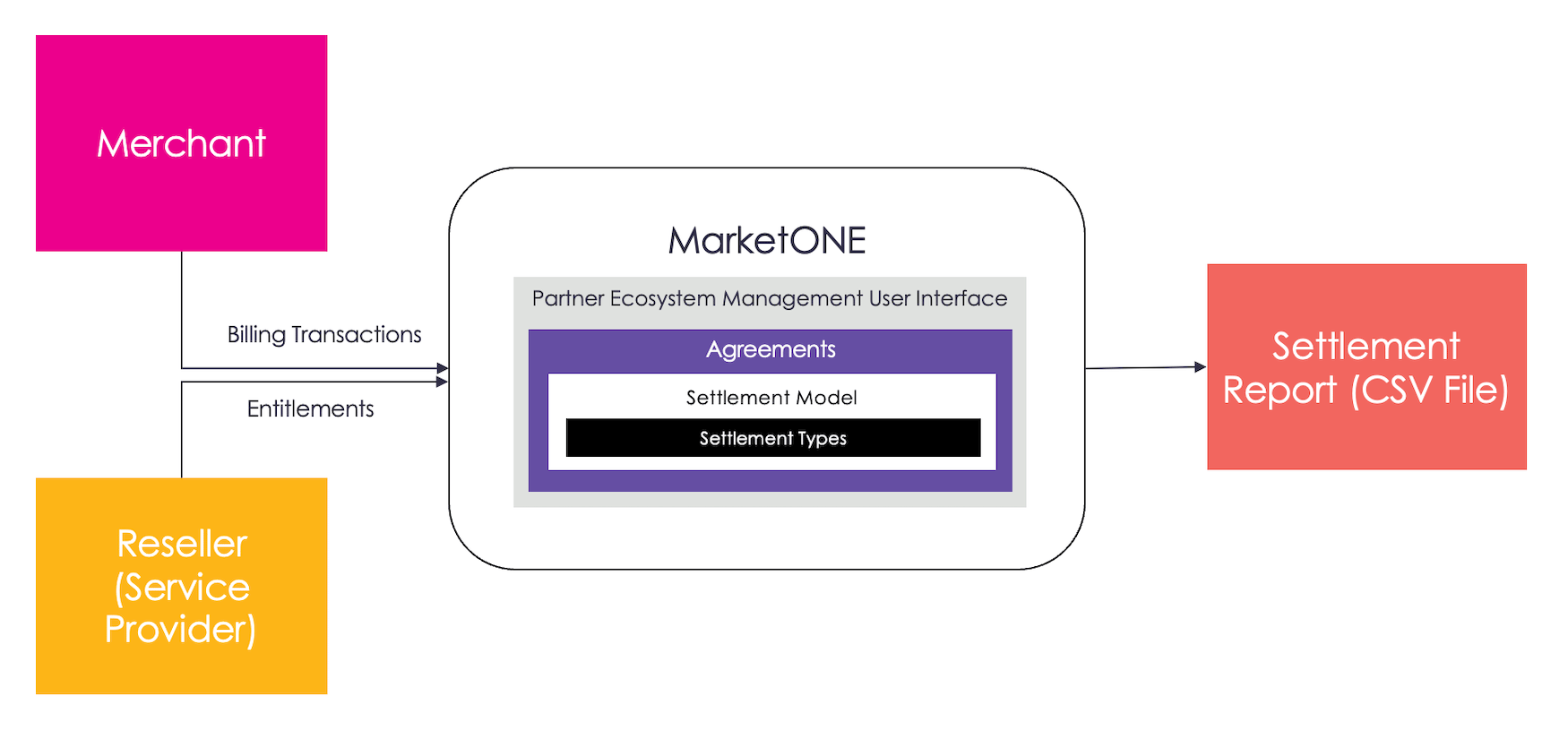
Agreements have an optional Settlement Model section where the Reseller can define the settlement model and monetary payout to the Merchant. When a Reseller enables a settlement model in an agreement, settlements are calculated based on the settlement type the Reseller defines in the agreement. Partner Ecosystem Management supports the following two kinds of settlement types:- Flat Fee: a fixed amount paid to the Merchant
- Revenue Share: a percentage of the charge amount paid to the Merchant Note: Resellers can also set a minimum price for a Merchant’s product. This value is used to calculate revenue share settlements when no product price is available or the actual price is lower than the minimum price.
Settlement Processing
Settlements are processed monthly and calculated based on the product lifecycle. The product lifecycle can be Platform-Managed (the Reseller is responsible for reselling the Merchant’s product from their digital store), or Merchant-Managed (the Merchant sells the product directly to the end customer from their digital store). Partner Ecosystem Management processes settlements for each product lifecycle as follows:- Platform-Managed: The Merchant gets paid for every active subscription on a monthly basis
- Merchant-Managed: The Merchant gets paid with every new subscription or renewal transaction
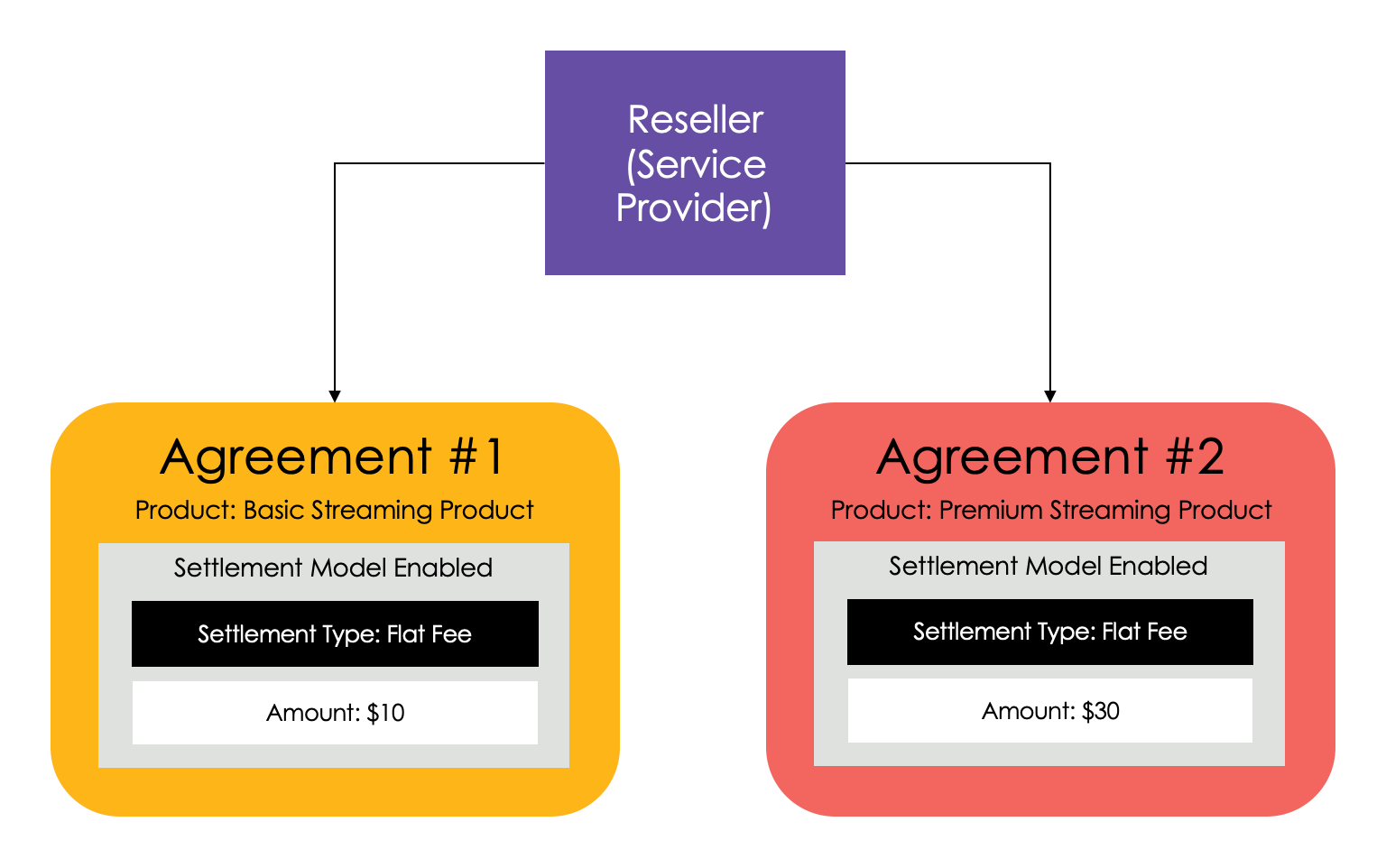
Here’s an example of the flat fee settlement type in action. A Reseller (Service Provider) wants to resell two Platform-managed products from their store. The Reseller has an agreement with a Merchant to sell a basic streaming product and a premium streaming product. The Reseller, in turn, wants to settle with the Merchant in the following way:
- Basic streaming product: pay $10.00 to the Merchant for every active subscription on a monthly basis
- Premium streaming product: pay $30.00 to the Merchant for every active subscription on a monthly basis
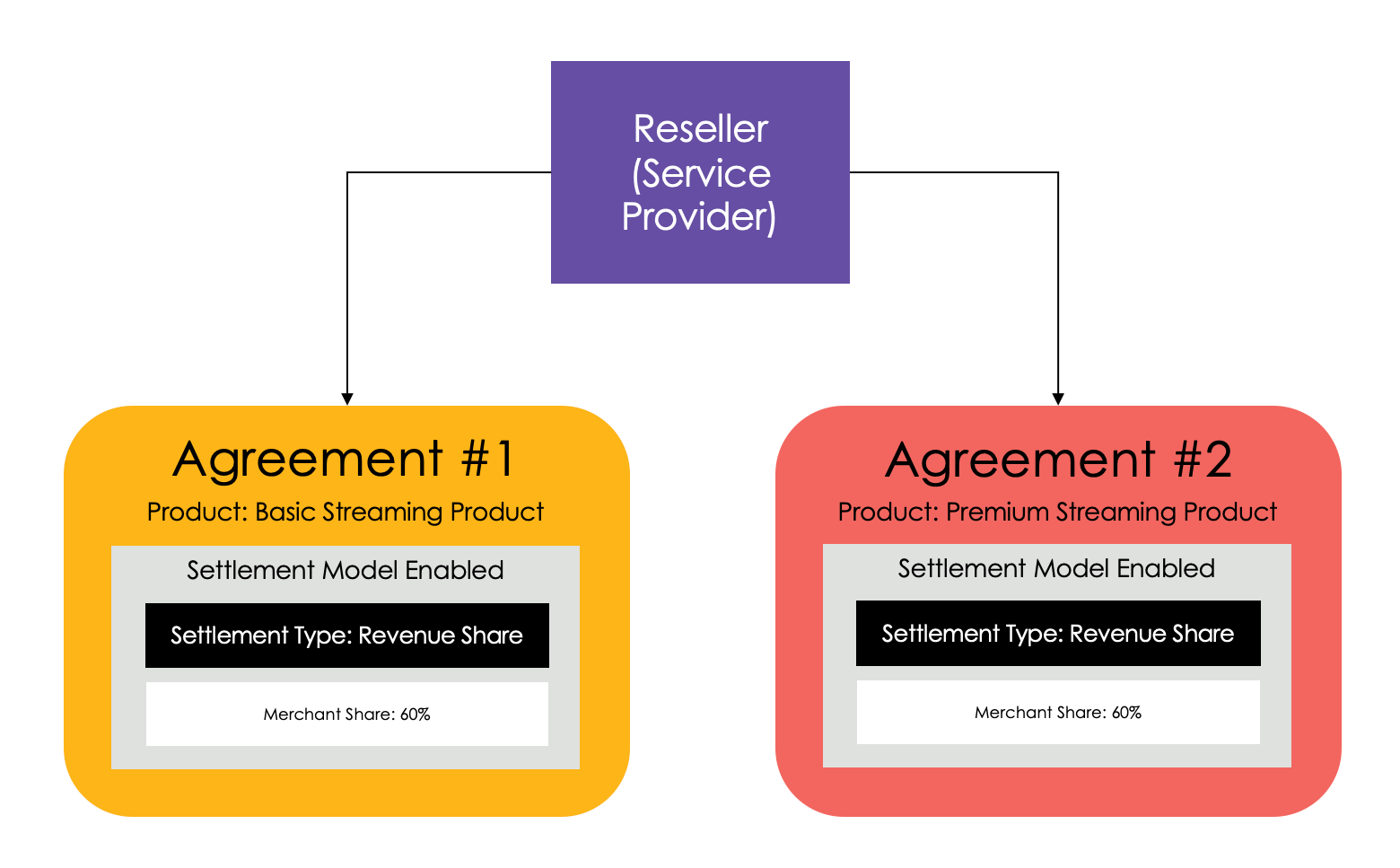
- 60% to the Merchant with the remainder going to the Reseller (40%) for every active subscription charge
Customer Attributes
When you select a product for an agreement, you can see any required or optional customer attributes the Merchant defined to activate the product. For example, a Merchant could provide Mobile Identifier (name) and MSISDN (value) as a required customer attribute. This attribute would require the customer’s MSISDN be provided when provisioning the customer’s subscription. When a Merchant defines required customer attributes, the Reseller must send the values for these attributes during provisioning. This allows the product to be activated for the customer. To view the attributes, select the Attributes Allowlist link. If no attributes have been created, the page shows No attributes defined. If the product has optional or required customer attributes, you can decide if you’d like to store any of them with the Partner subscription in the allowlist. This allows you to keep a record of the customer attributes for your reference. See the Agreement Field Details in Manage Agreements for more information. Note: Required customer attributes are used to activate the product during provisioning regardless of whether they’re stored.Republishing Agreements
Partner Ecosystem Management makes republishing active agreements easy. You can republish with the click of a button. The need to republish an active agreement could occur in the following scenarios:- The Merchant updated product information
- Your external catalog didn’t receive the original publish you made
- Your external catalog underwent a change or migration, requiring a republish of the product to re-sync the details
- Agreement States
- Agreement Workflow
- Manage Agreements
- Upload a Charge File