

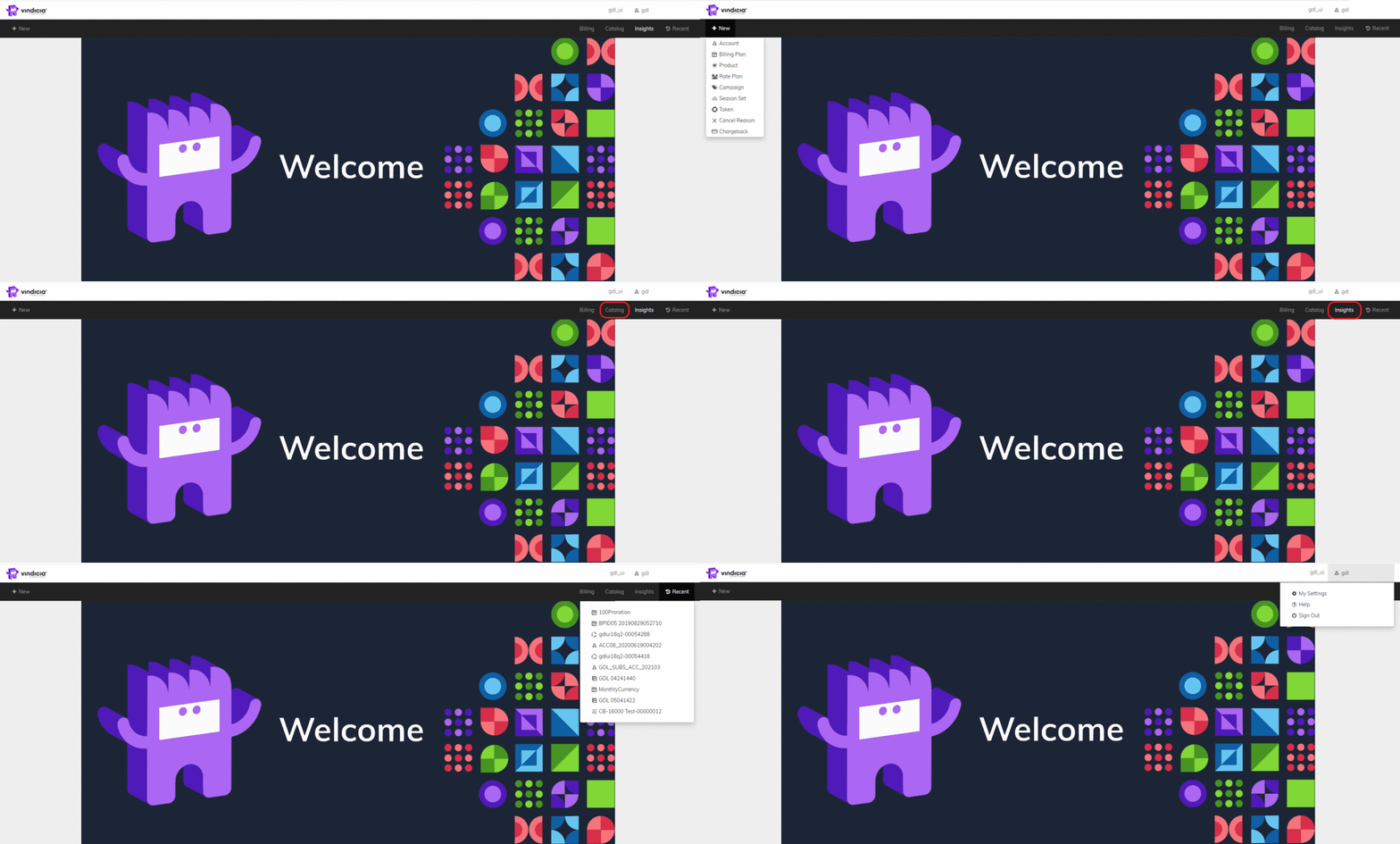
- +New: The New menu is always visible on screen. It let’s you create new Commerce Engine objects at any time. From the +New menu, you can create a new:
- Account: Accounts in Commerce Engine represent your customers, and contain all the data necessary to provide them services, communicate with them, and bill them for subscriptions and one-time purchases.
- Billing Plan: The Billing Plan provides the billing frequency and schedule for a subscription. They allow you to configure flexible payment structures to accommodate your marketing needs for one or multiple products by letting control how often to bill a customer.
- Product: Commerce Engine product is the Merchant’s offering — whether it’s a tangible product or a service. The product is re-sold online by you, the online Reseller.
- Rate Plan: Rate Plans are pricing structures that allow you to price according to consumption or tiers. Rate Plans provide you the opportunity to start customers with an inexpensive plan and upsell them as they realize the value of your offering.
- Campaign: Commerce Engine Campaigns are discounts such as special offers or limited-time pricing you can apply to your existing Products. Discounts can be currency-based or percentage-based, and applied to one-time purchases or applied to a recurring subscription for a specific period.
- Catalog: The Catalog menu provides access to the Commerce Engine objects that define your offerings, the price points and billing schedule. From the catalog you can access and manage Billing Plans, Products, Rate Plans, and Campaigns.
- Billing: Commerce Engine’s Billing menu lets you monitor and manage your customers’ accounts, their subscriptions, and payment transactions.
- Insights: Commerce Engine’s Insights provides your subscription business intelligence data letting you make data-driven decisions regarding your offering.
- Recent: A menu option listing the 10 recent pages visited.
- Account Settings: The account settings lets you configure personal settings to personalize and enhance your Commerce Engine Portal experience.