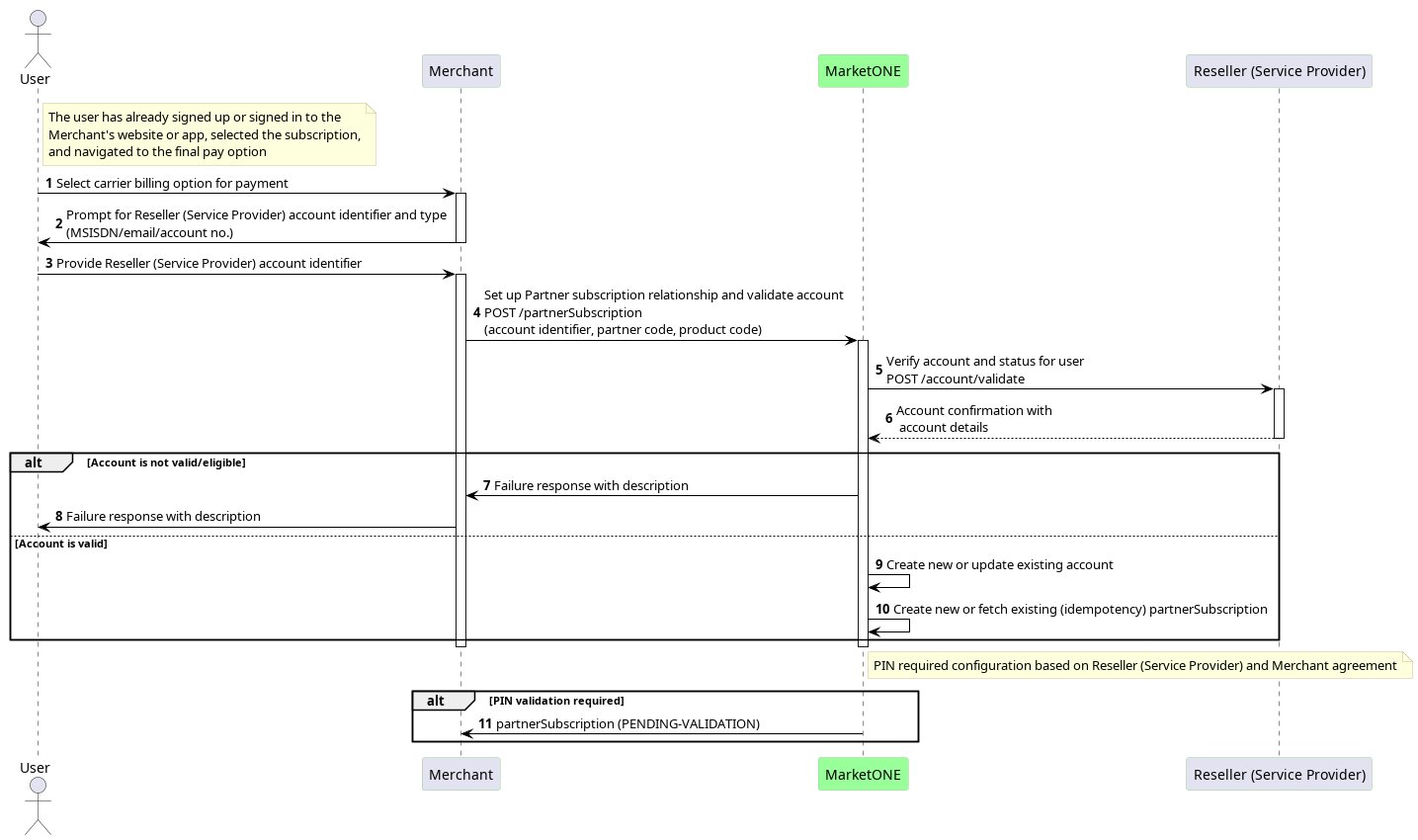
1. Validating the User Account
The user selects statement billing (for example: DCB) on their Merchant service. They then enter their mobile number for account validation. The Merchant sends thePOST /partnerSubscription call with the user’s mobile number as account identifier, partner code (optional) and product code (optional).
MarketONE requests the validation of the user account from the Reseller by invoking the POST /account/validate API call. Once the validation is finished, the Reseller notifies MarketONE with the results. In turn, MarketONE sends the results to the Merchant.
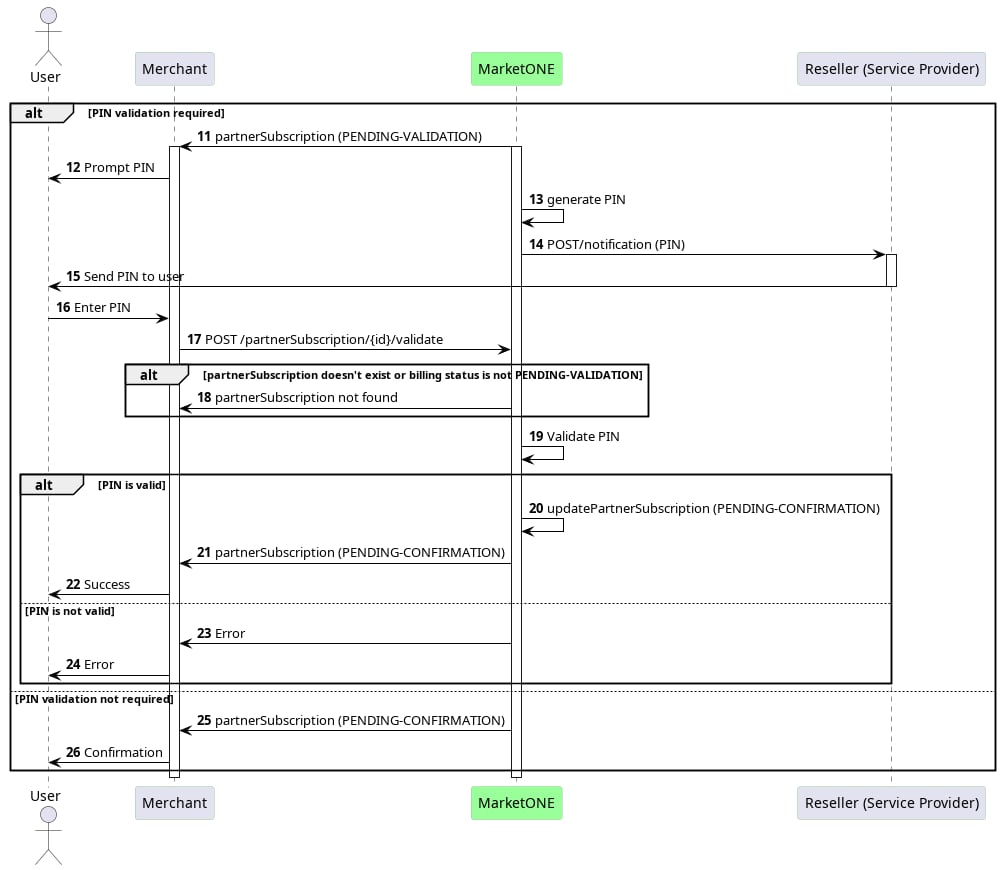
2. Validating the PIN
Once the user account is validated, MarketONE generates a one-time PIN for the user. MarketONE then asks the Reseller (SP) to send the one-time PIN to the user by invoking thePOST /notification API call. The user receives the PIN from the Reseller (SP) notification system.
The user enters the one-time PIN on the Merchant application, and is validated by MarketONE by invoking the POST /partnerSubscription/{id}/validate API call.
The user can confirm they agree to pay with their bill. This is a step that can optionally be removed through configuration.
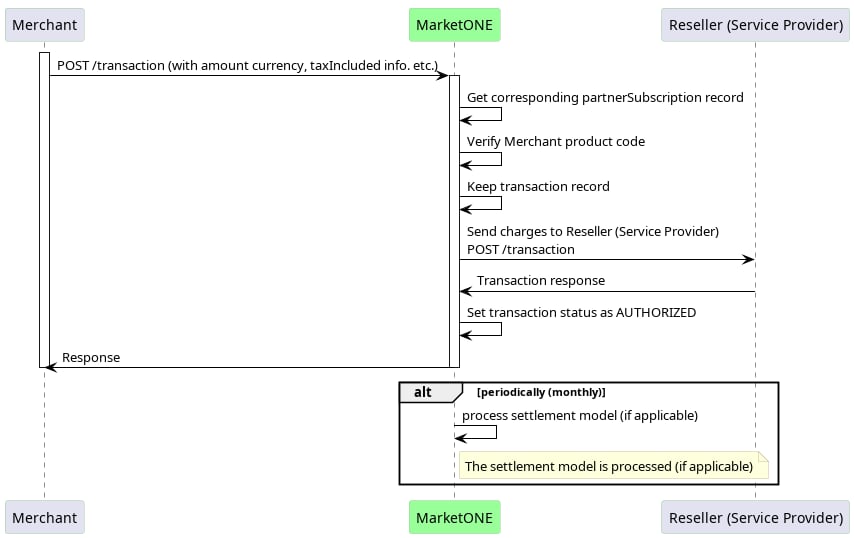
3. Posting the Charge
The Merchant leverages thePOST /transaction API call to send the charge.
MarketONE leverages the POST /transaction API call to send the transaction to the Reseller (SP) for statement billing (for example: DCB).
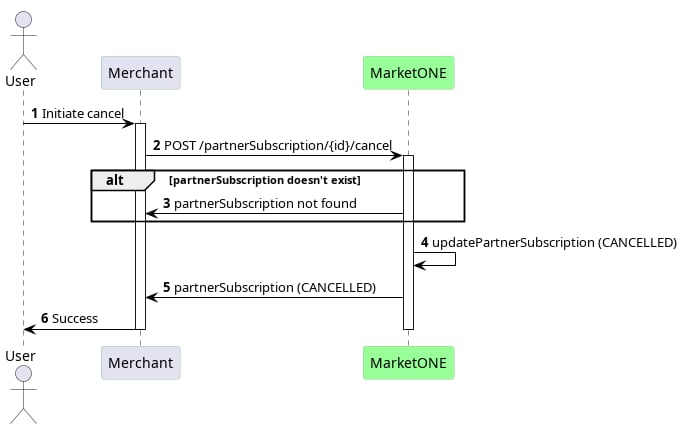
4. Canceling a Subscription
In the case of a subscription cancellation, the Merchant is required to call the cancellation API for MarketONE to cancel the active subscription billing entitlement. MarketONE will inform the Reseller the customer no longer has the Partner subscription and the ability to charge for the product on their statement bill.