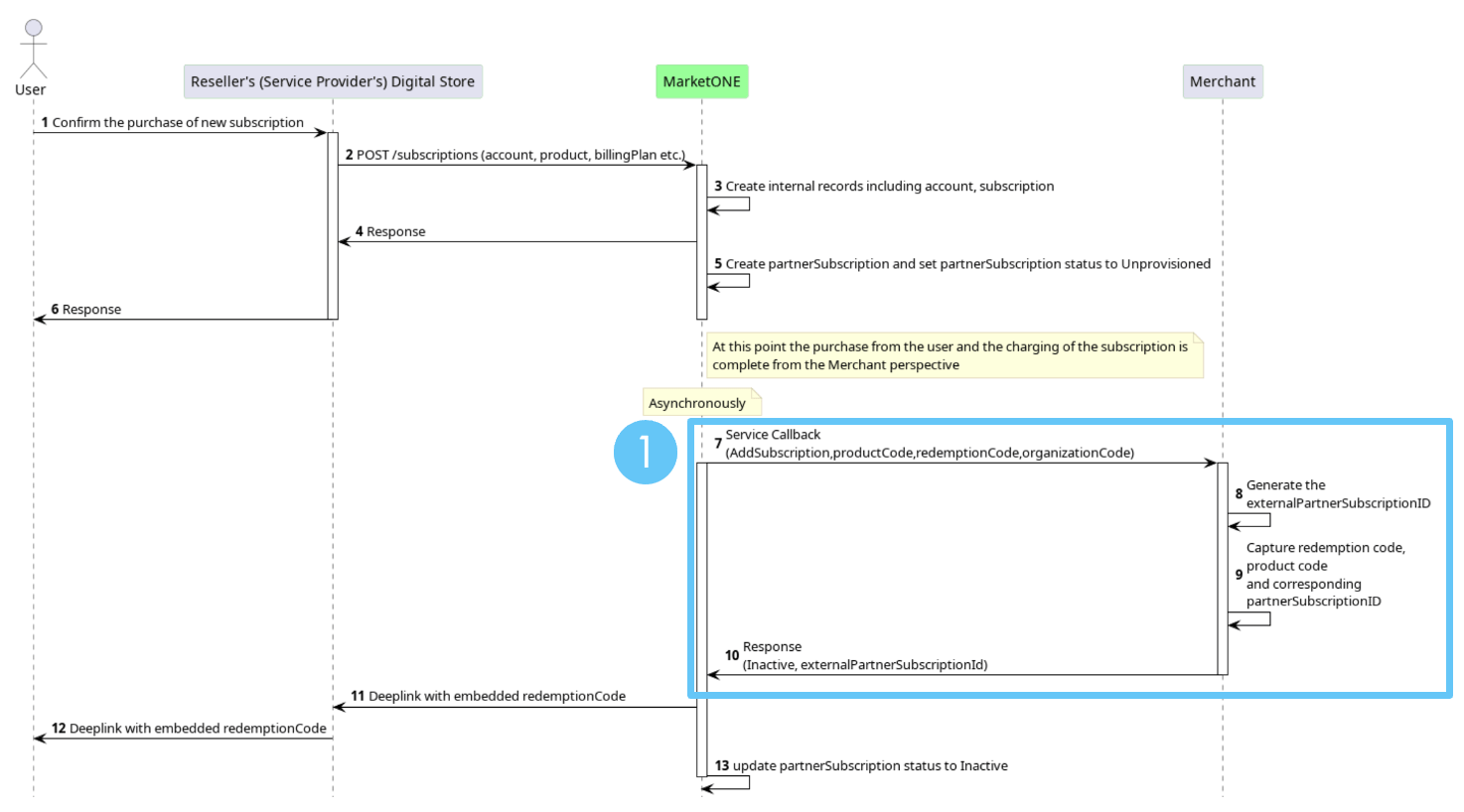
1. Creating a Subscription
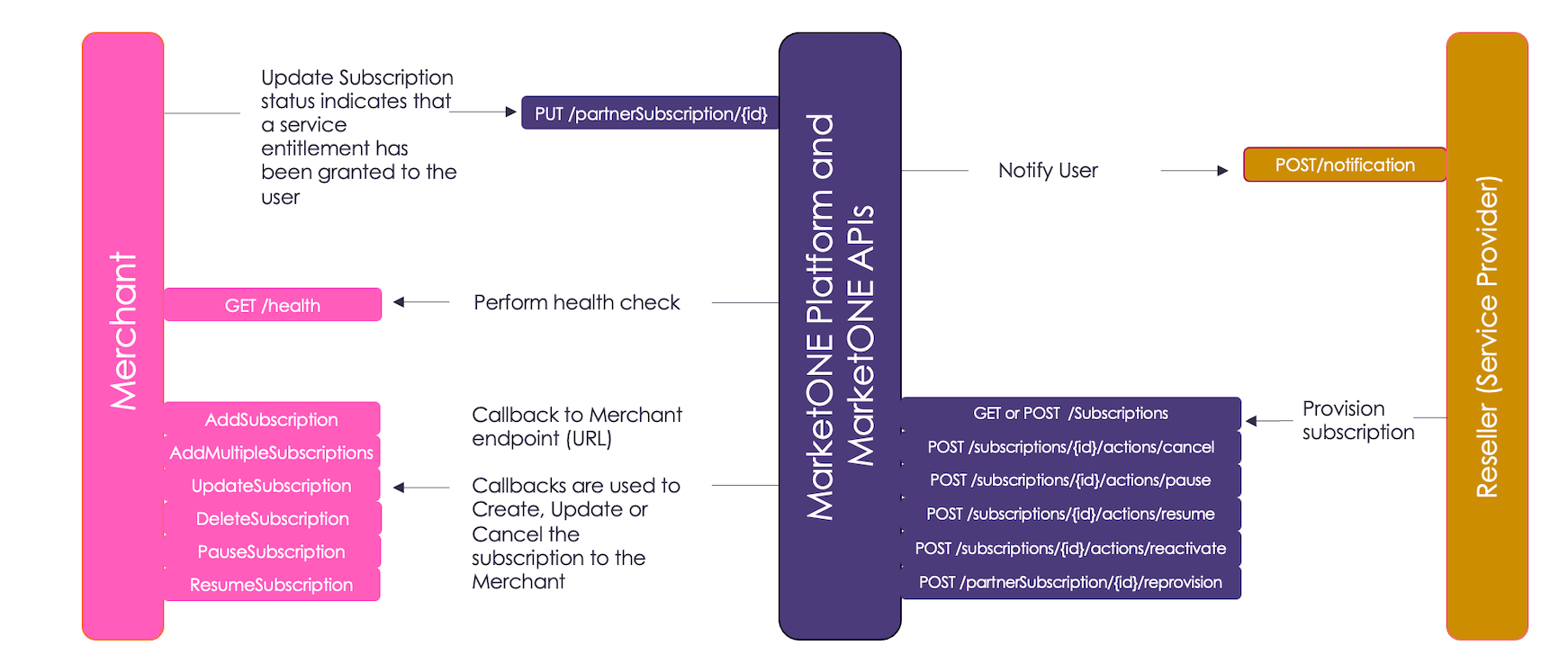
MarketONE leverages anAddSubscription callback URL to notify the Merchant to provision the subscription.
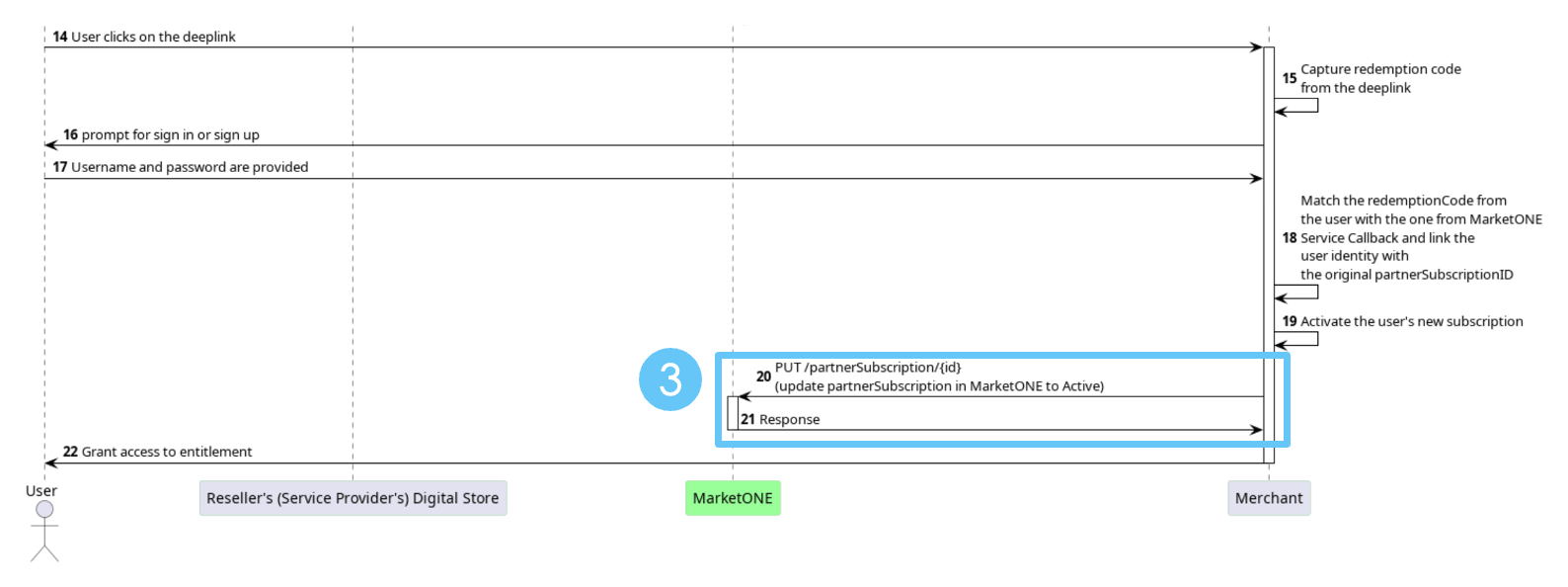
2. Activating a Subscription
The user gets the activation link with the embedded redemption code from the Reseller (Service Provider). When the user clicks the link, the Merchant gets the redemption code. The Merchant uses this code to match the redemption code MarketONE sent. The Merchant manages the user identity through sign up, sign in or an existing session.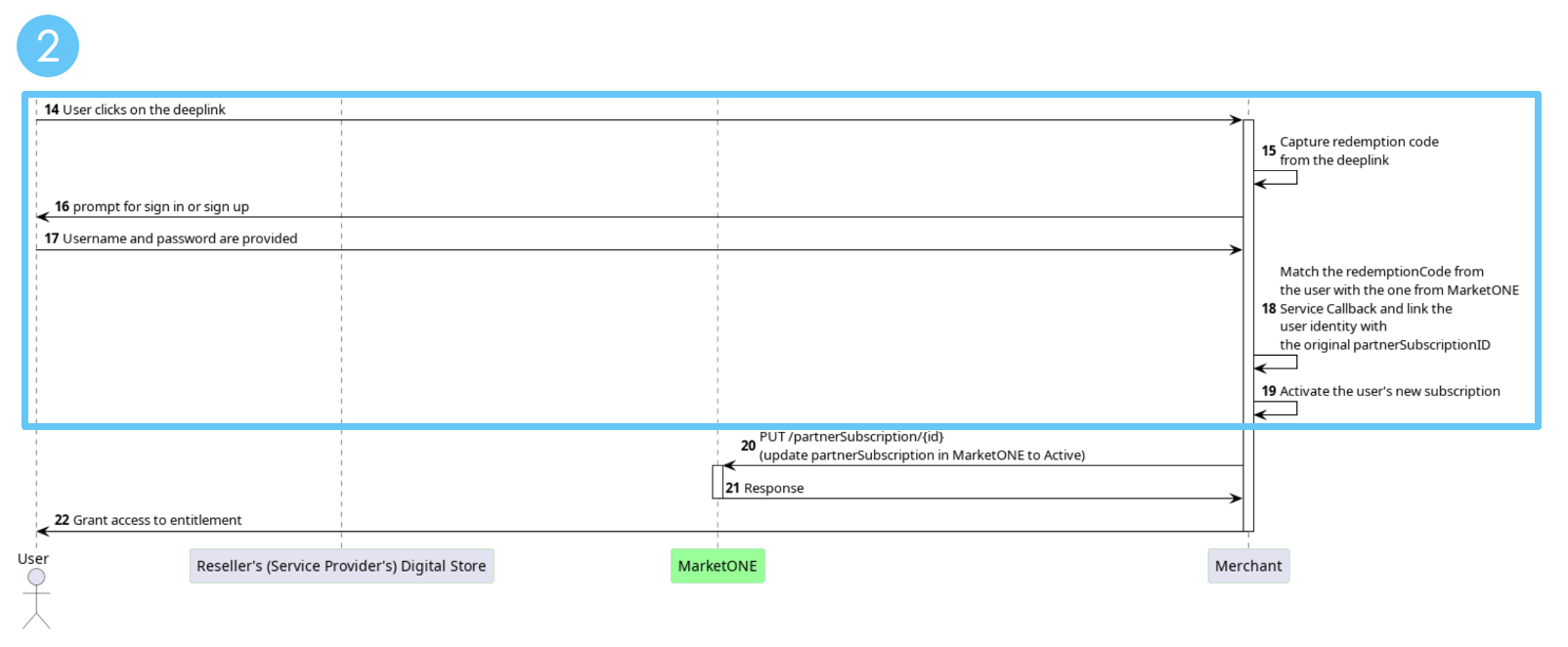
3. Updating the Subscription Status
The Merchant sends the change in the subscription status (Active) to MarketONE using thePUT /partnerSubscription/{id} API call.
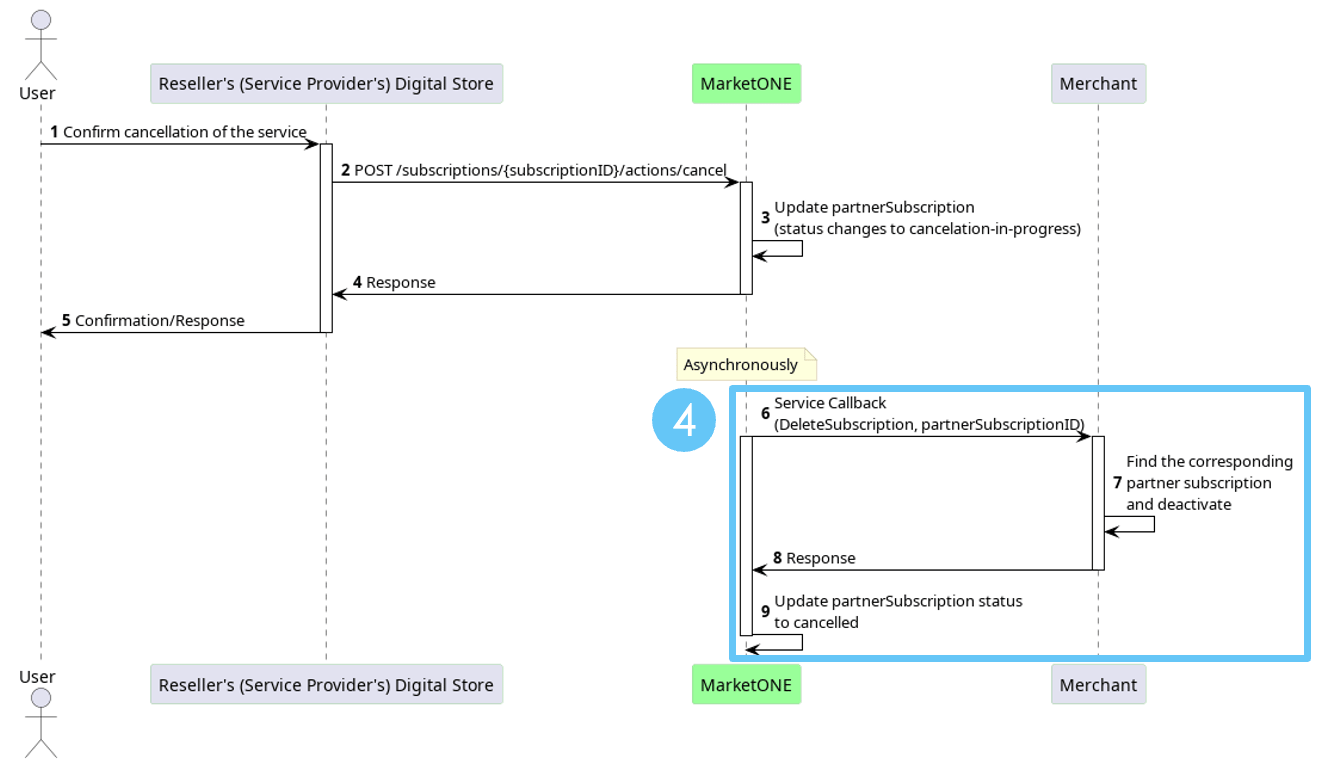
4. Canceling a Subscription
When a user confirms cancellation of their subscription in the Reseller’s digital store, or when the user’s account with the Reseller is no longer in good standing, it triggers aDeleteSubscription callback to the Merchant. The Merchant locates the existing subscription with the partnerSubscriptionID sent by MarketONE. The Merchant deactivates the user’s entitlement.
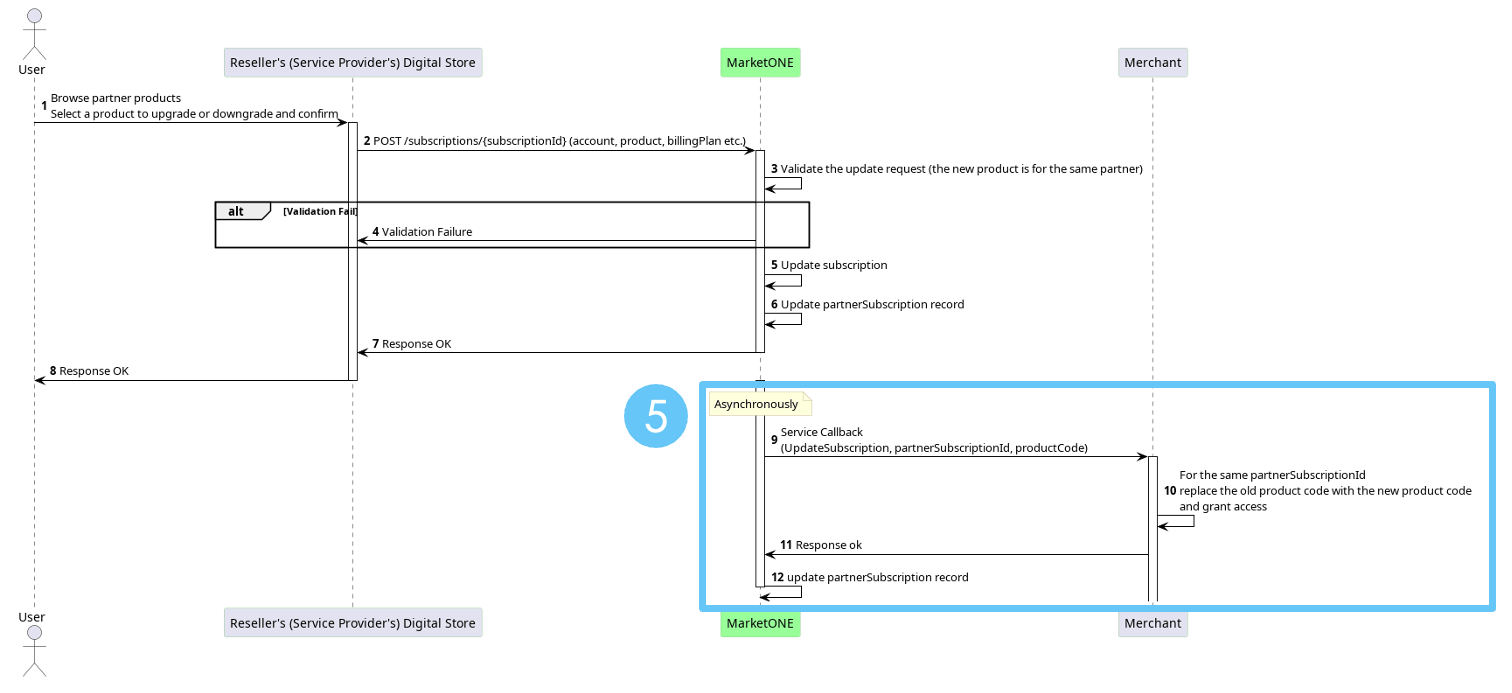
5. Updating an Existing Subscription
When the user confirms an upgrade or downgrade in the Reseller’s digital store, it triggers anUpdateSubscription event/callback to the Merchant with a new product code. The Merchant replaces the product code and grants the user access to the new product of the same subscription.
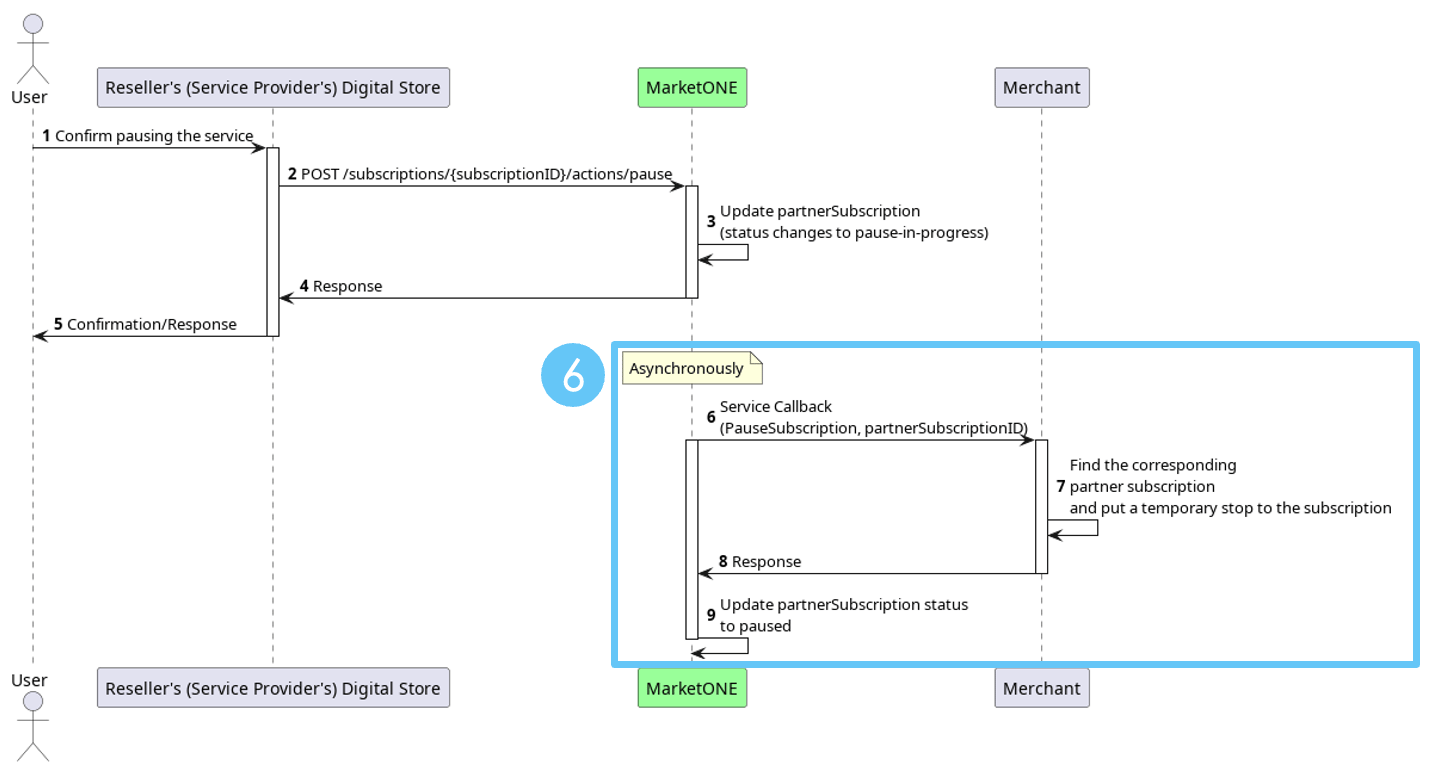
6. Pausing a Subscription
Note: Both the Merchant and Reseller (Service Provider) must support the pause and resume callbacks to use this functionality. When the user pauses their subscription in the Reseller’s digital store, it triggers aPauseSubscription callback to the Merchant. The Merchant locates the existing subscription in the partnerSubscriptionID that MarketONE sent and pauses the user’s entitlement.
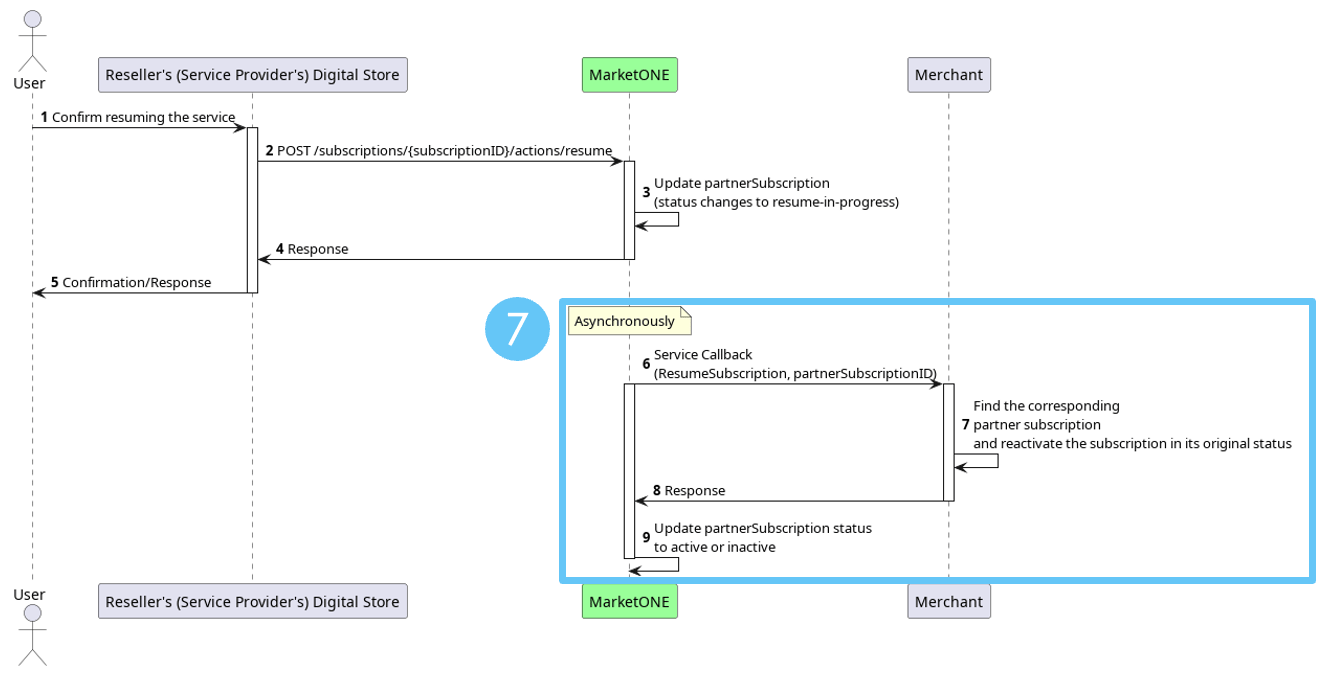
7. Resuming a Subscription
Note: Both the Merchant and Reseller (Service Provider) must support the pause and resume callbacks to use this functionality. When a user resumes a paused subscription in the Reseller’s digital store, it will trigger aResumeSubscription callback to the Merchant. The Merchant locates the existing subscription in the partnerSubscriptionID that MarketONE sent and resumes the user’s entitlement.