

Zones
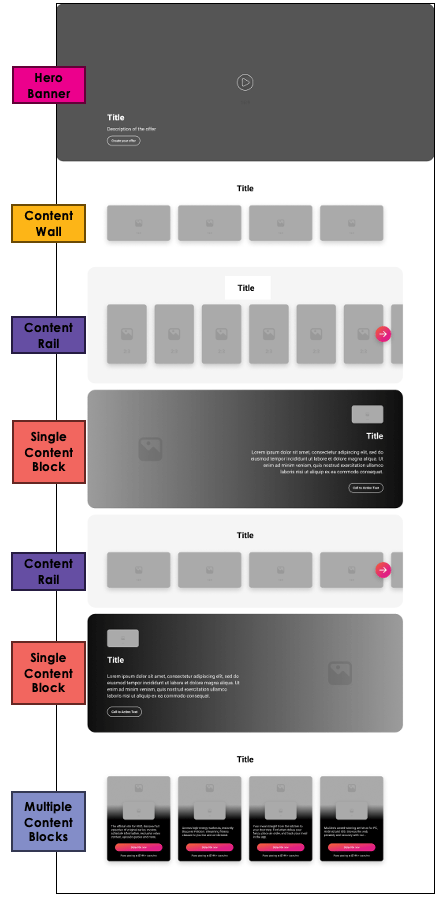
Zones allow you to promote products and content in visually appealing and engaging layouts on pages. Available zones include:- Hero banner
- Content wall
- Content rail
- Single content block
- Multiple content block
Use Case Examples
Use Case Example #1 A Reseller wants to promote upgrades to users with the basic version of a service. The Reseller does the following:- Creates programming for the Discovery page
- Adds a content wall zone with the upgraded versions of a product
- Applies a business rule linked to users who are actively subscribed to the basic version of the product
- Adds a content wall zone with the upgraded versions of a product
- Creates programming for the Discovery page
- Adds a content rail zone with video streaming products that are similar to Amazing Entertainment
- Applies a business rule linked to users who are actively subscribed to Amazing Entertainment
- Adds a content rail zone with video streaming products that are similar to Amazing Entertainment
Programming Dashboard
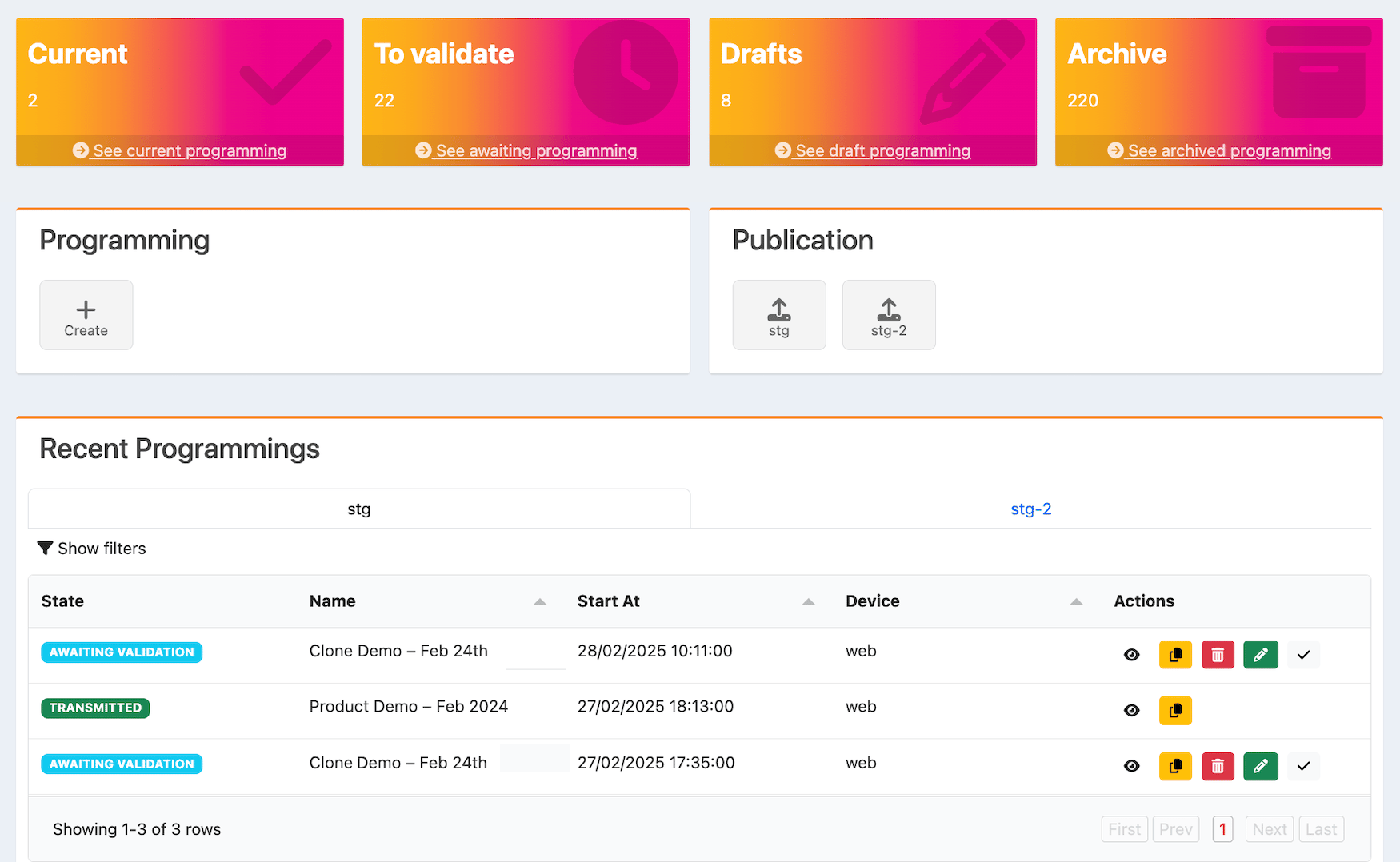
The tiles at the top of the programming page are as follows:- Current: Edit published programming.
- To validate: Validate programming that needs to be reviewed and approved.
- Drafts: View, edit, or delete drafted programming.
- Archive: View or clone archived programming.
Publication and Recent Programmings Sections
The Publication section on the programming page displays the populations you’ve added. Below, in the Recent Programmings section, you can see the list of programmings for each population. To publish validated programming for a population:- Select the population in the Publication section