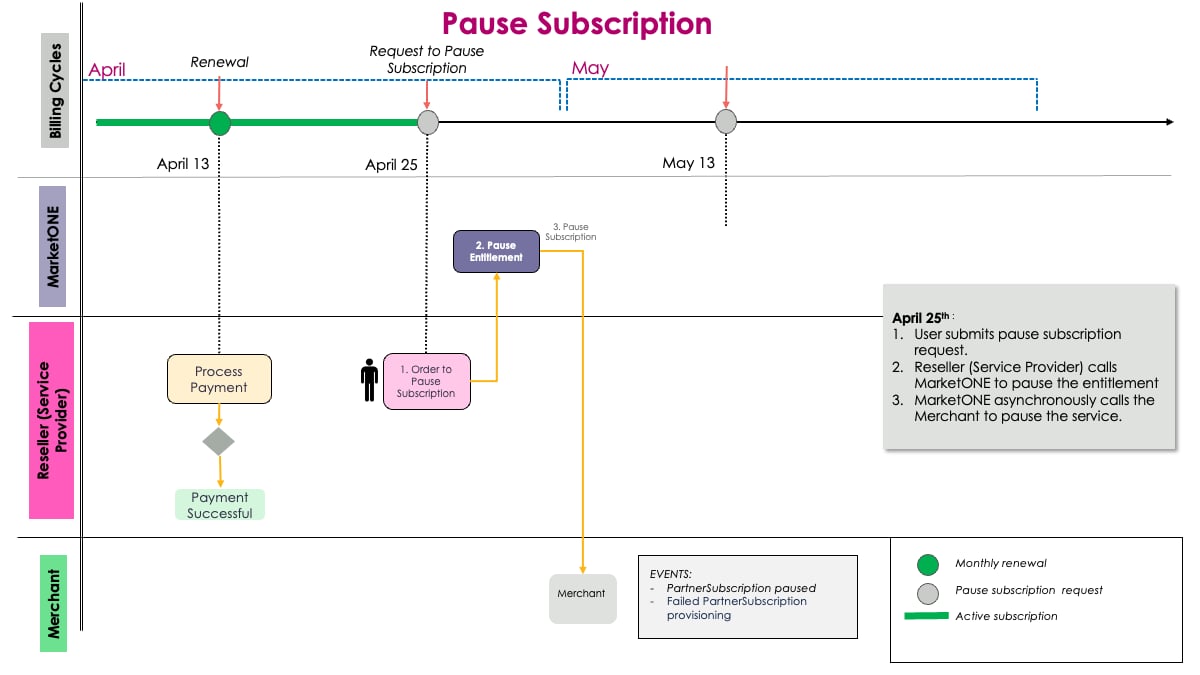
- Request to Pause the Subscription
-
Pause the Merchant Partner Subscription
Note: The APIs used for integration with Partner Ecosystem Management are the MarketONE APIs.
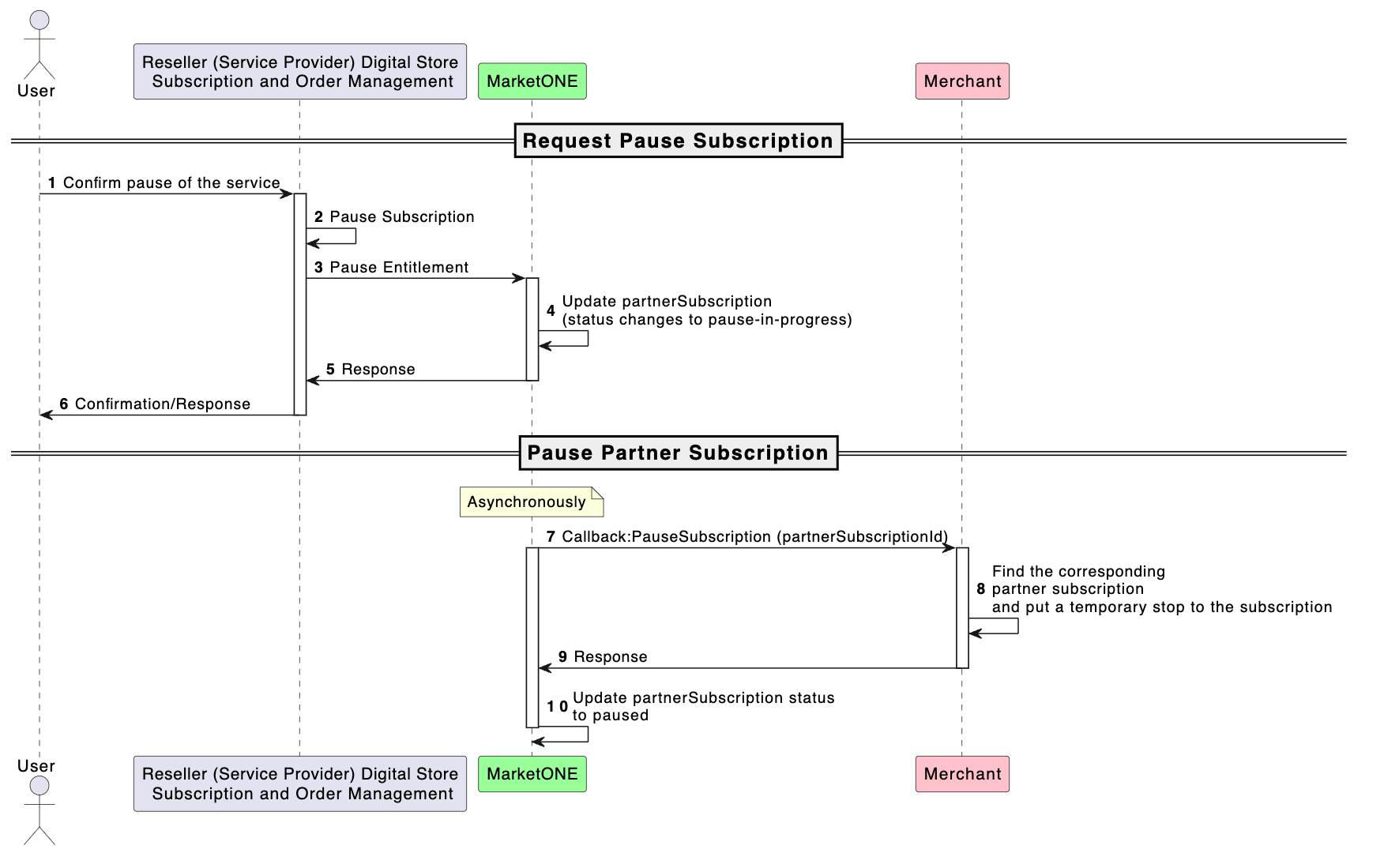
1. Request to Pause the Subscription
On the Reseller’s digital store, the customer selects an active subscription to pause. The customer confirms the paused subscription. The Reseller’s (Service Provider’s) system calls the MarketONE OpenAPI to pause the entitlement and passes the partnerSubscriptionId.2. Pause the Merchant Partner Subscription
The MarketONE OpenAPI pauses the Merchant subscription and calls the Merchant to pause the Partner subscription. The Merchant pauses the existing Partner subscription and sends the response to the MarketONE OpenAPI with the Partner subscription’s PAUSED status. The customer can’t access the subscription in the Reseller’s digital store until the paused subscription is resumed.Example of a Pause Subscription Scenario