- Browse Offerings
- Confirm Subscription Update
- Provision the Merchant Partner Subscription Update
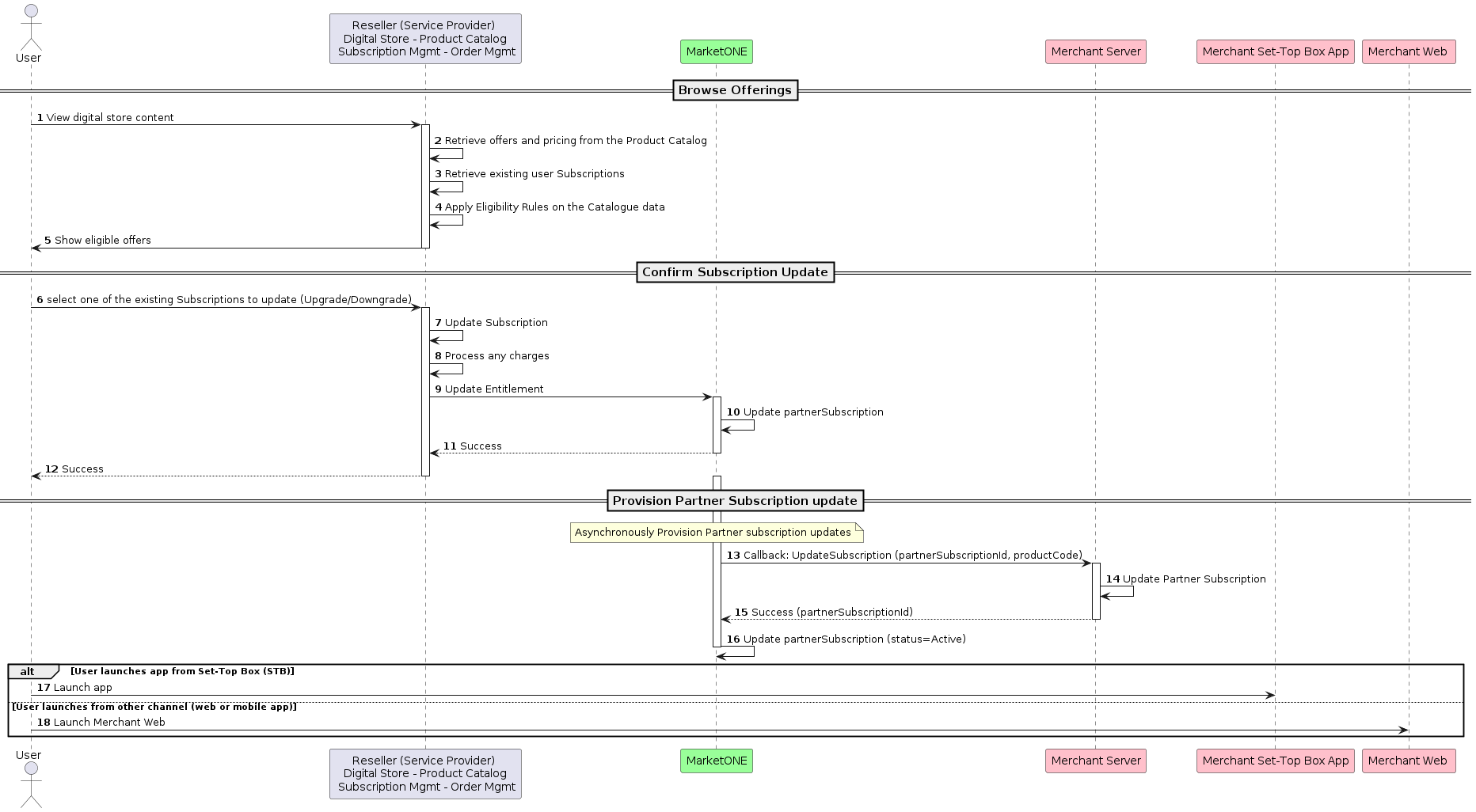
1. Browse Offerings
The customer navigates to the Reseller’s digital store. The Reseller (Service Provider) applies the eligibility check. The customer sees the upgrade and downgrade options they are eligible for.2. Confirm Subscription Update
The customer selects their desired offer and confirms the update. The Reseller (Service Provider) processes any required charges. If the payment is successful, the Reseller’s system updates the subscription and calls the MarketONE OpenAPI to update the entitlement by passing the productCode. Note: If the payment isn’t successfully processed, the Reseller won’t call the MarketONE OpenAPI and the subscription upgrade process will stop. The customer will remain on the current product. The Reseller is responsible for deciding when to call the MarketONE OpenAPI in the case of an upgrade or downgrade. In most implementations, the upgrade is triggered immediately whereas a downgrade is triggered at the end-of-cycle. Once the MarketONE OpenAPI receives the request, the MarketONE OpenAPI updates the Merchant Partner subscription.3. Provision the Merchant Partner Subscription Update
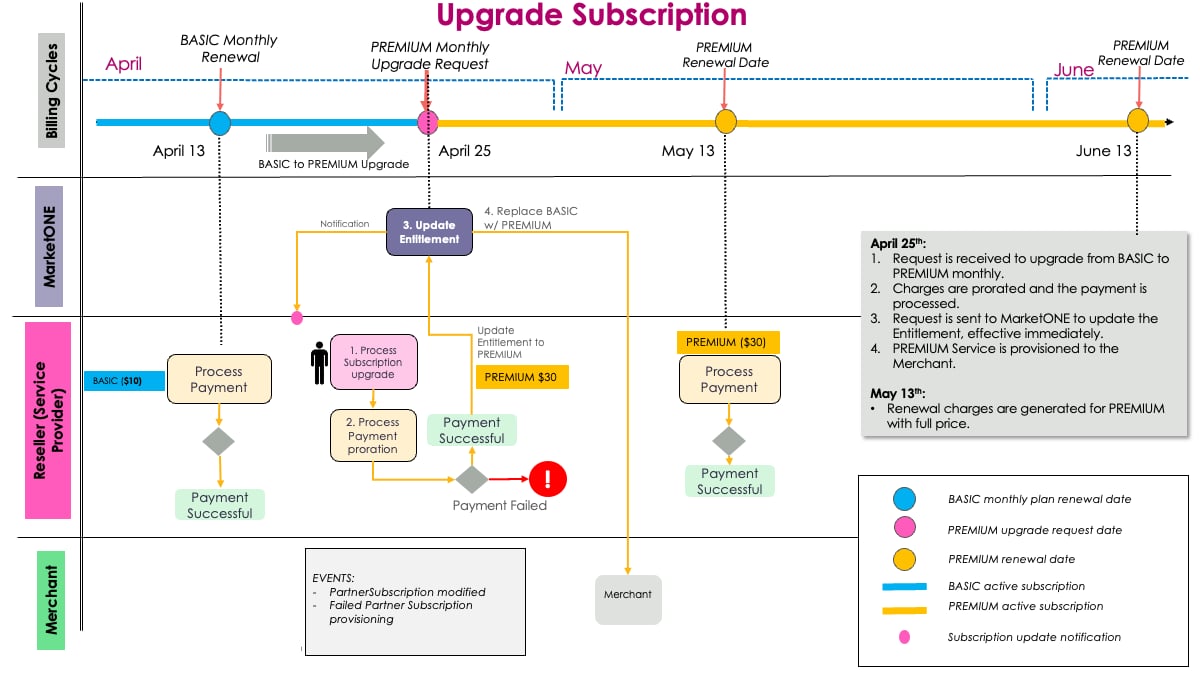
The MarketONE OpenAPI calls the Merchant to update the Partner subscription. The Merchant updates the Partner subscription and sends a successful response to the MarketONE OpenAPI. The customer can access the upgraded or downgraded subscription in the Merchant app.Example of an Upgrade Scenario
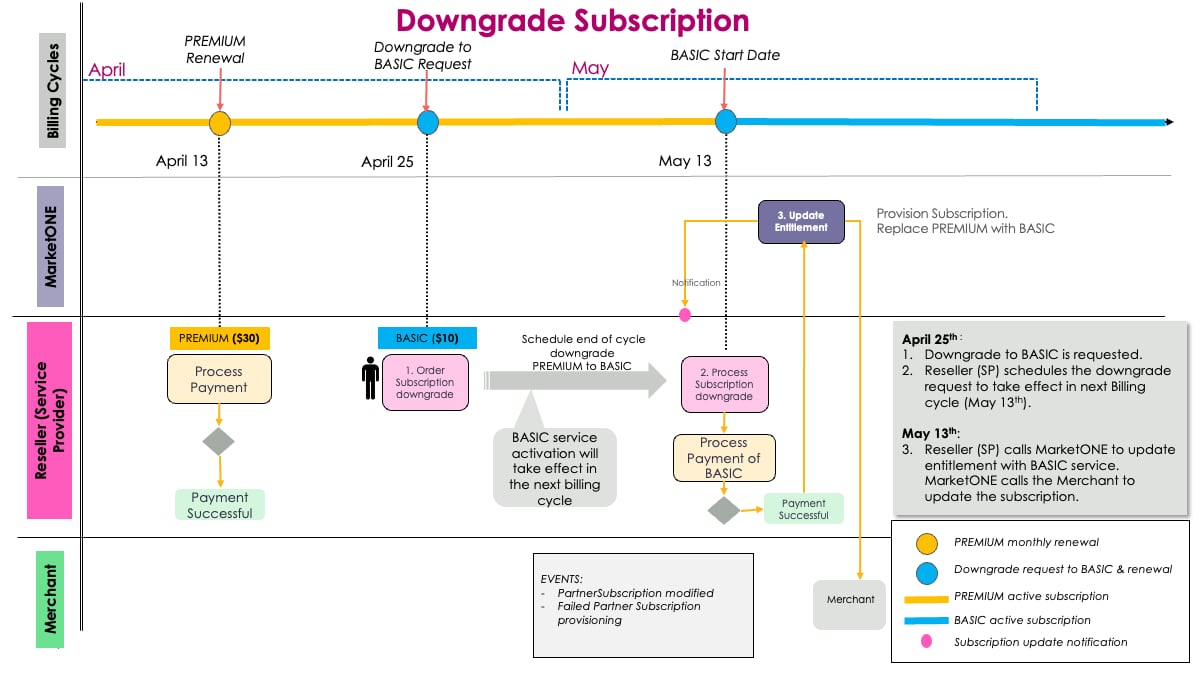
Example of a Downgrade Scenario