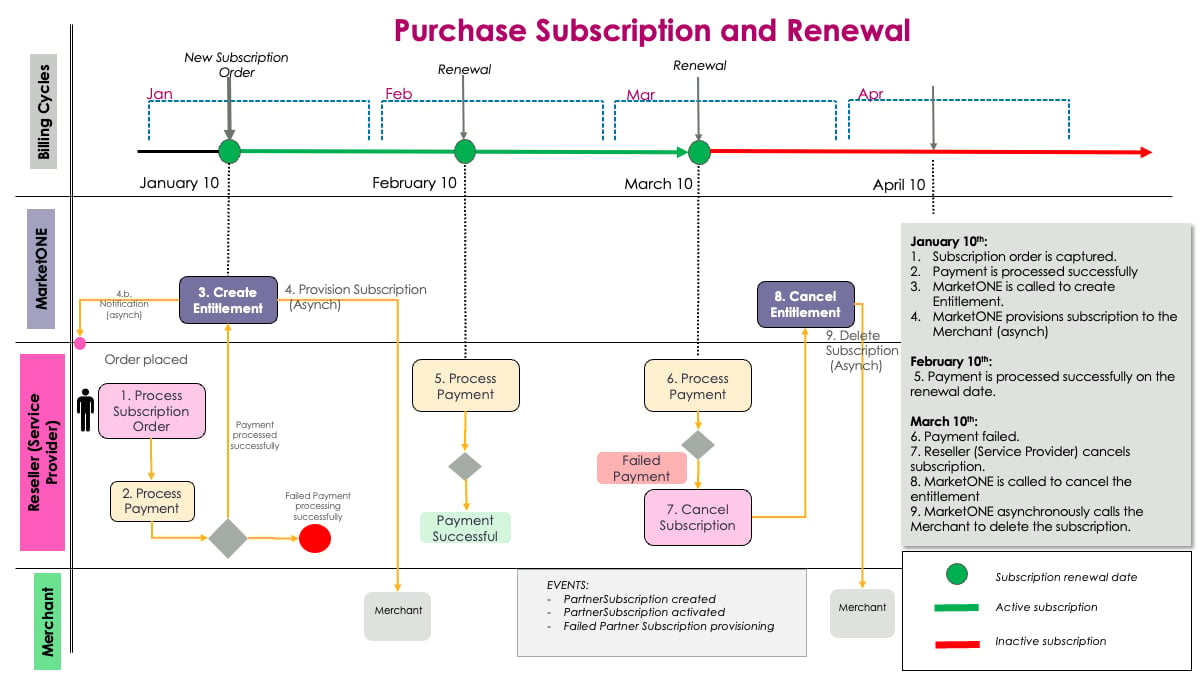
- Confirm the Subscription Purchase
- Provision a Merchant Partner Subscription
- Activate the Service
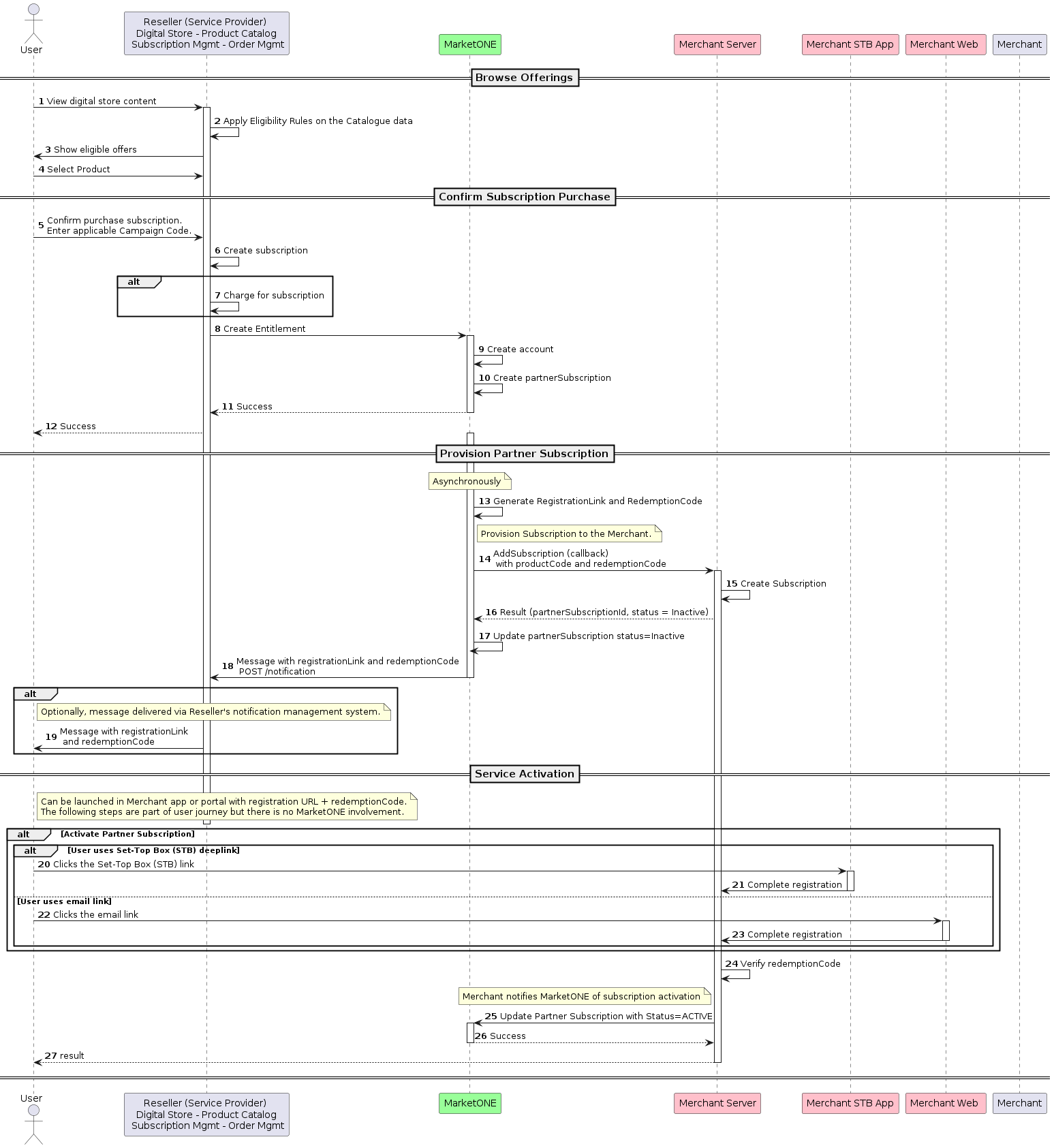
1. Confirm the Subscription Purchase
The customer views the product catalog in the Reseller’s (Service Provider’s) storefront. The Reseller applies an eligibility check and presents the customer with the eligible offers. The customer purchases the subscription. The Reseller creates the entitlement using the POST /entitlement endpoint and passes the Product ID. Note: The Reseller typically processes the payment after sending the POST /entitlement request to the MarketONE OpenAPI. However, in some implementations, the Reseller could process the payment before sending the request. Note: If the Reseller wants to link the billing subscription identifier to the entitlement in MarketONE, they can provide the Subscription ID in the /entitlement request. As a result, the MarketONE OpenAPI creates the account and the Merchant Partner Subscription. Here’s a detailed view of this step: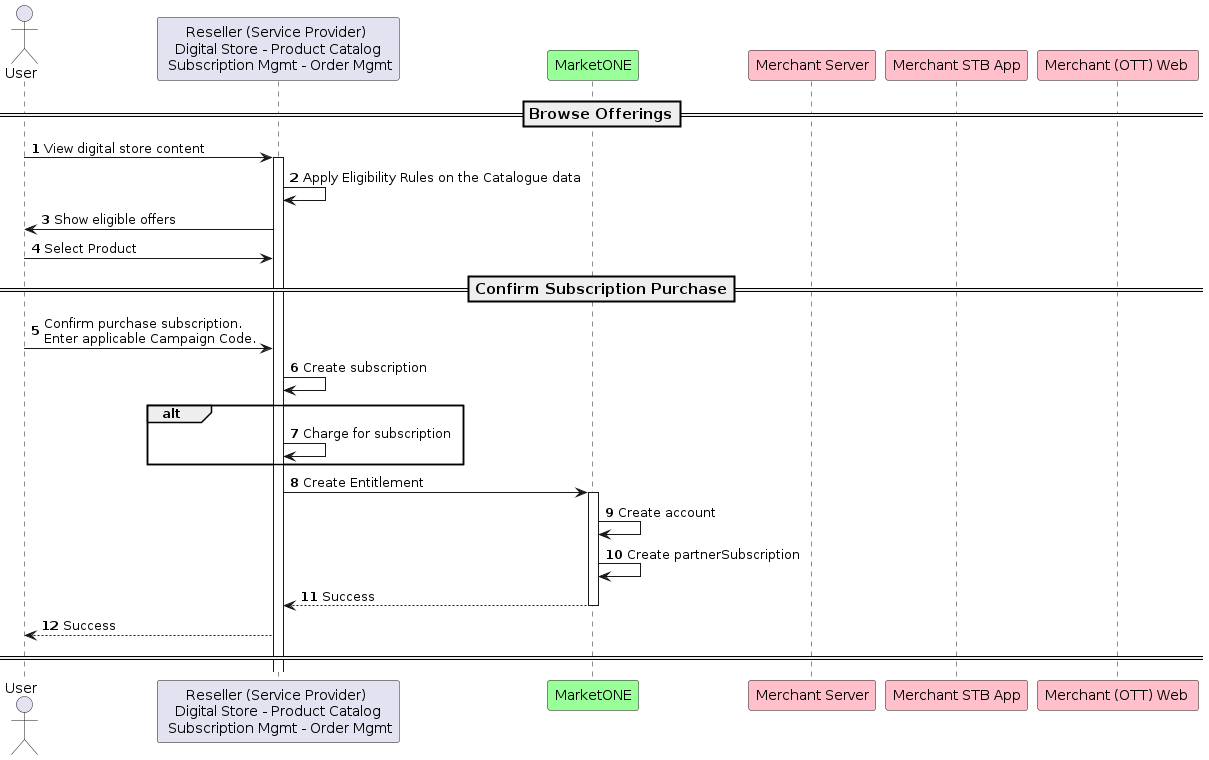
2. Provision a Merchant Partner Subscription
Asynchronously, the MarketONE OpenAPI generates the registration link and redemption code. Note: Alternatively, Merchants can generate their own redemption code. If the Merchant generates the redemption code, the code will be sent to the MarketONE OpenAPI in the create entitlement request. If the redemption code isn’t included in the call, the transaction won’t be successful. If the redemption code is included in the call, the MarketONE OpenAPI will pass the code on to the Reseller (Service Provider). The Reseller can then send the code to the end customer to activate the subscription. The MarketONE OpenAPI leverages the AddSubscription callback to notify the Merchant to provision the customer. The MarketONE OpenAPI notifies the Reseller with a POST /notification call containing the registration link and redemption code. Next, the Reseller should send the customer the registration link with the redemption code. Here’s a detailed view of this step: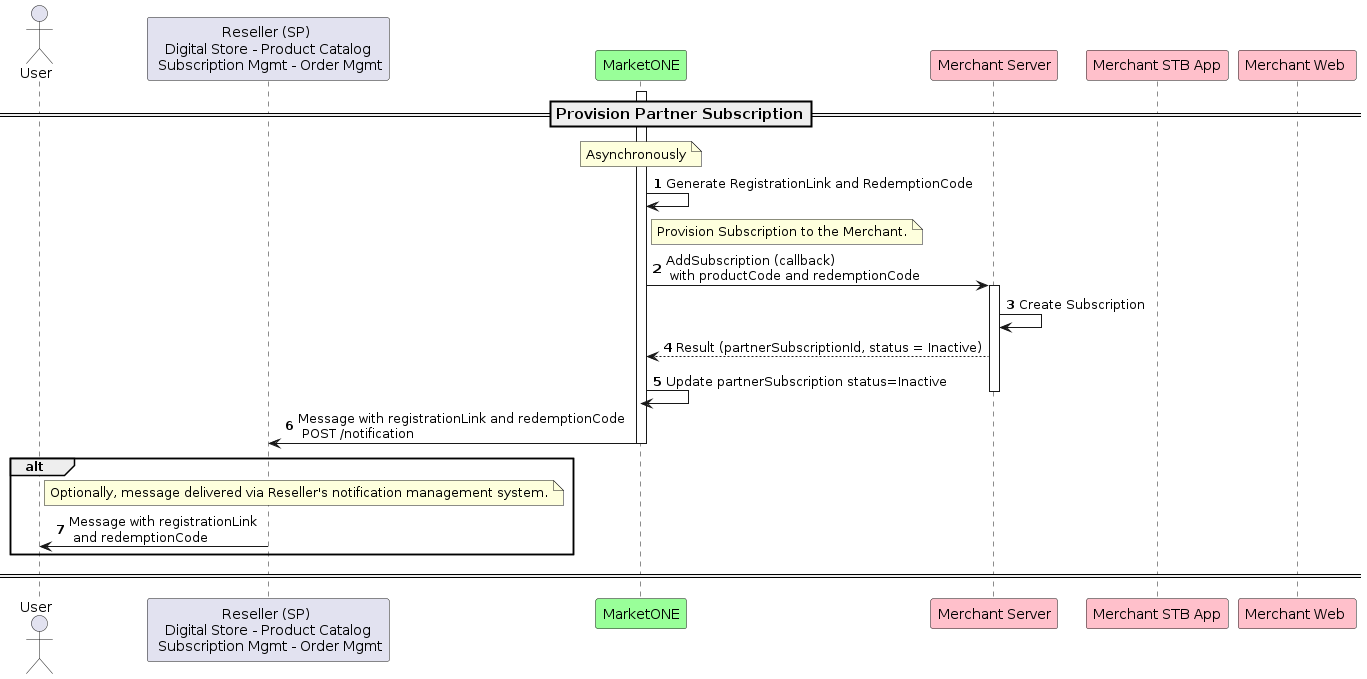
3. Activate the Service
The user activates their service by clicking the registration link and redeeming the code. On the Merchant’s side of the integration, the customer creates their own Merchant-specific credentials. The Merchant sends a Partner subscription activation response to the MarketONE OpenAPI. The MarketONE OpenAPI updates the subscription status to Active. On the subscription renewal date, the Reseller (Service Provider) processes the renewal charges. If successful, the customer can continue to use the service. Here’s a detailed view of this step: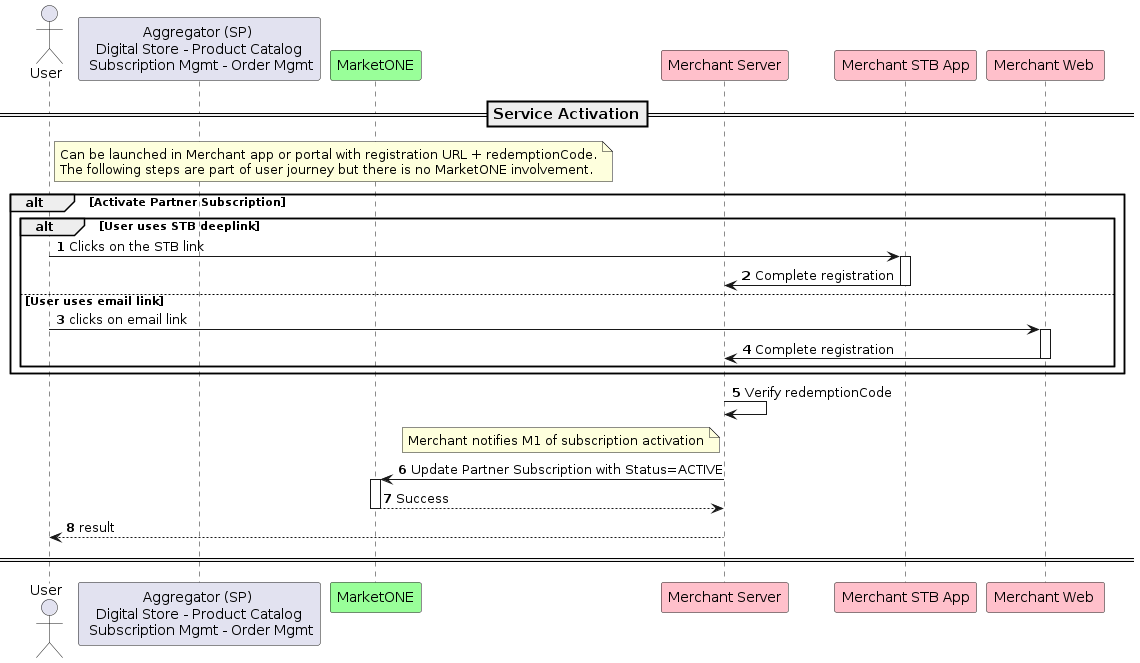
Example of a Purchase and Renewal Scenario