

- Discover Merchants’ profiles
- Discover Merchants’ products and product groups
- Send requests to partner
- See the status of your requests
- View existing partnerships
- Cancel a partnership Note: To cancel a partnership, you must cancel any active agreements and subscriptions associated with the partnership first.
-
Navigate to Discover.
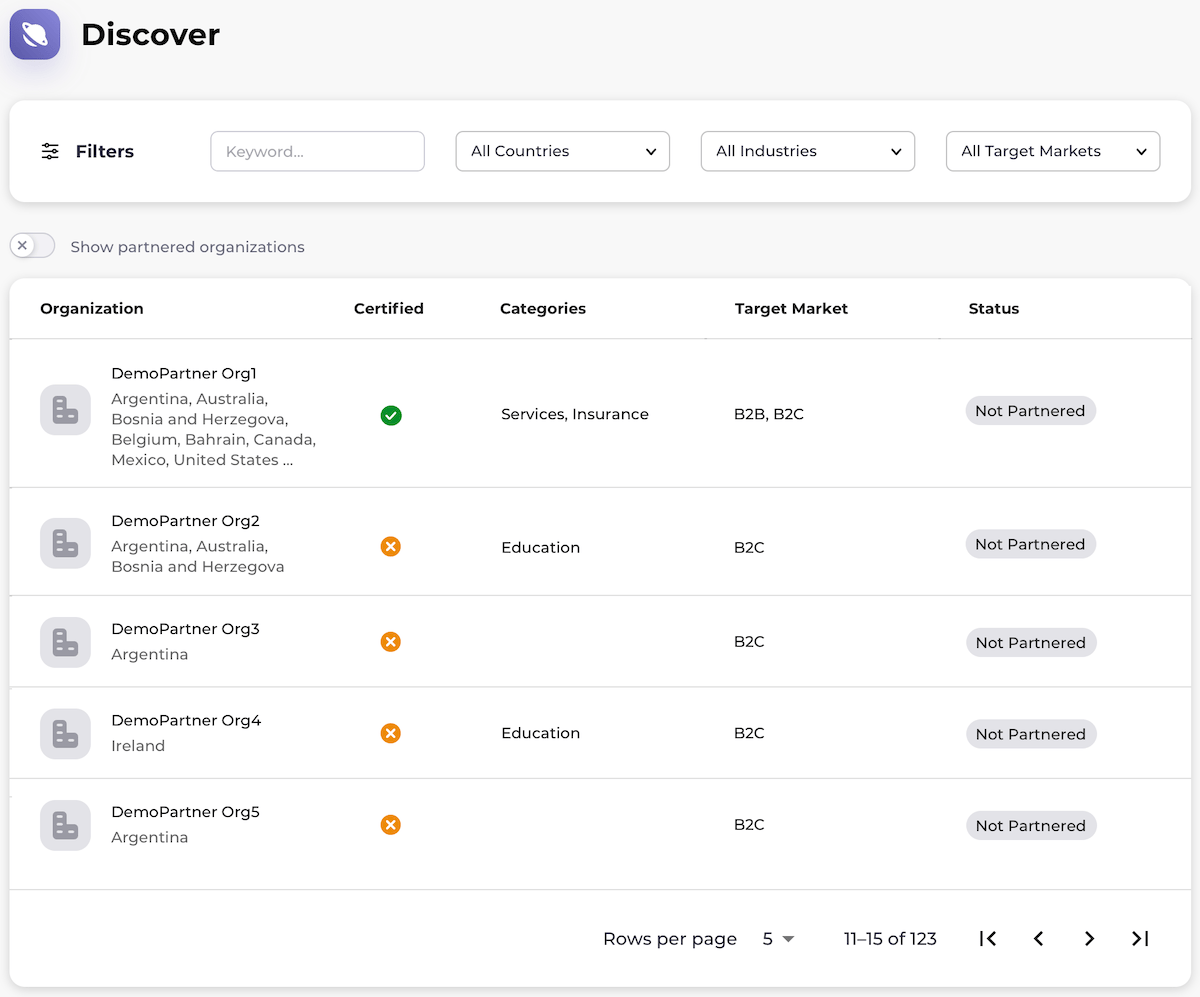
The Discover page appears. The page displays a list of Merchants, their certification status, their categories, their target markets, and the status of your partnership with them.
Note: Merchants with the green check mark next to their names have completed all integration tasks. These Merchants can resell products and activate subscriptions. Merchants with the yellow icon next to their names are in the process of undergoing certification. These Merchants can enter into partnerships and approve agreements, but products cannot be resold or activated until certification is achieved.
-
Select what you’d like to do:
- To discover Merchants, browse the list. You can also filter for the Merchant by entering a keyword, and by selecting one or more countries, industries, and/or target markets from the dropdown lists. Select the relevant Merchant from the list.
- To view your existing partnerships, enable Show partnered organizations by toggling it to the right. Select the relevant Merchant from the list.
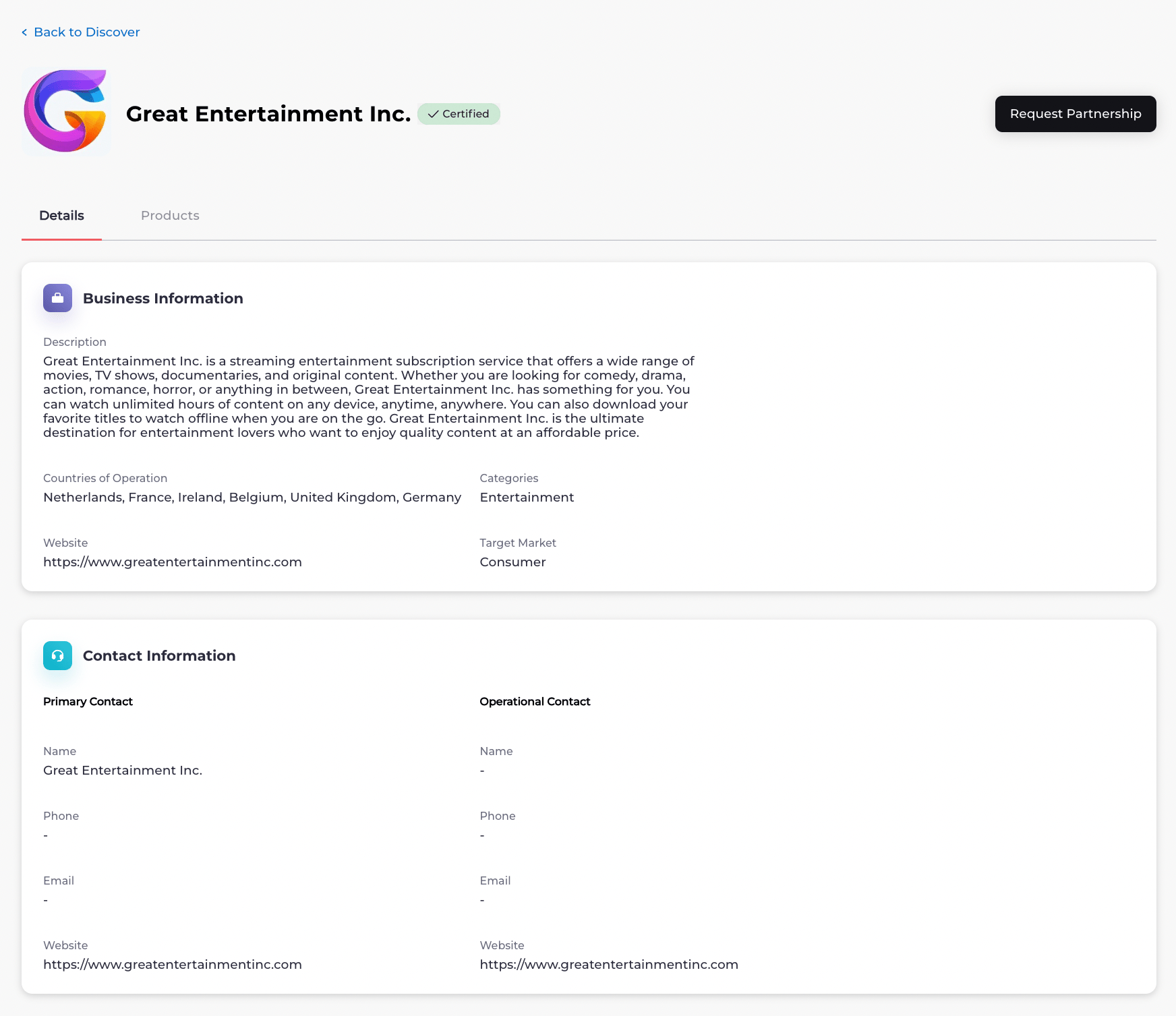
- To cancel an existing partnership, select the relevant Merchant from the list. The Merchant’s Details page appears.
-
Select what you’d like to do:
- To view a Merchant’s products, select the Products tab. A list of the Merchant’s products appears. To view product details, select a product. The product details page appears.
- To view agreements that exist between you and the Merchant, select the Agreements tab. Any agreements that exist between you and the Merchant appear.
- To request a partnership, return to the Merchant’s main page. Select the Request Partnership button. The page is refreshed. Your partnership request has been sent.
- To cancel an existing partnership, click the Active button. The Cancel Partnership option appears. Select Cancel Partnership. The confirmation dialog appears. Confirm the cancellation. The partnership has been canceled.