

- Create Reconciliation schedules
- Edit Reconciliation schedules
- Delete Reconciliation schedules
- A Reseller (Service Provider) with whom you have a partnership
- The date and time when the system should process the Reconciliation Report(s) uploaded via SFTP.
- Navigate to Platform Settings > Reconciliation in Partner Ecosystem Management.
-
Select what you’d like to do:
-
To create a Reconciliation schedule, select the Add New Schedule button.
The New Schedule page appears.
Edit the fields as required. See the tables below for more information.
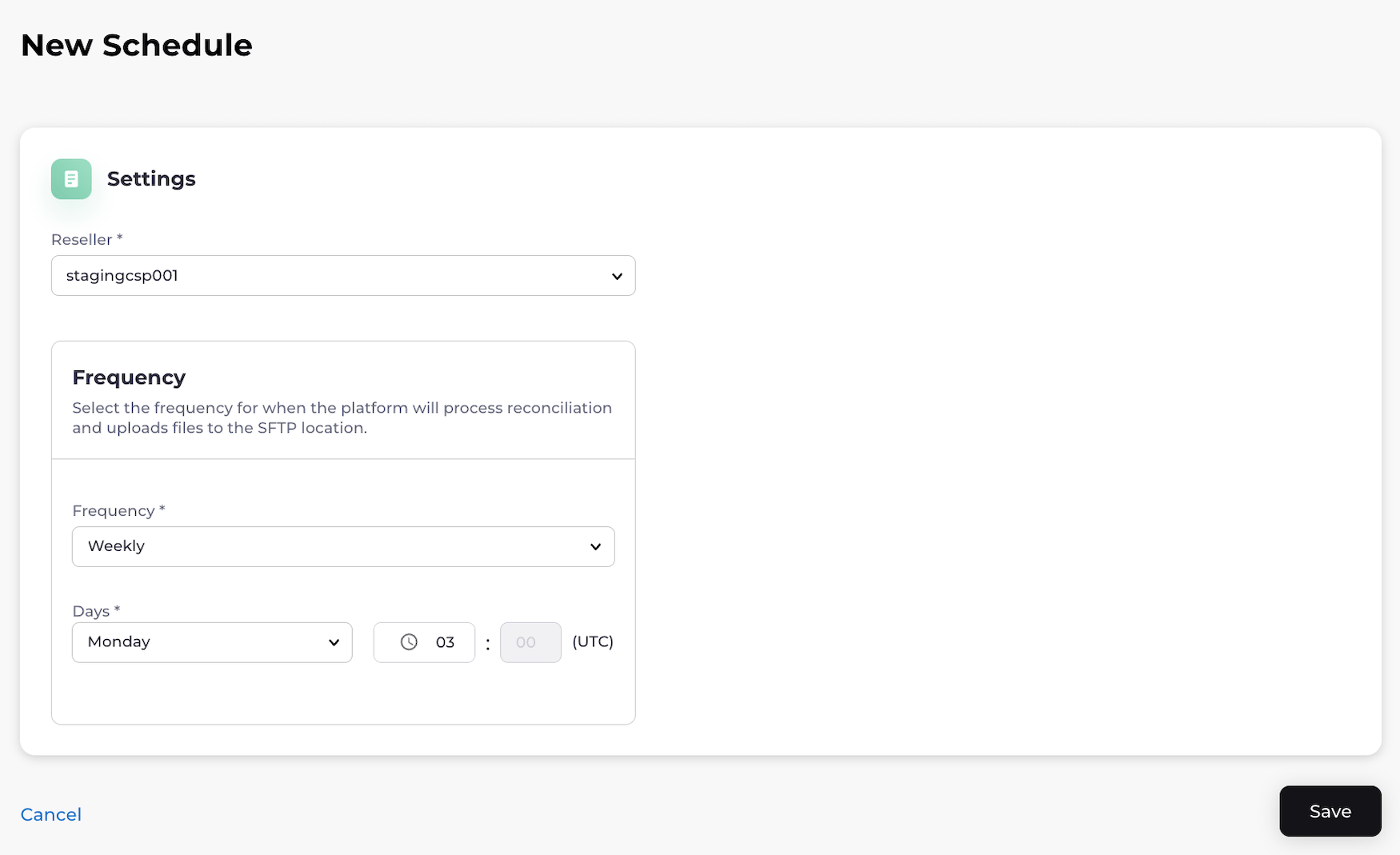
- To edit a Reconciliation schedule, locate the Reconciliation schedule you want to edit and select the three dot menu on the same row. The options menu appears. Select Edit Schedule. The Edit Schedule page appears. Edit the fields as required. See the tables below for more information. Select Save. You have successfully edited the Reconciliation schedule.
- To delete a Reconciliation schedule, locate the Reconciliation schedule you want to delete and select the three dot menu on the same row. The options menu appears. Select Delete Schedule. A box appears to confirm your choice. Select Delete Schedule to confirm. You’ve successfully deleted the Reconciliation schedule.
-
To create a Reconciliation schedule, select the Add New Schedule button.
The New Schedule page appears.
Edit the fields as required. See the tables below for more information.