

- Add health check endpoints
- Edit health check endpoints
- Delete health check endpoints
- Navigate to Platform Settings > Health Check. The Health Check Endpoints page appears.
-
Choose what you’d like to do:
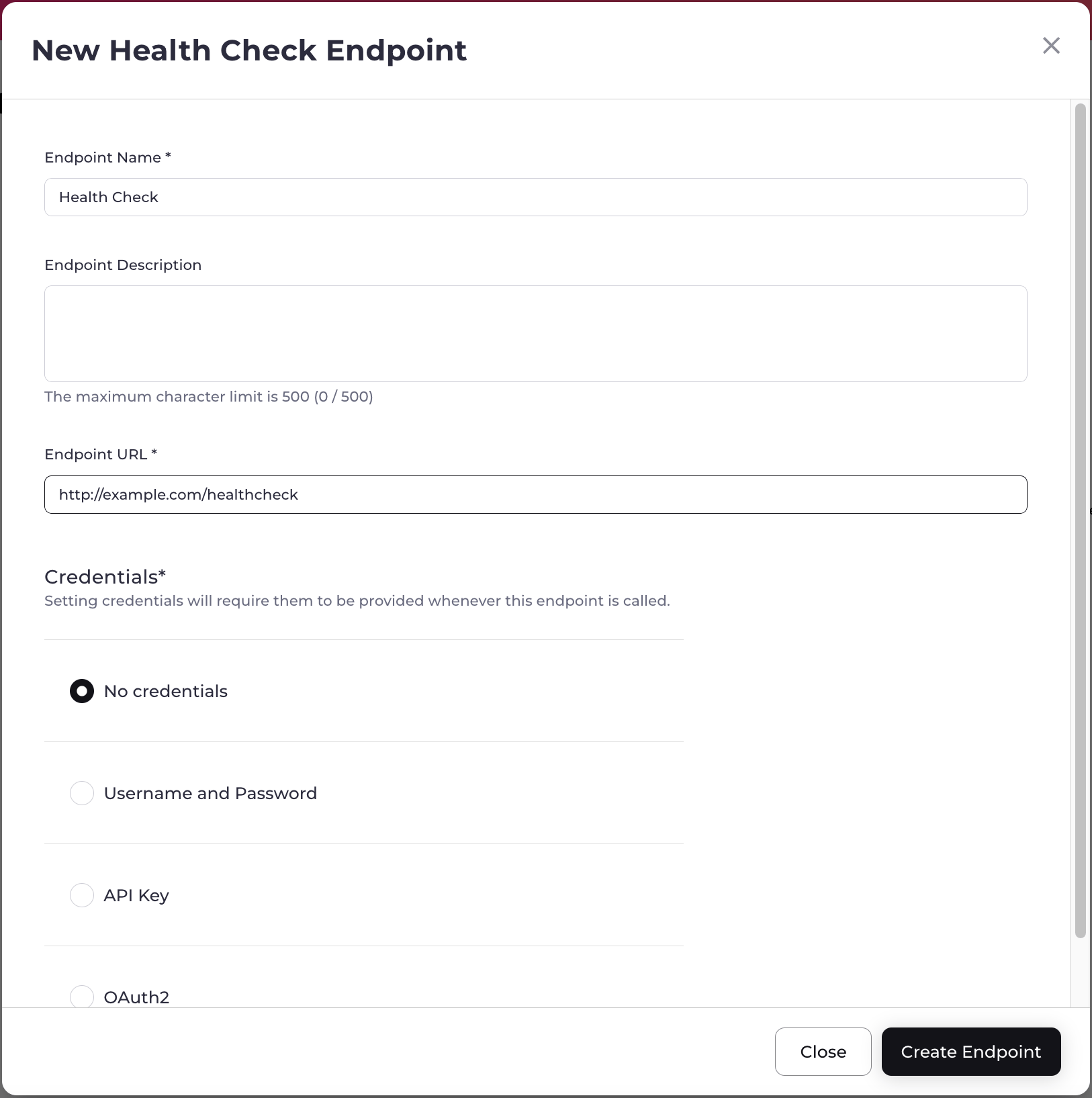
- To add a health check endpoint, select Click here to set up a Health Check Endpoint. The New Health Check Endpoint box appears. Refer to the tables below for guidance regarding the fields. When you’re done, select Create Endpoint. The endpoint has been successfully created. Note: It can take up to 72 hours for the endpoint to be posted to the Platform Health Status page.
-
To edit a health check endpoint, select the three dot menu for the health check endpoint and then select Edit Endpoint.
The Edit Health Check Endpoint box appears.
- To delete a health check endpoint, select the three dot menu for the health check endpoint and then select Delete Endpoint. The Delete Health Check Endpoint box appears. Select Delete Endpoint. The endpoint has been deleted successfully.