

- Automatically cancel unactivated subscriptions after a specified number of days from the provisioning date.
- Configure a warning and final reminder to encourage customers to activate their subscriptions before cancellation. Notification timing is fully customizable per Merchant product.
-
Navigate to Platform Settings > Activation > Missed Activations.
The Missed Activations page appears.
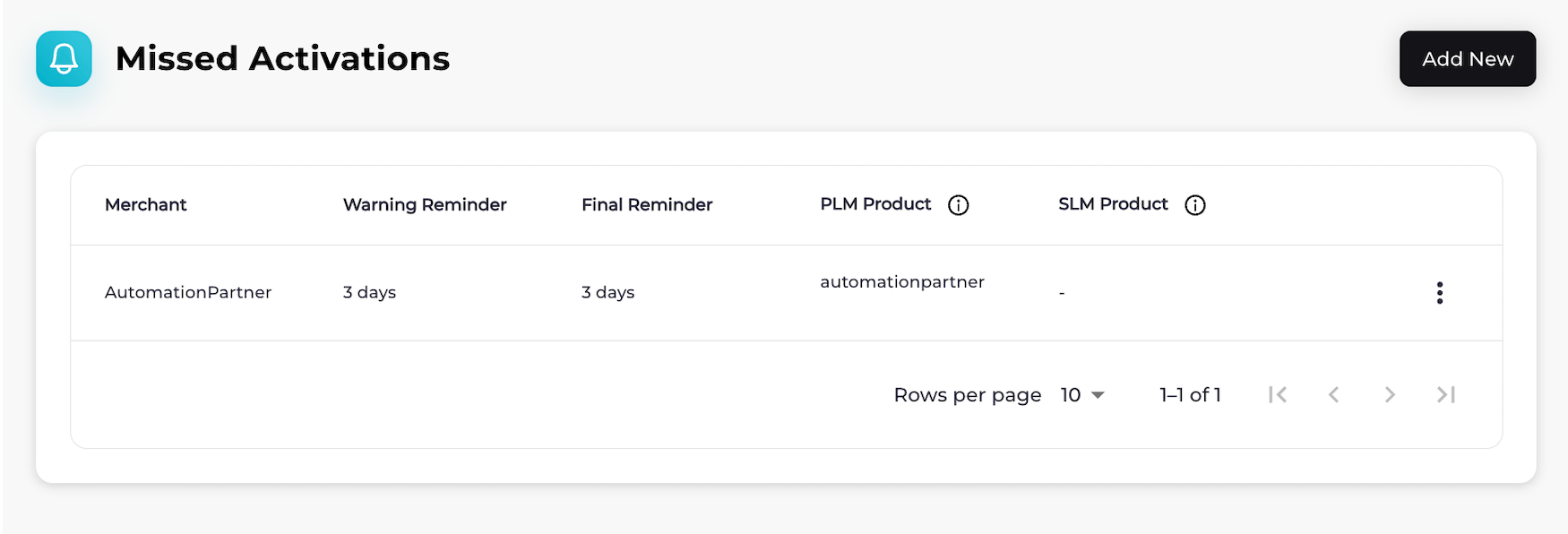
-
Choose what you’d like to do:
-
To add missed activation settings for a Merchant, select Add New.
The Missed Activations page appears.
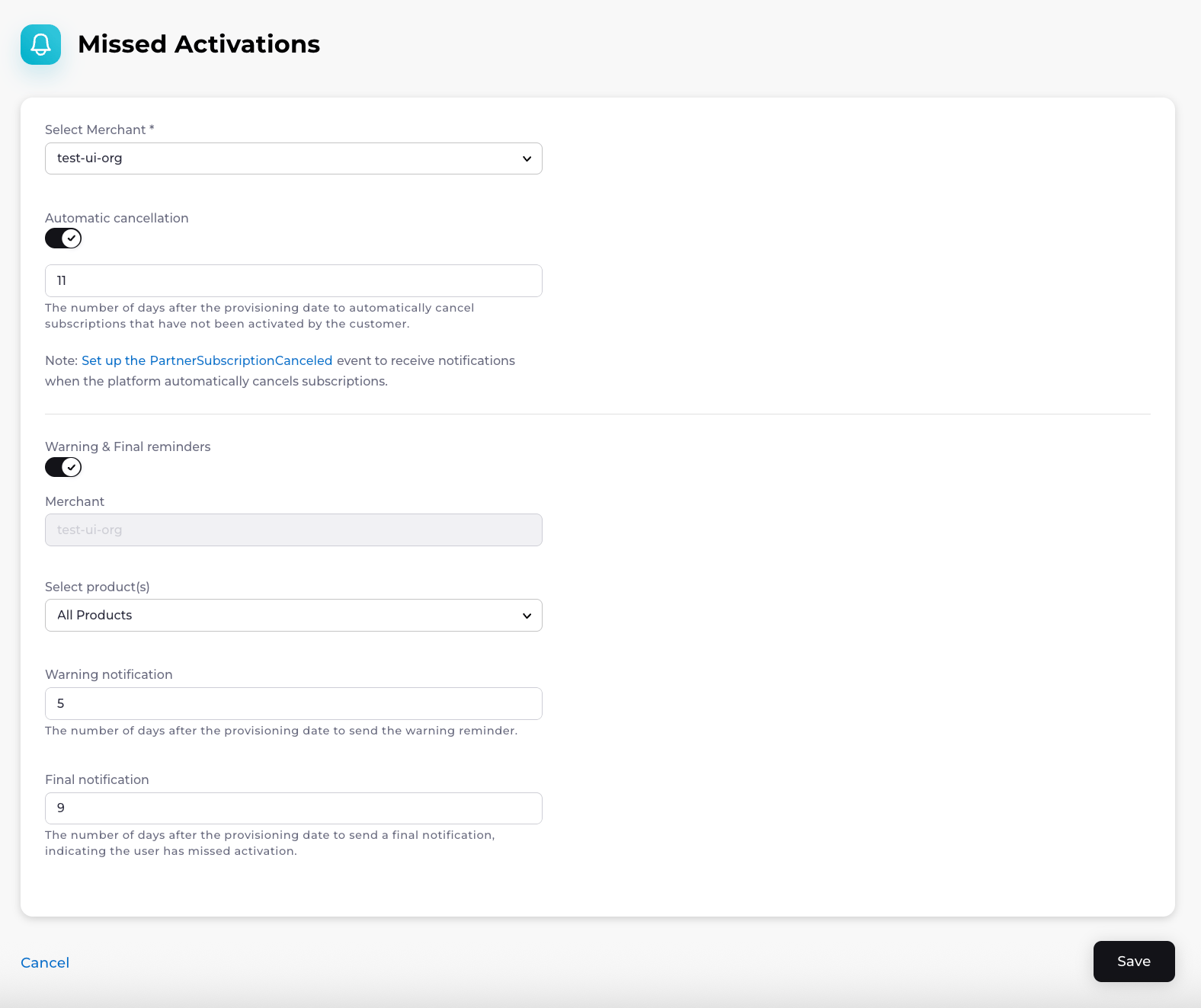
- To edit missed activation settings for a Merchant, find the Merchant on the Missed Activations page and select the three dot menu on the same row. Select Edit. The Edit Missed Activations dialog appears. Fill in the required fields, and complete any optional fields if needed. See the table below for guidance. Select Save. Your changes to the missed activation settings have been saved.
- To view missed activation settings for a Merchant, find the Merchant on the Missed Activations page and select the three dot menu on the same row. Select View.
- To delete missed activation settings for a Merchant, find the Merchant on the Missed Activations page and select the three dot menu on the same row. Select Delete. A Delete Missed Activations confirmation box appears. Confirm your choice. The activation reminder schedule has been successfully deleted.
-
To add missed activation settings for a Merchant, select Add New.
The Missed Activations page appears.