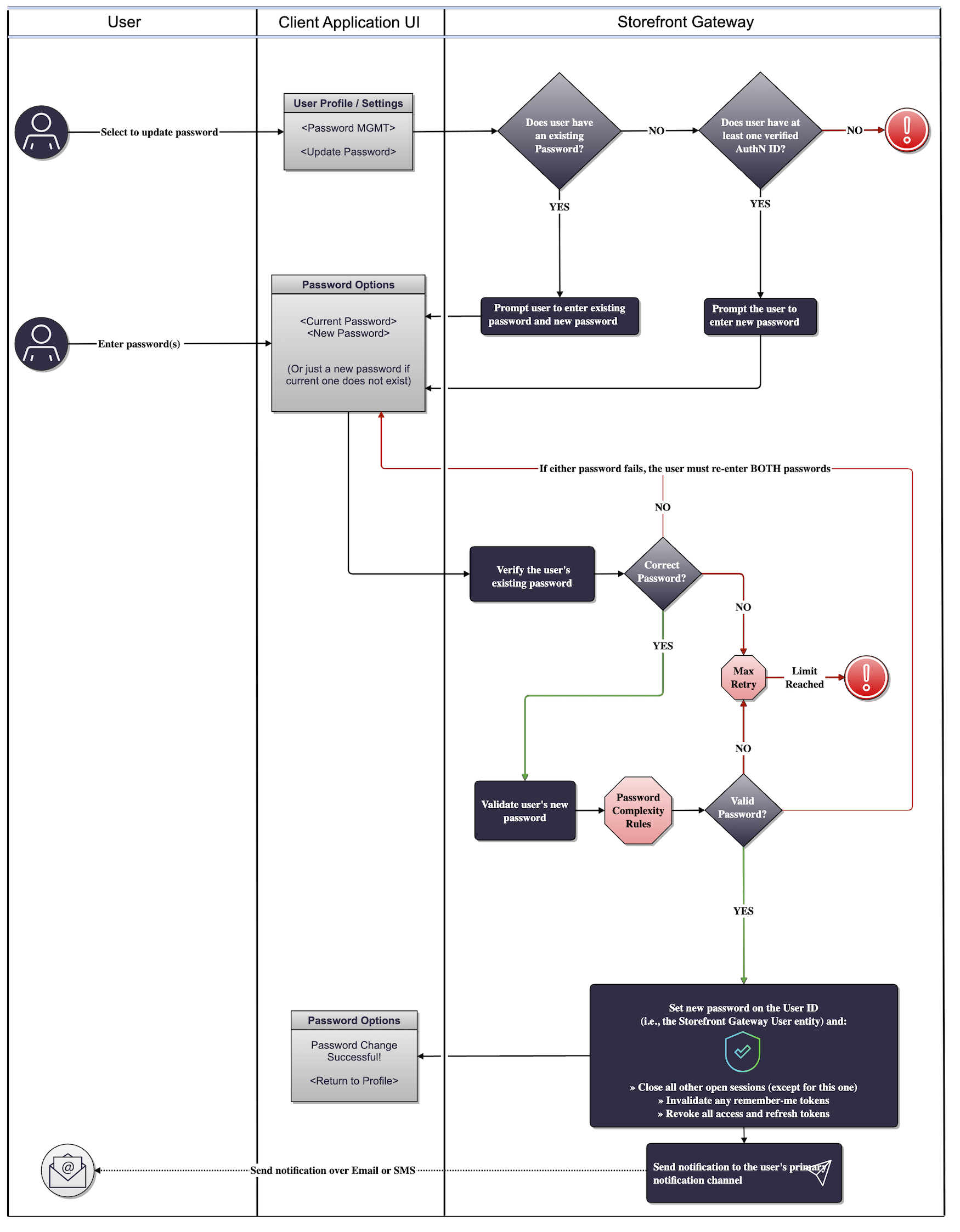
Process Flow
This flow describes the Process at a high level. Preconditions- The user is currently authenticated.
- The user navigates to their profile or settings menu, and selects to update their password.
- Storefront Gateway request the user’s current password and new password. Note: If the user does not yet have a password, then they only need to provide the one new password.
- The user enters each password in their respective field, and clicks Change Password. The client passes that input back to Storefront Gateway.
- Storefront Gateway verifies the old password to authorize the change, and then verifies the new password. Note: The Process accepts or rejects the new password based your organization’s Password Complexity Rules setting. This setting is configured in the Admin Portal on the Password page.
- Storefront Gateway hashes and saves the new password in the place of the old password. The service also invalidates any and all open sessions, remember me tokens, access tokens, and refresh tokens except for this current session as well as any Relying Party tokens.
- The user has successfully updated their password.
- Invalid password (for the current password). Please try again.
- The provided password does not match validation rules in terms of length, alphanumeric complexity, or forbidden/common passwords.
- Password cannot be blank.
- User has failed and exceeded the maximum number of retries.
App Settings
Certain aspects of the Process’ behavior are controlled by configurable system settings. Your organization manages these settings in the Storefront Gateway Admin console.User Journey Flow Diagram
This diagram illustrates the standard user journey using the Update Password Process.