

Storefront Gateway provides user authentication with an email address or mobile number and a one-time password (OTP). The user navigates to the organization’s login page to enter their credentials, and once authenticated, they can access and start using the services associated with their account.

User Authentication Flow

Preconditions
  • The User ID exists in Storefront Gateway.
  • The user has no password.
  • The user is configured to use OTP to verify their authN ID.
Following is a typical user authentication example for this flow:
  • The user navigates to your organization’s login page.
  • The user enters a previously verified AuthN ID such as their email address or mobile number.
  • Storefront Gateway sends a verification message with a One-Time Password (OTP) to the user’s email address or mobile number.
  • The user submits the OTP verification code sent by Storefront Gateway.
  • The user is logged in after Storefront Gateway’s successful identity verification.

Authenticate User with Email or Mobile and OTP

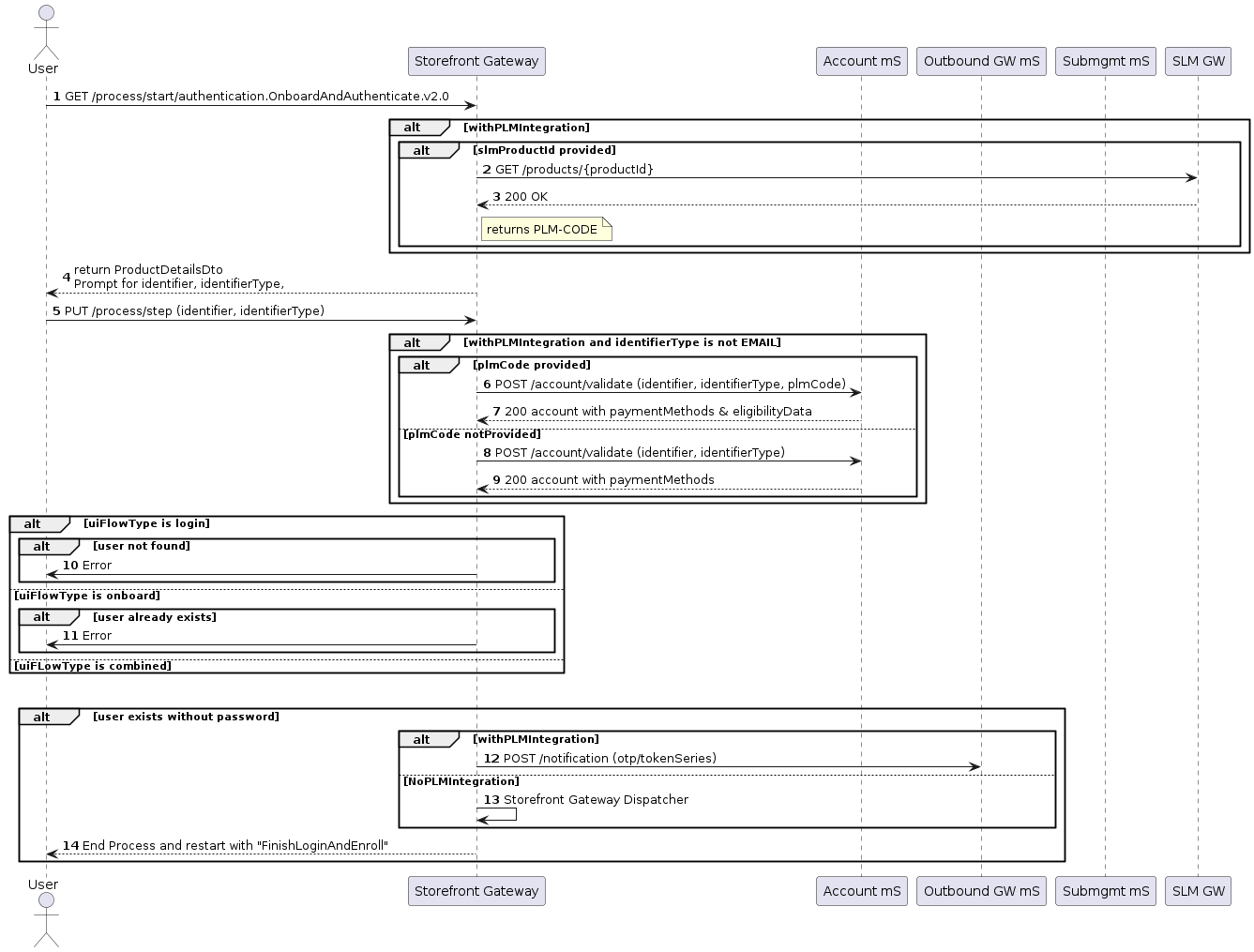
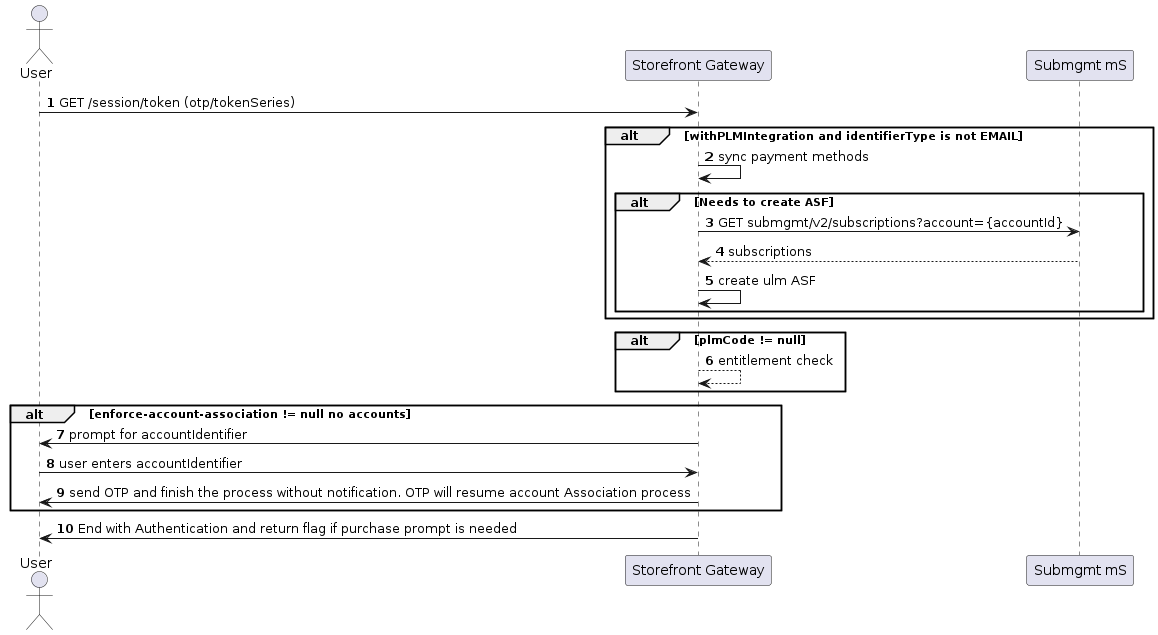
The first process begins the user’s journey and verifies that the user exists in Storefront Gateway. Authenticate user with OTP authentication flow The second Onboard, Authenticate and Activate Process, also known as the Finish Login and Enroll Process, finishes the user’s password creation and authentication journey. This process completes with Associate Account to User once the user submits their OTP for verification. Note: The create-password-prompt is an optional parameter on the UI and is disabled (false). Authenticate user with OTP and no password authentication flow
Application Settings

Some of the relevant app settings for this use case are:
  • shortTokenExpirationPeriodinMinutes
  • create-password-prompt
  • withAccountDiscovery
  • discoverAccountsBy
See additional details about more app settings in the Admin console and parameters to help you configure your Storefront Gateway instance.

Example

Request Process Start: POST {url}/process/start?{process}productId={}