

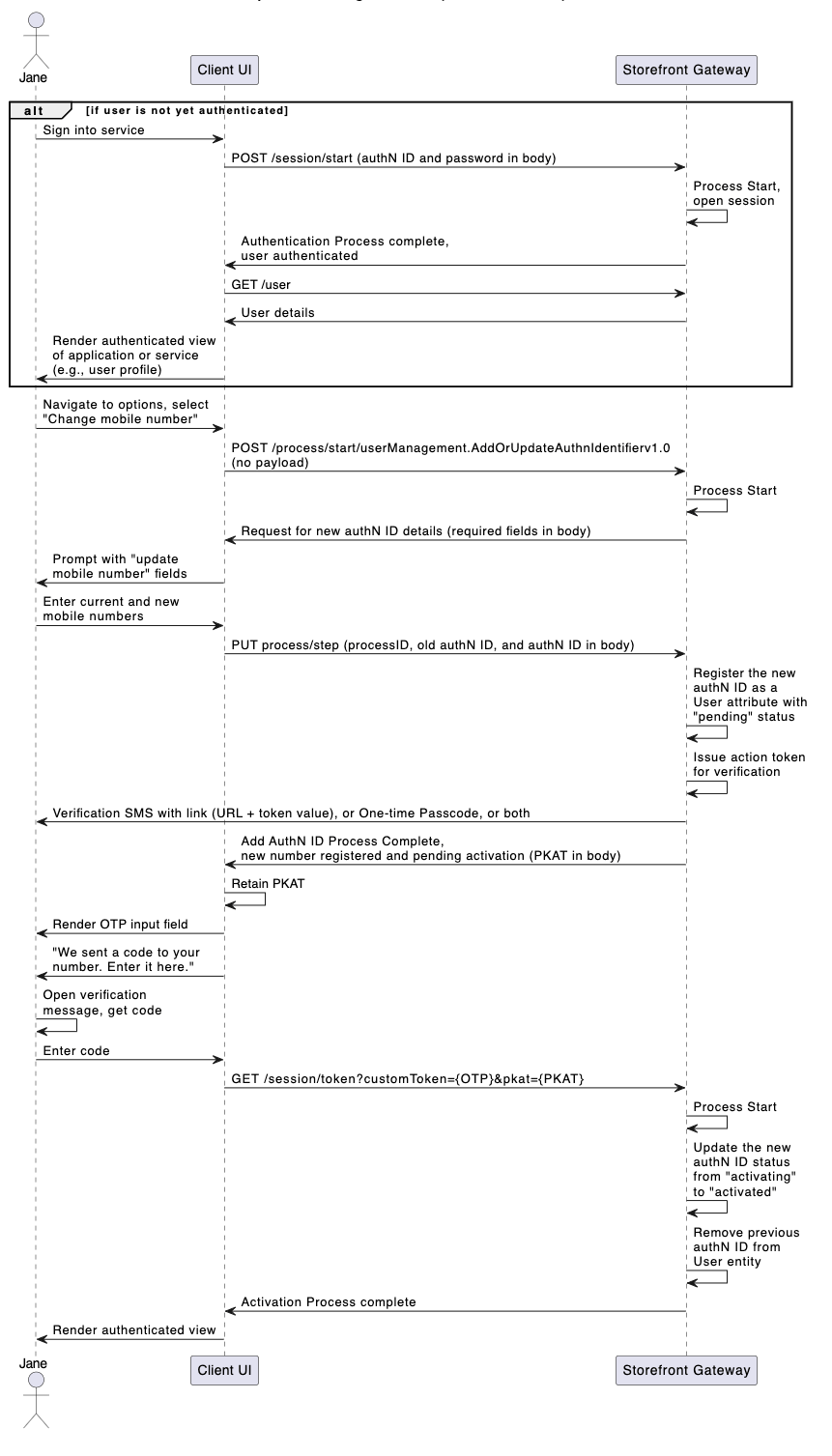
Initial Request
The Process Start API initializes the Process:Response
Storefront Gateway responds with a request for authN ID information:
The user needs to provide both the
newAuthnIdentifier value and the oldAuthnIdentifier value that the new one replaces.
Next Request: Replacement AuthN ID
The user provides their desired new authN ID, and the client passes it along with the old authN ID into the Process Step API.
Note: The new and old authN IDs must have the exact same format (i.e., the user cannot update an existing email address with a mobile number, or vice versa).
Process Complete
If the new authN ID does not match an existing authN ID already assigned to the user (or any other Storefront Gateway User ID), the Process completes its task and returns a 200 HTTP status code. The Process also sends an action token to the user through email or SMS.processId | The unique identifier for this instance of the Process. | ||
processName | Full name of the Process, including the category and version number. | ||
lastStep | Boolean that indicates whether or not this was the last step in the Process. | ||
output | Object that contains data that the client can consume, retain, and use for additional operations. | ||
newAuthnIdentifier | Object that contains details of the newly provisioned authN ID. | ||
id | Unique identifier for the authN ID. | ||
status | The authN ID’s current status. | ||
value | The actual authN ID value. | ||
oldAuthnIdentifier | Object that contains details of the of the authN ID to be replaced. | ||
attributeName | The authN ID grouping type (emails, mobiles, or aliases). | ||
pkat | Unique Proof Key for Action Token that corresponds to an existing action token. See action token for more details. | ||