

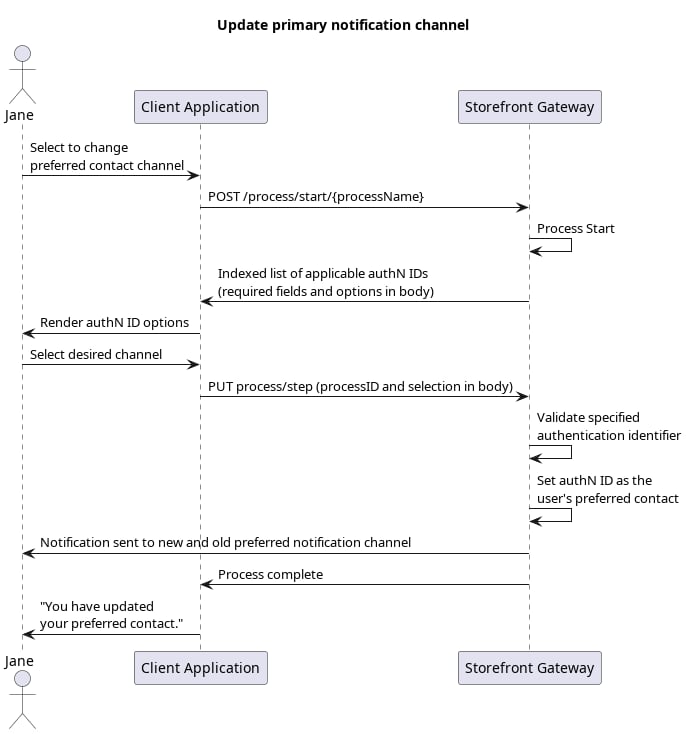
Initial Request
Your client calls the Process Start API to initialize the Process:Response: prompt to specify authN ID
Storefront Gateway looks up all of the current user’s email addresses and mobile numbers that are registered as an authN ID with anactivated status. The Process then returns an indexed set of applicable authN IDs (taken from the current User entity’s emails and mobiles objects). The response includes a prompt to specify the target ID by their corresponding index number:
Final Request
The user selects their desired authN ID, and your client passes that choice to Storefront Gateway in a Process Step API request:Process Complete
Storefront Gateway sets authN ID (that was specified by the index number) as the user’s primary notification channel. All system-generated notification messages for that user will now be sent to that channel. The Process ends and returns anHTTP 200 status:
Parent topic:Update Notification Channel Process