

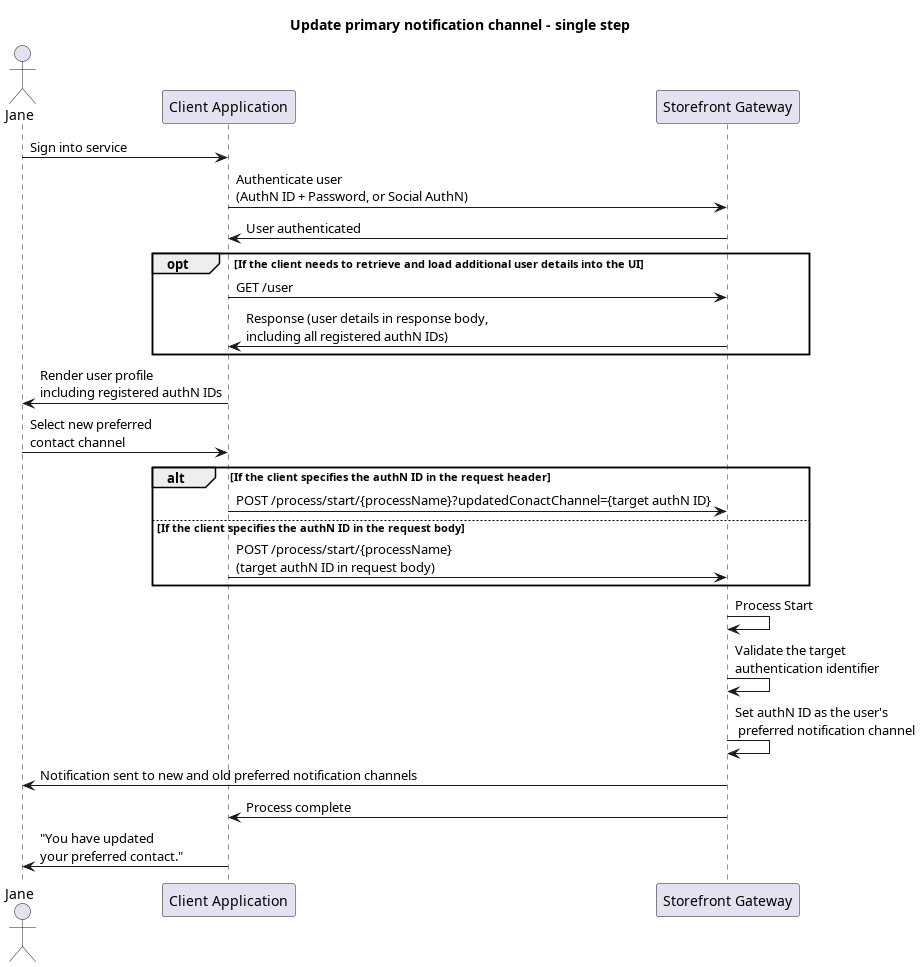
updatedContactChannel parameter. Storefront Gateway starts the Process, consumes the target authN ID and, if valid, sets it as the new primary notification channel.
Your client may need to retrieve and displays the relevant choices to the user in advance of Process invocation. This can be accomplished with a GET /user request when the user signs in, or navigates to a “profile management” or equivalent menu in the client application. The GET /user request returns the full User entity, which includes a list of authentication identifiers that are registered as User entity attributes.
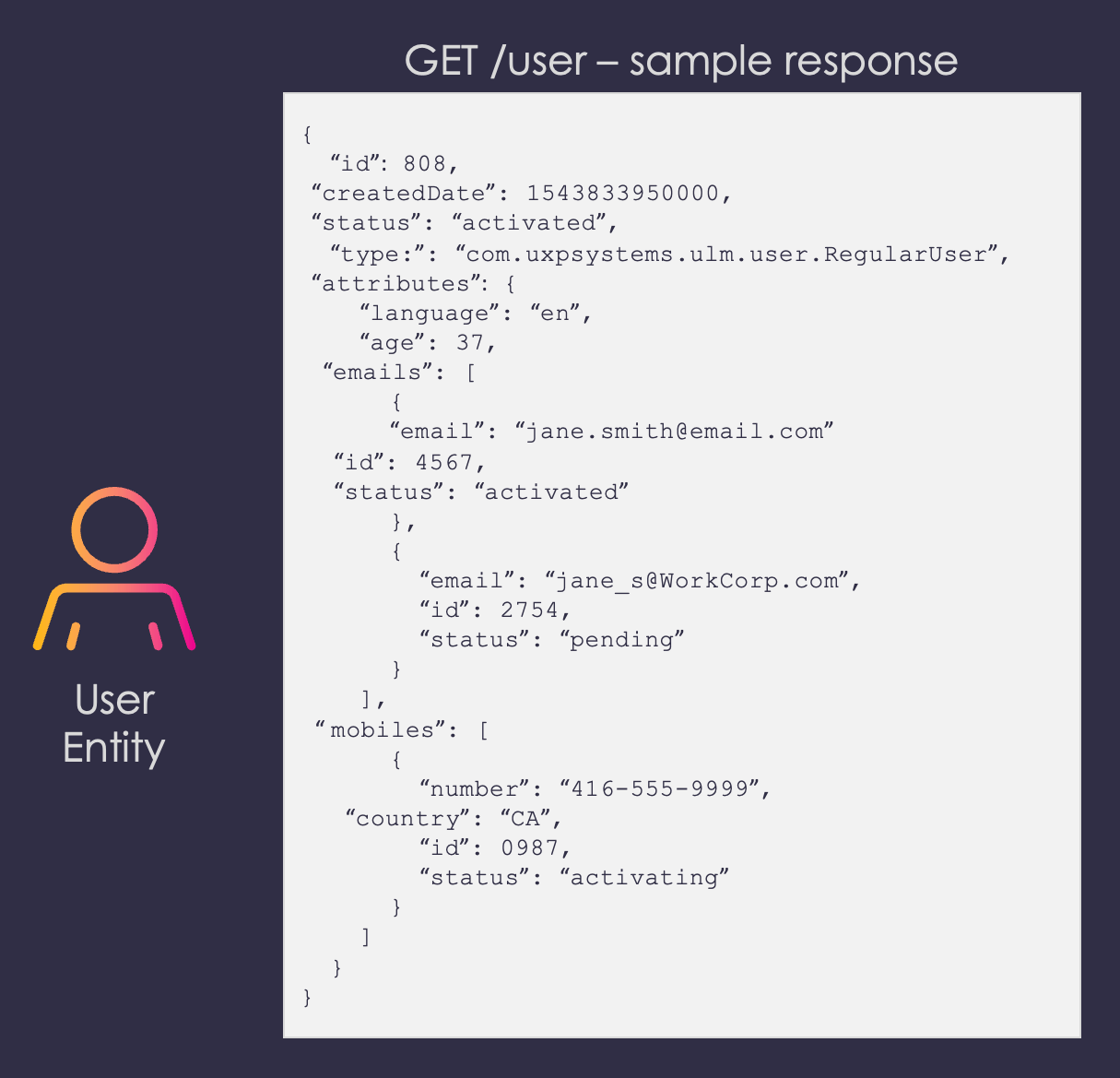
**preferredNotificationChannel** attribute indicates that the current PNC is under the **emails** array, and is the email value with a corresponding **id** of 7.Your application can display all authN IDs, and add any additional signifiers such as an authN IDs type and/or status.
Note: When initiating the Process for a single step flow, you must ensure that the user cannot specify any of their current authN IDs that don’t meet the following criteria:
- The desired authN ID is not already the current PNC
- The desired authN ID is a valid contact channel type (email or mobile – no aliases)
- The desired authN ID is verified, or has an
activatedstatus
Request
The user selects one of their registered authN IDs (e.g., jane.smith@email.ca) to be their new primary contact channel, and the client passes that selection to Storefront Gateway in the Process Start API request. Here’s an example of the request with the target authN ID in the request body. The required data is wrapped inside aparameters object, like in most standard Process flows:
Process Complete
Storefront Gateway validates target authN ID. If the authN ID passes validation, then Storefront Gateway immediately sets it as the user’s primary notification channel. All system-generated notification messages for this user will now be sent to the new PNC.Final Request
The user selects their desired authN ID, and the client passes that choice to Storefront Gateway in a Process Step API request:Process Complete
Storefront Gateway sets authN ID (that was specified by the index number) as the user’s primary notification channel. All system-generated notification messages for that user will now be sent to that channel. The Process ends and returns a200 HTTP status:
Parent topic:Update Notification Channel Process