

activating status, pending verification.
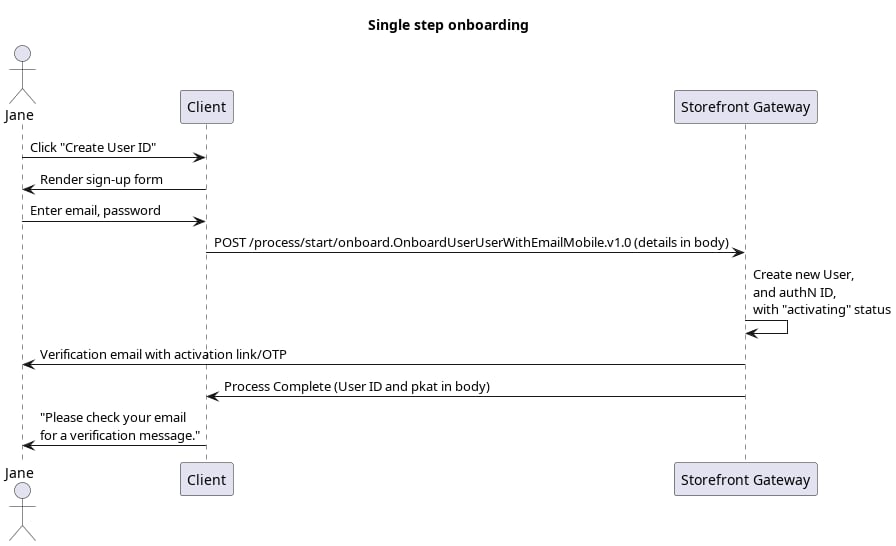
Initial Request
Your client application calls the Process Start API to initialize the Process:processId.
Process Complete
If the email (or mobile) and password pass validation, the Process starts, completes its task, and returns aHTTP 200 status. The Process also sends an action token out to the user’s email (or SMS) in the form of a clickable verification link (or OTP).
[GET /session/token?customToken=\{OTP\}&pkat=\{pkat\}](c_sessionToken) API to invoke the subsequent Activate User Process to complete the user onboarding.
In cases where the user is anonymous, the PKAT is required if the application wants to provide a quick token resend option on the UI, using the [PUT /session/token?pkat=\{pkat\}](c_putSessionToken) API. This method applies to cases where the user is anonymous (i.e., they are not authenticated in Storefront Gateway). However, if the user is currently authenticated in Storefront Gateway, the client application can instead invoke the Resend Verification Process for this purpose.
Parent topic:Onboard User with Email and Mobile Process